EasyManua.ls Logo

Physio Control LIFEPAK 9 - Option Settings; Test Menu

Physio Control LIFEPAK 9
214 pages
Print Icon
To Next Page IconTo Next Page
To Previous Page IconTo Previous Page
Loading...
Operation
2
Option
Settings
The
LIFEPAK
9
defibrillator/monitor
includes
software
which
allows
the
user
to
initiate
self-tests,
change
settings
and
power-on
defaults
such
as
language
and
heart
rate
alarm
limits,
and
examine
system
data.
Access
for
all
of
these
options
is
gained
through
the
top-level
Test
Menu
which
then
allows
access
to
the
Setup
Menu
or
Info
Menu.
All
menus
and
options
are
described
below.
Test
Menu
The
Test
Menu
is
the
top-level
menu
which
allows
access
to
the
self-tests
and
the
two
other
menus,
the
Setup
Menu
and
the
Info
Menu.
To
access
the
Test
Menu,
do
the
following:
1.
Make
sure
the
defibrillator/monitor
power
is
off.
Simultaneously
press
and
hold
LEAD
SELECT
and
HR
ALARM,
then
press
ON.
2.
Continue
holding
LEAD
SELECT
and
HR
ALARM
until
the
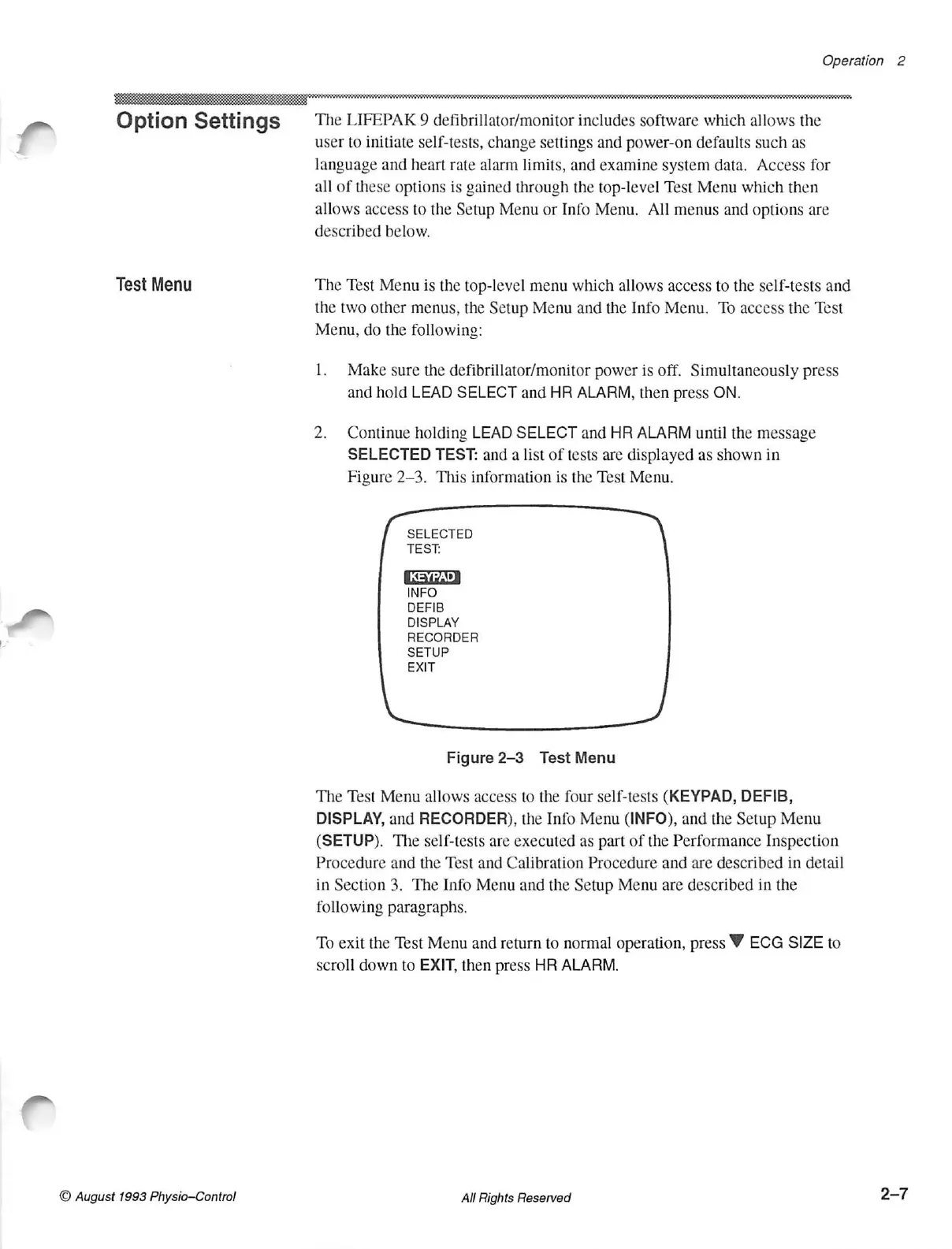
message
SELECTED
TEST:
and
a
list
of
tests
are
displayed
as
shown
in
Figure
2-3.
This
information
is
the
Test
Menu.
SELECTED
TEST.
INFO
DEFIB
DISPLAY
RECORDER
SETUP
EXIT
Figure
2-3
Test
Menu
The
Test
Menu
allows
access
to
the
four
self-tests
(KEYPAD,
DEFIB,
DISPLAY,
and
RECORDER),
the
Info
Menu
(INFO),
and
the
Setup
Menu
(SETUP).
The
self-tests
are
executed
as
part
of
the
Performance
Inspection
Procedure
and
the
Test
and
Calibration
Procedure
and
are
described
in
detail
in
Section
3.
The
Info
Menu
and
the
Setup
Menu
are
described
in
the
following
paragraphs.
To
exit
the
Test
Menu
and
return
to
normal
operation,
press
Ÿ
ECG
SIZE
to
scroll
down
to
EXIT,
then
press
HR
ALARM.
© August
1993
Physio-Control
All
Rights
Reserved
2-7

Table of Contents

Other manuals for Physio Control LIFEPAK 9

Related product manuals