EasyManua.ls Logo

Physio Control LIFEPAK 9 - Page 55

Physio Control LIFEPAK 9
214 pages
Print Icon
To Next Page IconTo Next Page
To Previous Page IconTo Previous Page
Loading...
LIFEPAK
9
defibrillator/monitor
Setup
Menu
The
Setup
Menu
allows
you
to
examine
and
change
various
operating
settings
such
as
the
language,
notch
filters,
heart
rate
alarm
limits,
and
the
alarm
volume.
To
access
the
Setup
Menu,
do
the
following:
1.
First,
access
the
Test
Menu
by
turning
power
off.
Then
simultaneously
press
and
hold
LEAD
SELECT
and
HR
ALARM
while
pressing
ON.
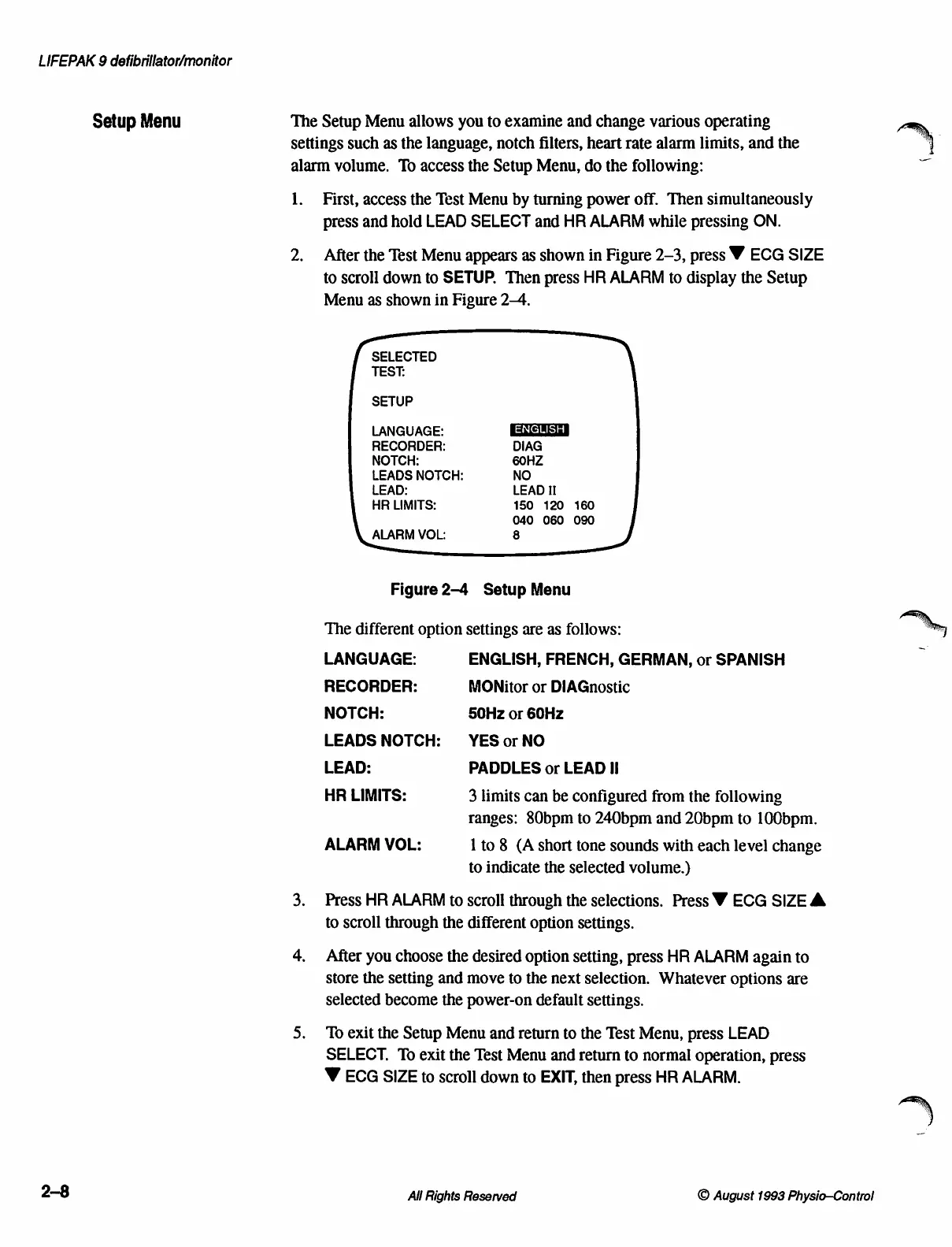
2.
After
the
Test
Menu
appears
as
shown
in
Figure
2-3,
press
Ÿ
ECG
SIZE
to
scroll
down
to
SETUP.
Then
press
HR
ALARM
to
display
the
Setup
Menu
as
shown
in
Figure
2-4.
SELECTED
TEST:
SETUP
LANGUAGE:
RECORDER:
DIAG
NOTCH:
60HZ
LEADS
NOTCH:
NO
LEAD:
LEAD
II
HR
LIMITS:
150
120
160
040
060
090
ALARM
VOL:
8
Figure
2-4
Setup
Menu
The
different
option
settings
are
as
follows:
LANGUAGE:
ENGLISH,
FRENCH,
GERMAN,
or
SPANISH
RECORDER:
MONitor
or
DIAGnostic
NOTCH:
50Hz
or
60Hz
LEADS
NOTCH:
УЕ$
ог
МО
LEAD:
PADDLES
or
LEAD
II
HR
LIMITS:
3
limits
can
be
configured
from
the
following
ranges:
80bpm
to
240bpm
and
20bpm
to
100bpm.
ALARM
VOL:
1
to
8
(A
short
tone
sounds
with
each
level
change
to
indicate
the
selected
volume.)
3.
Press
HR
ALARM
to
scroll
through
the
selections.
Press
W
ECG
SIZE
A
to
scroll
through
the
different
option
settings.
4.
After
you
choose
the
desired
option
setting,
press
HR
ALARM
again
to
Store
the
setting
and
move
to
the
next
selection.
Whatever
options
are
selected
become
the
power-on
default
settings.
5.
To
exit
the
Setup
Menu
and
return
to
the
Test
Menu,
press
LEAD
SELECT.
To
exit
the
Test
Menu
and
return
to
normal
operation,
press
W
ECG
SIZE
to
scroll
down
to
EXIT,
then
press
HR
ALARM.
2-8
All
Rights
Reserved
©
August
1993
Physio-Control

Table of Contents

Other manuals for Physio Control LIFEPAK 9

Related product manuals