EasyManua.ls Logo

Physio Control LIFEPAK 9 - Info Menu

Physio Control LIFEPAK 9
214 pages
Print Icon
To Next Page IconTo Next Page
To Previous Page IconTo Previous Page
Loading...
Operation
2
Info
Menu
The
Info
Menu
allows
you
to
examine
the
manufacturing
date
and
EPROM
revision
numbers,
and
to
examine
and
clear
the
number
of
defibrillator
discharges
recorded
and
fault
status
codes
recorded.
To
access
the
Info
Menu,
do
the
following:
1.
First,
access
the
Test
Menu.
Turn
power
off,
then
simultaneously
press
and
hold
LEAD
SELECT
and
HR
ALARM
while
pressing
ON.
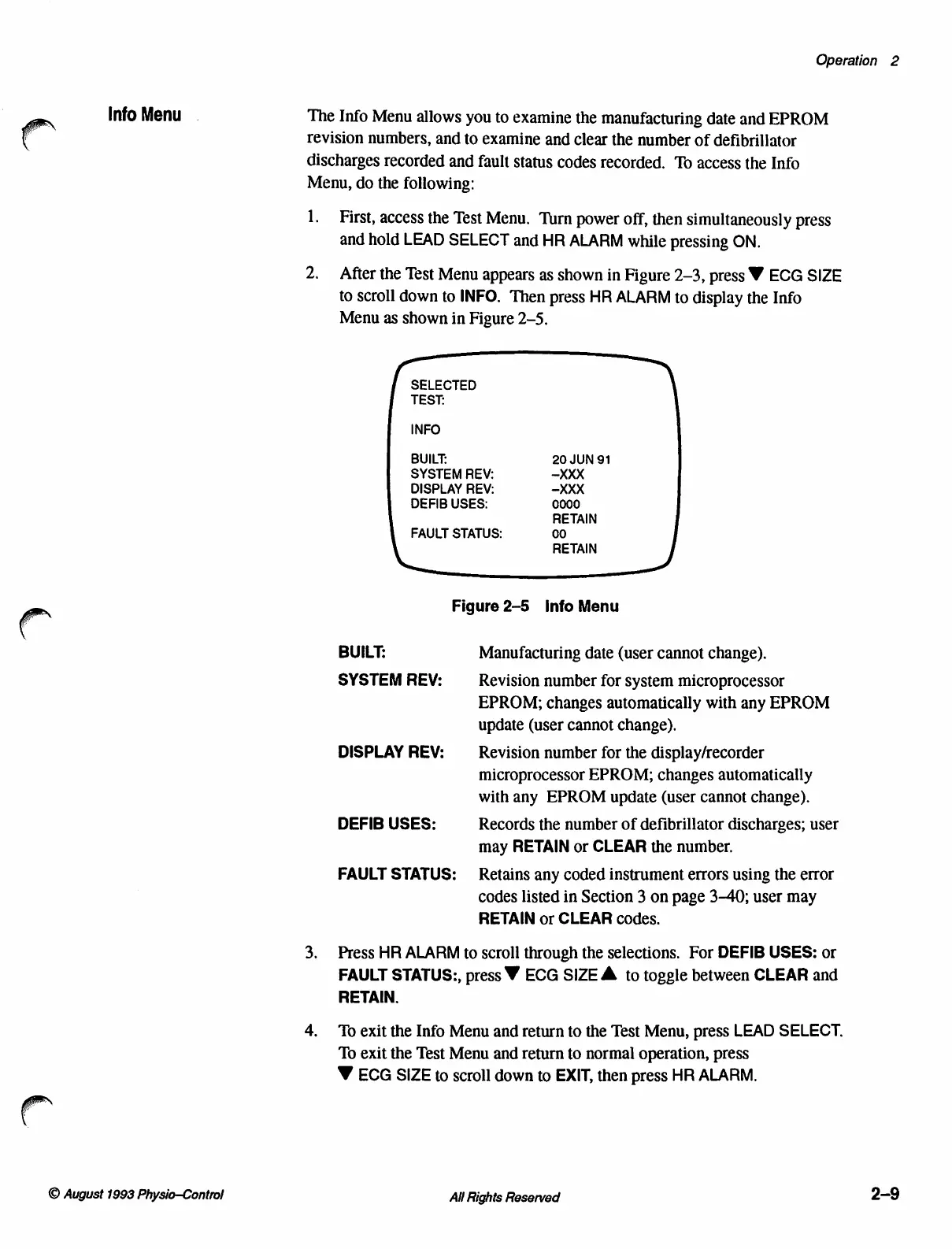
2.
After
the
Test
Menu
appears
as
shown
in
Figure
2-3,
press
W
ECG
SIZE
to
scroll
down
to
INFO.
Then
press
HR
ALARM
to
display
the
Info
Menu
as
shown
in
Figure
2-5.
SELECTED
TEST:
INFO
BUILT:
20
JUN
91
SYSTEM
REV:
XXX
DISPLAY
REV:
-XXX
DEFIB
USES:
0000
RETAIN
FAULT
STATUS:
00
RETAIN
©
Figure
2-5
Info
Menu
BUILT:
Manufacturing
date
(user
cannot
change).
SYSTEM
REV:
Revision
number
for
system
microprocessor
EPROM;
changes
automatically
with
any
EPROM
update
(user
cannot
change).
DISPLAY
REV:
Revision
number
for
the
display/recorder
microprocessor
EPROM;
changes
automatically
withany
EPROM
update
(user
cannot
change).
DEFIB
USES:
Records
the
number
of
defibrillator
discharges;
user
may
RETAIN
or
CLEAR
the
number.
FAULT
STATUS:
Retains
any
coded
instrument
errors
using
the
error
codes
listed
in
Section
3
on
page
3-40;
user
may
RETAIN
or
CLEAR
codes.
3.
Press
HR
ALARM
to
scroll
through
the
selections.
For
DEFIB
USES:
or
FAULT
STATUS:,
press
W
ECG
SIZE
À
to
toggle
between
CLEAR
and
RETAIN.
4.
To
exit
the
Info
Menu
and
return
to
the
Test
Menu,
press
LEAD
SELECT.
To
exit
the
Test
Menu
and
return
to
normal
operation,
press
V
ECG
SIZE
to
scroll
down
to
EXIT,
then
press
HR
ALARM.
©
August
1993
Physio—Control
All
Rights
Reserved
2-9

Table of Contents

Other manuals for Physio Control LIFEPAK 9

Related product manuals