EasyManua.ls Logo

Physio Control LIFEPAK 9 - Page 62

Physio Control LIFEPAK 9
214 pages
Print Icon
To Next Page IconTo Next Page
To Previous Page IconTo Previous Page
Loading...
Testing
3
^.
If
the
dash
number
of
the
defibrillator/monitor
is
not
listed
above,
press
|
the
bottom
of
the
rear
panel
power
switch
to
place
it
in
the
on
(1)
position.
3.
Press
ON
to
apply
power
to
the
defibrillator/monitor
and
confirm
that
the
ON
LED
illuminates.
4.
Confirm
that
©
1989,
PCC
is
displayed
for
at
least
5
seconds.
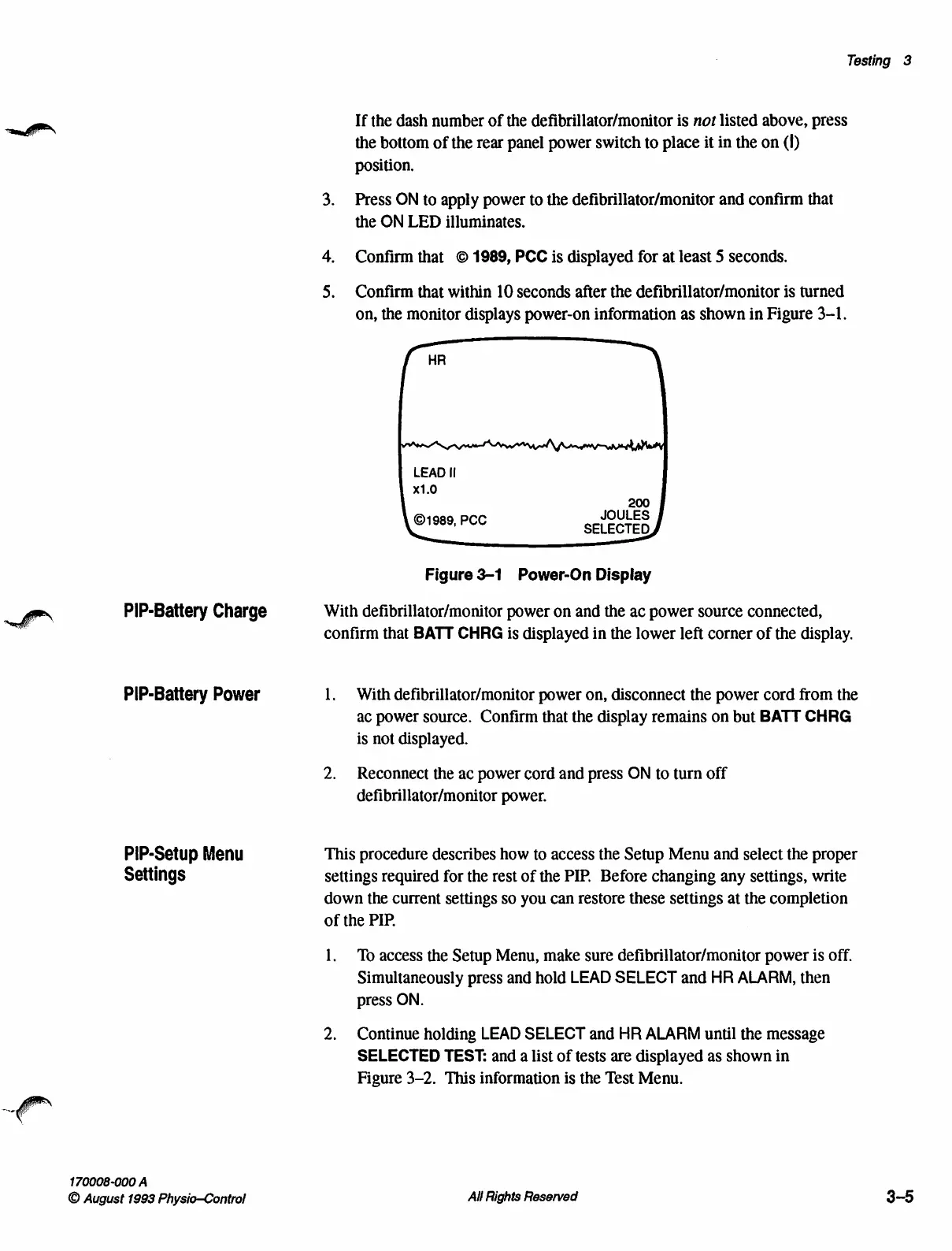
5.
Confirm
that
within
10
seconds
after
the
defibrillator/monitor
is
turned
on,
the
monitor
displays
power-on
information
as
shown
in
Figure
3-1.
=
LEAD
Il
x1.0
JOULES
©1989,
PCC
SELECTED
Figure
3-1
Power-On
Display
PIP-Battery
Charge
With
defibrillator/monitor
power
on
and
the
ac
power
source
connected,
ーー
confirm
that
BATT
CHRG
is
displayed
in
the
lower
left
corner
of
the
display.
PIP-Battery
Power
1.
With
defibrillator/monitor
power
on,
disconnect
the
power
cord
from
the
ac
power
source.
Confirm
that
the
display
remains
on
but
BATT
CHRG
is
not
displayed.
2.
Reconnect
the
ac
power
cord
and
press
ON
to
turn
off
defibrillator/monitor
power.
PIP-Setup
Menu
This
procedure
describes
how
to
access
the
Setup
Menu
and
select
the
proper
Settings
settings
required
for
the
rest
of
the
PIP.
Before
changing
any
settings,
write
down
the
current
settings
so
you
can
restore
these
settings
at
the
completion
of
the
PIP.
1.
To
access
the
Setup
Menu,
make
sure
defibrillator/monitor
power
is
off.
Simultaneously
press
and
hold
LEAD
SELECT
and
HR
ALARM,
then
press
ON.
2.
Continue
holding
LEAD
SELECT
and
HR
ALARM
until
the
message
SELECTED
TEST:
and
a
list
of
tests
are
displayed
as
shown
in
Figure
3-2.
This
information
is
the
Test
Menu.
170008-000
A
O
August
1993
Physio—Control
All
Rights
Reserved
3-5

Table of Contents

Other manuals for Physio Control LIFEPAK 9

Related product manuals