EasyManua.ls Logo

Physio Control LIFEPAK 9 - Page 63

Physio Control LIFEPAK 9
214 pages
Print Icon
To Next Page IconTo Next Page
To Previous Page IconTo Previous Page
Loading...
LIFEPAK
9
defibrillator/monitor
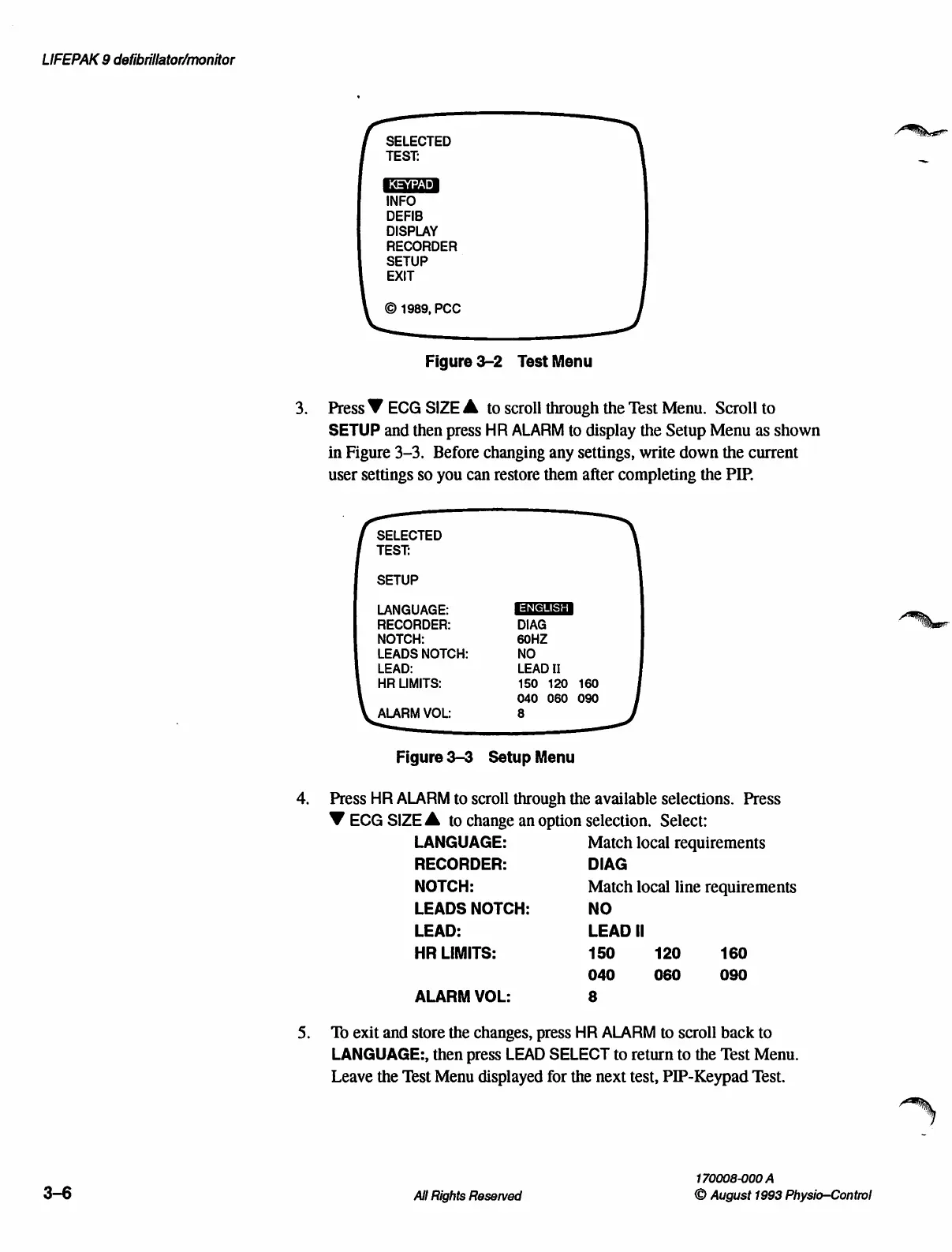
SELECTED
m
TEST:
_
INFO
DEFIB
DISPLAY
RECORDER
SETUP
EXIT
Figure
3-2
Test
Menu
3.
Press
Y
ECG
SIZE
A
to
scroll
through
the
Test
Menu.
Scroll
to
SETUP
and
then
press
HR
ALARM
to
display
the
Setup
Menu
as
shown
in
Figure
3-3.
Before
changing
any
settings,
write
down
the
current
user
settings
so
you
can
restore
them
after
completing
the
PIP.
SELECTED
TEST:
SETUP
LANGUAGE:
RECORDER:
DIAG
NOTCH:
60HZ
LEADS
NOTCH:
NO
LEAD:
LEAD
II
HR
LIMITS:
150 120
160
040
060
090
ALARM
VOL:
8
Figure
3-3
Setup
Menu
4.
Press
HR
ALARM
to
scroll
through
the
available
selections.
Press
V
ECG
SIZE
À
to
change
an
option
selection.
Select:
LANGUAGE:
Match
local
requirements
RECORDER:
DIAG
NOTCH:
Match
local
line
requirements
LEADS
NOTCH:
NO
LEAD:
LEAD
Il
HR
LIMITS:
150 120
160
040 060
090
ALARM
VOL:
8
5.
To
exit
and
store
the
changes,
press
HR
ALARM
to
scroll
back
to
LANGUAGE:,
then
press
LEAD
SELECT
to
return
to
the
Test
Menu.
Leave
the
Test
Menu
displayed
for
the
next
test,
PIP-Keypad
Test.
170008-000
A
3-6
All
Rights
Reserved
©
August
1993
Physio—Control

Table of Contents

Other manuals for Physio Control LIFEPAK 9

Related product manuals