EasyManua.ls Logo

Physio Control LIFEPAK 9 - Page 65

Physio Control LIFEPAK 9
214 pages
Print Icon
To Next Page IconTo Next Page
To Previous Page IconTo Previous Page
Loading...
LIFEPAK
9
defibrillator/monitor
PIP-Lead
Select
PIP-Recorder
Speed/Baseline
Centering
PIP-ECG
Display
1.
Use
the
patient
cable
to
connect
the
ECG
simulator
to
the
defibrillator/monitor.
Set
the
ECG
simulator
for
a
60
bpm-NSR
signal.
2.
Press
LEAD
SELECT
repeatedly
and
confirm
that
the
signal
displays
in
all
lead
(1,
1,
III)
configurations.
1.
Confirm
there
is
paper
in
the
recorder.
2.
Set
the
ECG
simulator
for
a
60bpm-NSR
signal
in
LEAD
Il.
3.
Press
RECORD,
let
the
recorder
run
for
approximately
10
seconds,
then
select
STD.
Let
the
recorder
run
for
an
additional
10
seconds,
then
press
RECORD
to
stop
the
recorder.
4.
Measure
the
distance
between
the
maximum
peaks
of
the
recorded
ECG
trace.
Confirm
that
the
distance
between
consecutive
peaks
is
25
+1mm.
5.
Measure
the
baseline
centering
of
the
recorded
STD
trace.
Confirm
that
the
baseline
is
centered
within
+1mm.
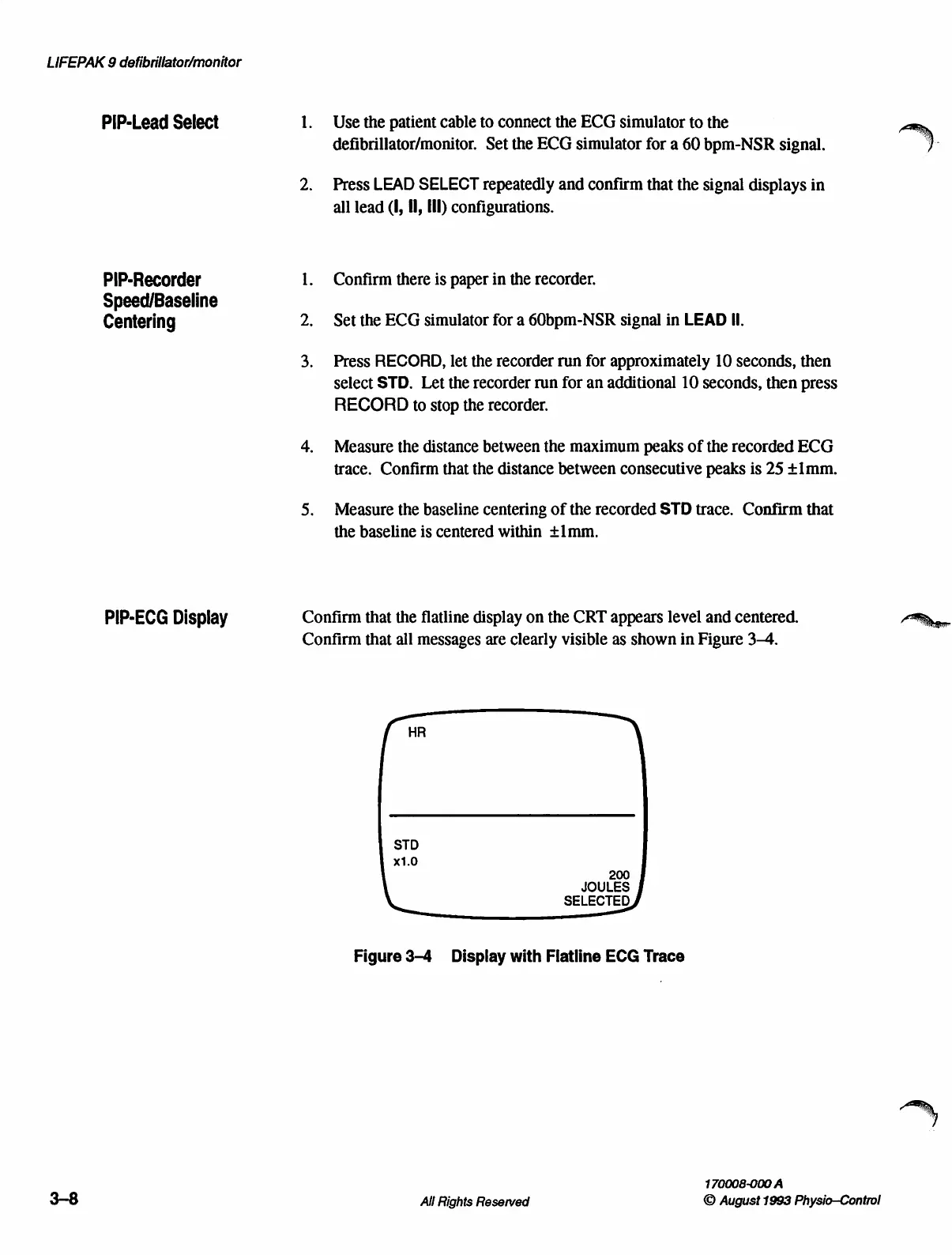
Confirm
that
the
flatline
display
on
the
CRT
appears
level
and
centered.
Confirm
that
all
messages
are
clearly
visible
as
shown
in
Figure
3-4.
DI
STD
x1.0
200
JOULES
SELECTED
Figure
3-4
Display
with
Flatline
ECG
Trace
170008-000
A
All
Rights
Reserved
©
August
1993
Physio—Control

Table of Contents

Other manuals for Physio Control LIFEPAK 9

Related product manuals