EasyManua.ls Logo

Physio Control LIFEPAK 9 - Page 82

Physio Control LIFEPAK 9
214 pages
Print Icon
To Next Page IconTo Next Page
To Previous Page IconTo Previous Page
Loading...
Testing
3
TCP-Test
Menu
Three
of
the
four
tests
on
the
Test
Menu
(DEFIB,
DISPLAY,
and
Access
RECORDER)
are
used
in
Test
and
Calibration
Procedures.
To
access
the
Test
Menu,
do
the
following:
1.
Turn
the
defibrillator/monitor
power
off.
2.
Press
ON
while
pressing
and
holding
down
LEAD
SELECT
and
HR
ALARM
until
the
Test
Menu
is
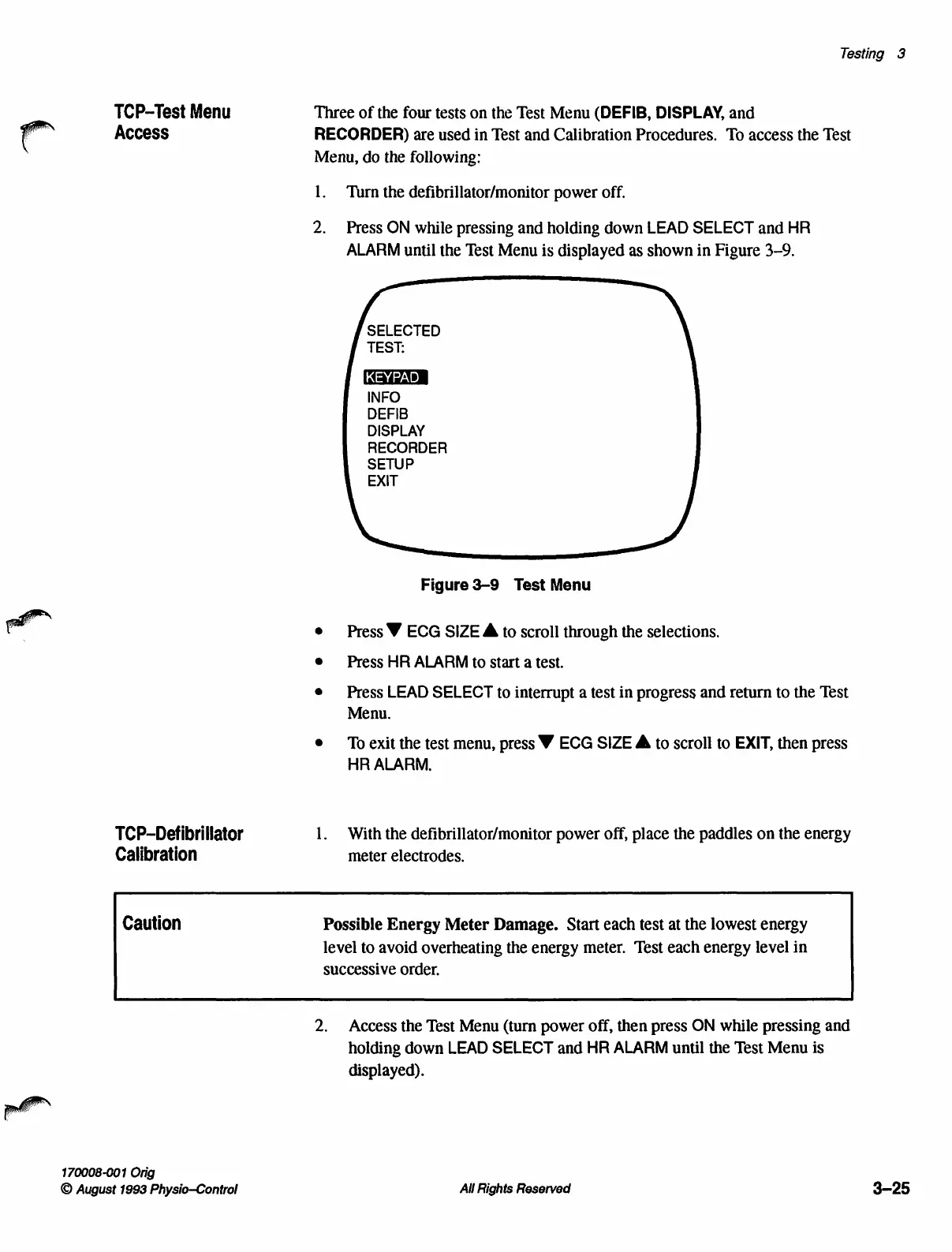
displayed
as
shown
in
Figure
3-9.
SELECTED
TEST:
INFO
DEFIB
DISPLAY
RECORDER
SETUP
EXIT
Figure
3-9
Test
Menu
Г
o
e
Press
Y
ECG
SIZE
À
to
scroll
through
the
selections.
e
Press
HR
ALARM
to
start
a
test.
e
Press
LEAD
SELECT
to
interrupt
a
test
in
progress
and
return
to
the
Test
Menu.
e
To
exit
the
test
menu,
press
Y
ECG
SIZE
À
to
scroll
to
EXIT,
then
press
HR
ALARM.
TCP-Defibrillator
1.
With
the
defibrillator/monitor
power
off,
place
the
paddles
on
the
energy
Calibration
meter
electrodes.
Caution
Possible
Energy
Meter
Damage.
Start
each
test
at
the
lowest
energy
level
to
avoid
overheating
the
energy
meter.
Test
each
energy
level
in
successive
order.
2.
Access
the
Test
Menu
(turn
power
off,
then press
ON
while
pressing
and
holding
down
LEAD
SELECT
and
HR
ALARM
until
the
Test
Menu
is
displayed).
170008-001
Orig
©
August
1993
Physio—Control
All
Rights
Reserved
3-25

Table of Contents

Other manuals for Physio Control LIFEPAK 9

Related product manuals