68 Version: 1.2.1 MS249E C-863.12 Mercury Controller
4. Start the jump in the positive direction as well as the recording by clicking the button
in the Data Recorder window.
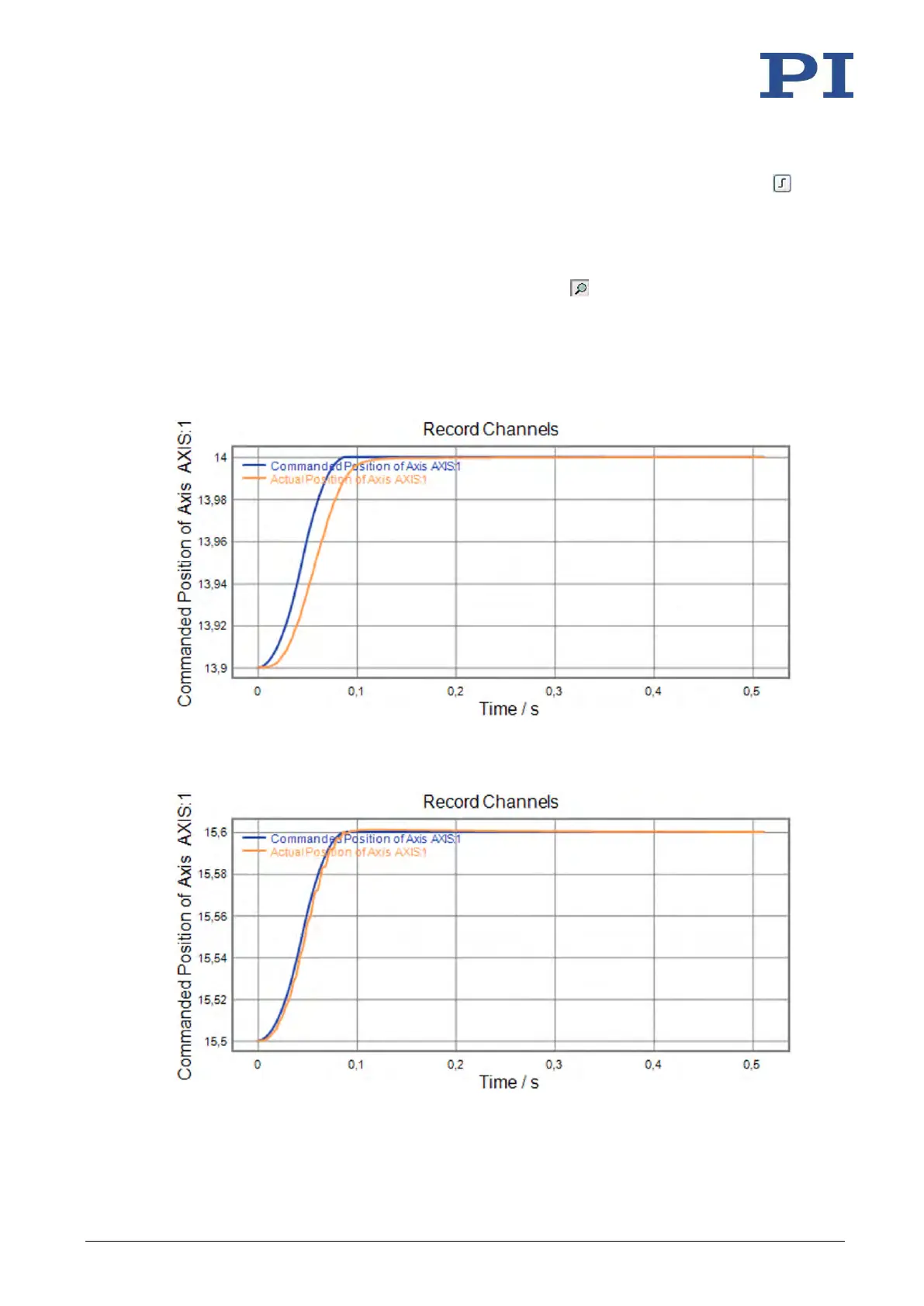
The axis performs the step and the step response is recorded and displayed graphically.
5. Check the displayed step response (see examples below).
− If necessary, enlarge the view by clicking the button and, while pressing the left
mouse button, dragging the mouse pointer, which has turned into a magnifying
glass, over a section of the graphic display (clicking the right mouse button in the
graphics field reduces the view back to the original size).
Examples for step responses:
Figure 16: Step-and-settle too slow
Figure 17: Oscillation



 To Next Page