40
BIP-6000
Manual
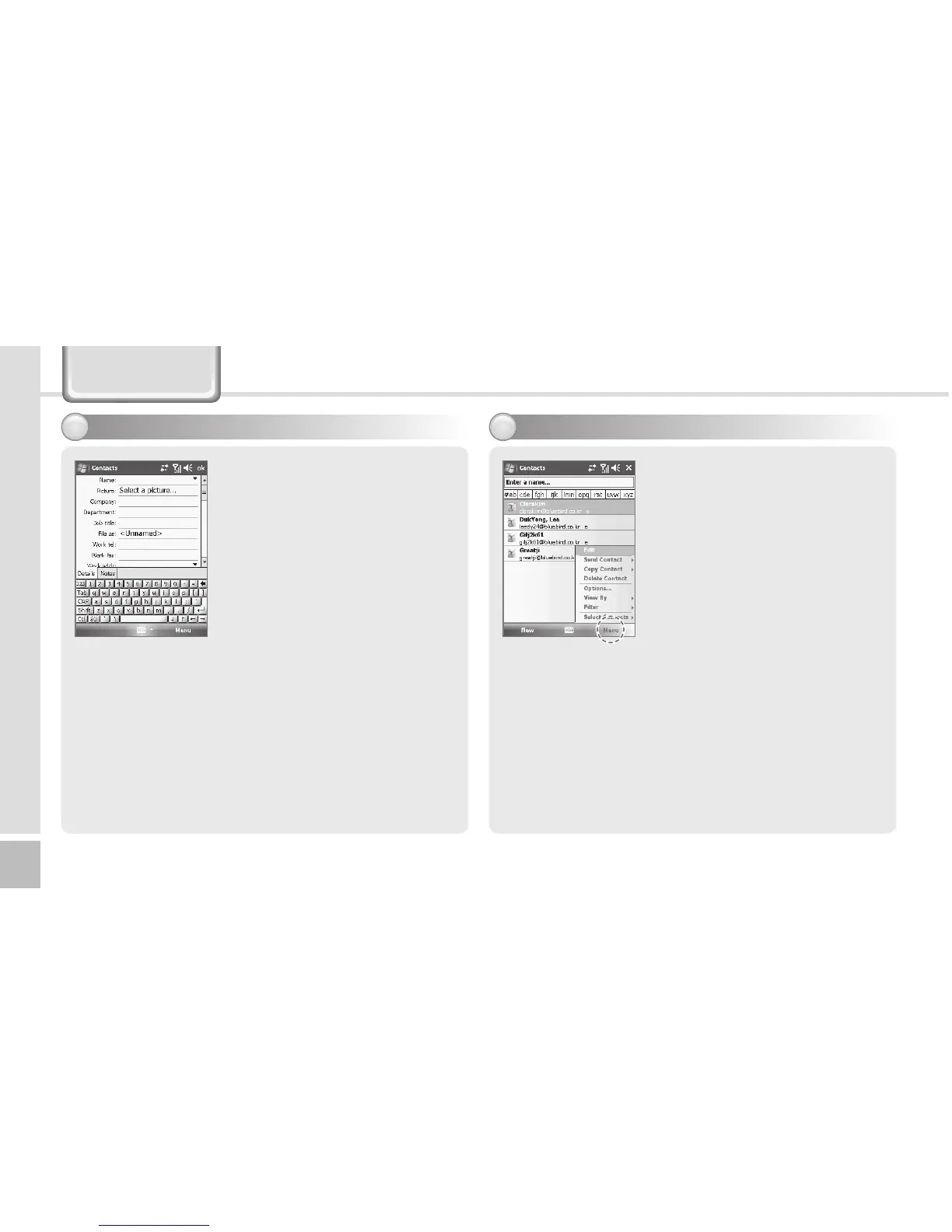
Viewing menu
3
Select the [Menu] button in the
bottom right of the Phonebook
window.
Edit : You can edit the existing
phone number.
Send Contact : You can send a
phone number through wireless
communication.
Copy/Delete Contact : You can
copy/delete the selected phone
number.
3Enteralltheelds,andselect
[ok] in the top right of the
screen to register the entry in
the phonebook.
Registering entry - 2
2
Phonebook
Options... : You can select <Show alphabetical index>
or <Show contact names only>.
View By : You can set the display standard of phone
number by name / Company.
Filter:Youcansetltersfordisplay.
Select Contacts : You can select Several / All.



 To Next Page