EasyManua.ls Logo

Pidion BIP-6000 - Using Barcode Reader; Using Barcode; Scanning Barcode

Pidion BIP-6000
70 pages
Print Icon
To Next Page IconTo Next Page
To Previous Page IconTo Previous Page
Loading...
30
BIP-6000
Manual
Using barcode reader
Using barcode
1
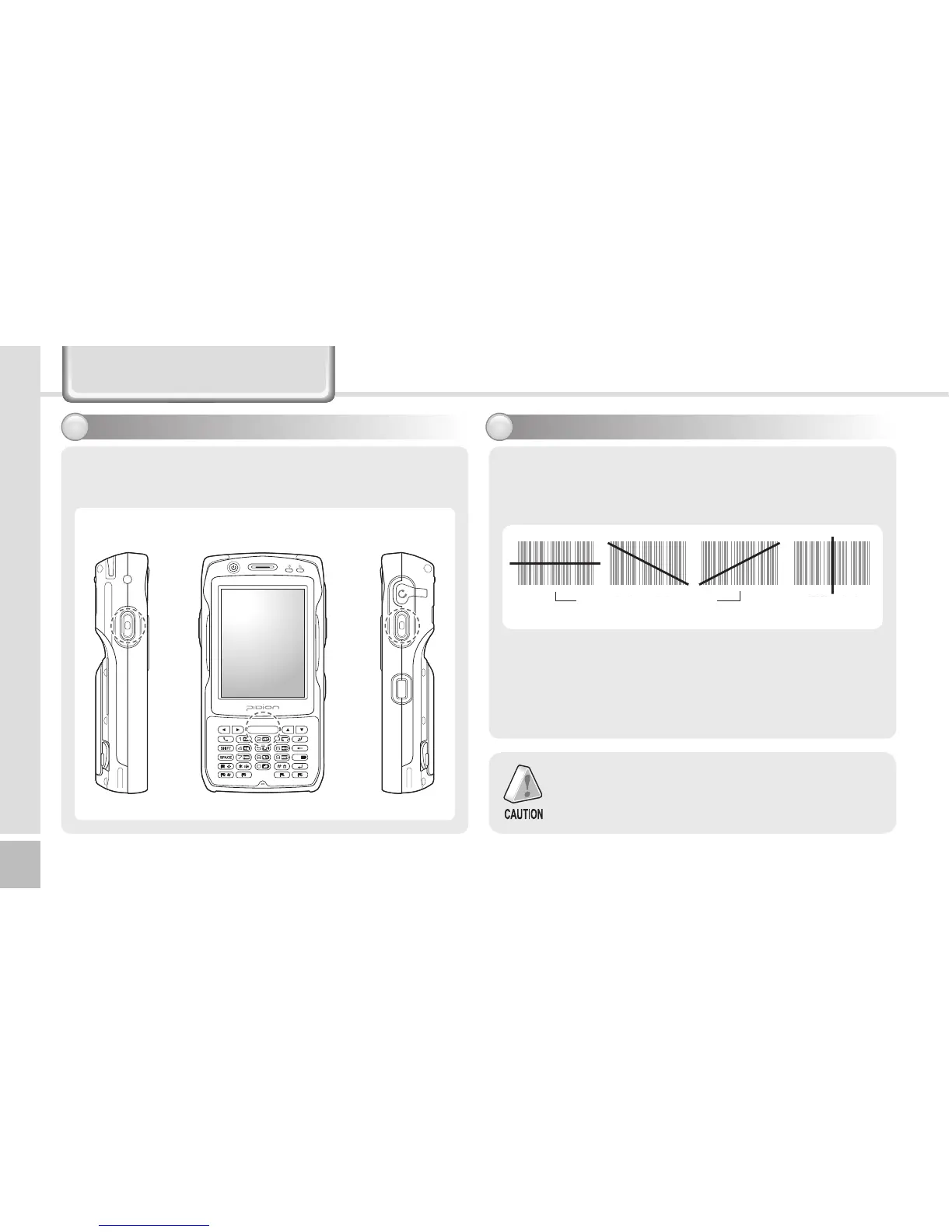
You can scan barcodes by pressing the [Barcode]
button on the side or front of the terminal.
󰼿 󰼿 󰼿 󰼿
When you scan barcodes, maintain the correct
distance (10cm) and angle between a barcode and the
barcode scanner window.
Scanning barcode
2
Whenyouusebarcodesinaspecicprogram,
contact the developer of the program for details.
Correct scanning angle Incorrect scanning
angle
Barcode button


Other manuals for Pidion BIP-6000

Related product manuals