46
BIP-6000
Manual
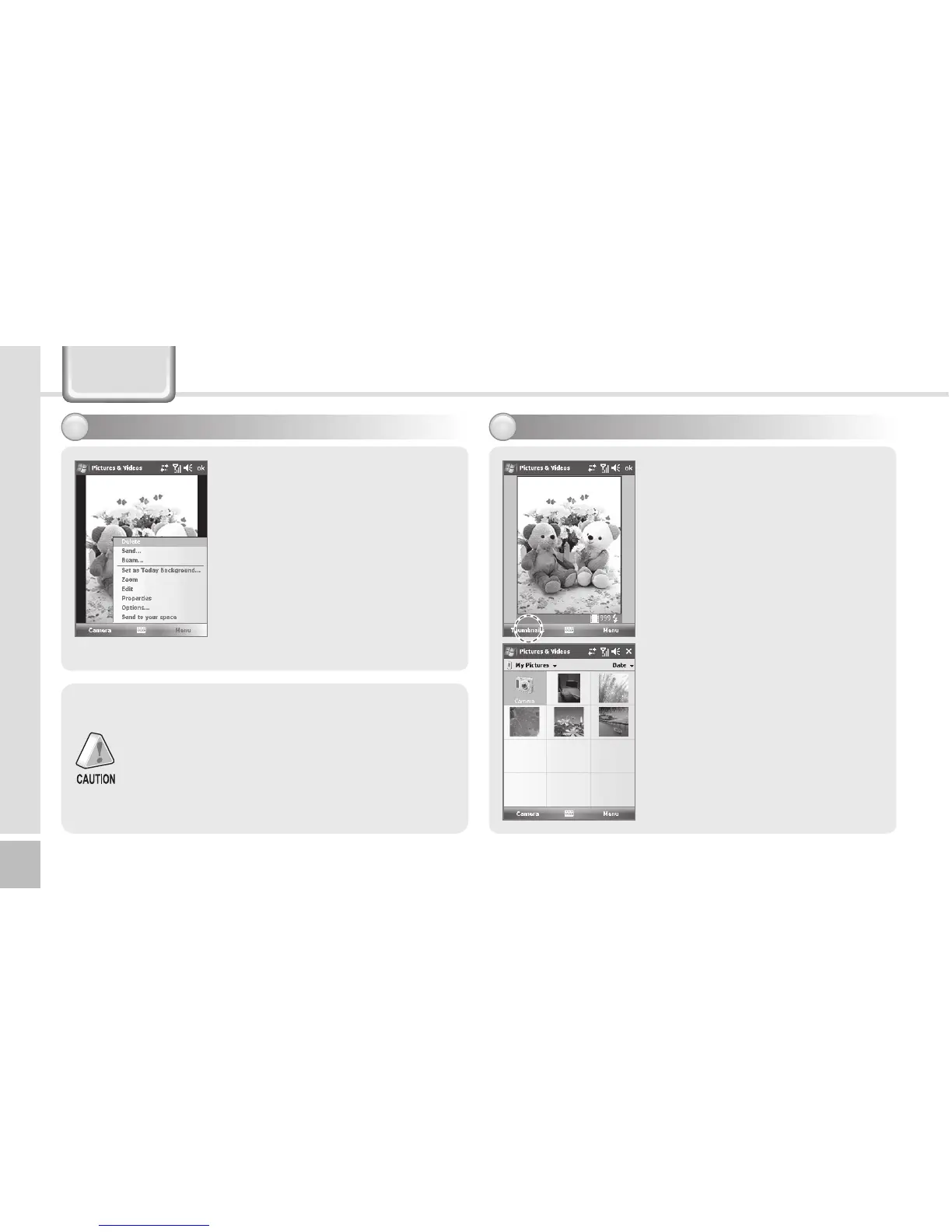
By selecting the [Menu] button,
you can select Delete, Send,
Beam, Set as Today Background,
Zoom, Edit, Properties, Options,
Send to your space for the
Still/Video.
The terminal may get off or switch into the
standby mode in case the battery is low.
If the camera is not used for 1 min, the terminal
switches into the standby mode.
The video function may be different from
this User’s Manual according to the camera
program.
Start ► Programs ► Camera
► Thumbnails
You can extend/reduce the
selected Still/Video, or check
information on the Still/Video.
Viewing album
2
Taking photos - 2
1
Camera



 To Next Page