Function description
Operating Manual PITreader, PITreader Firmware V1.5.x
1004806-EN-08
| 14
5 Function description
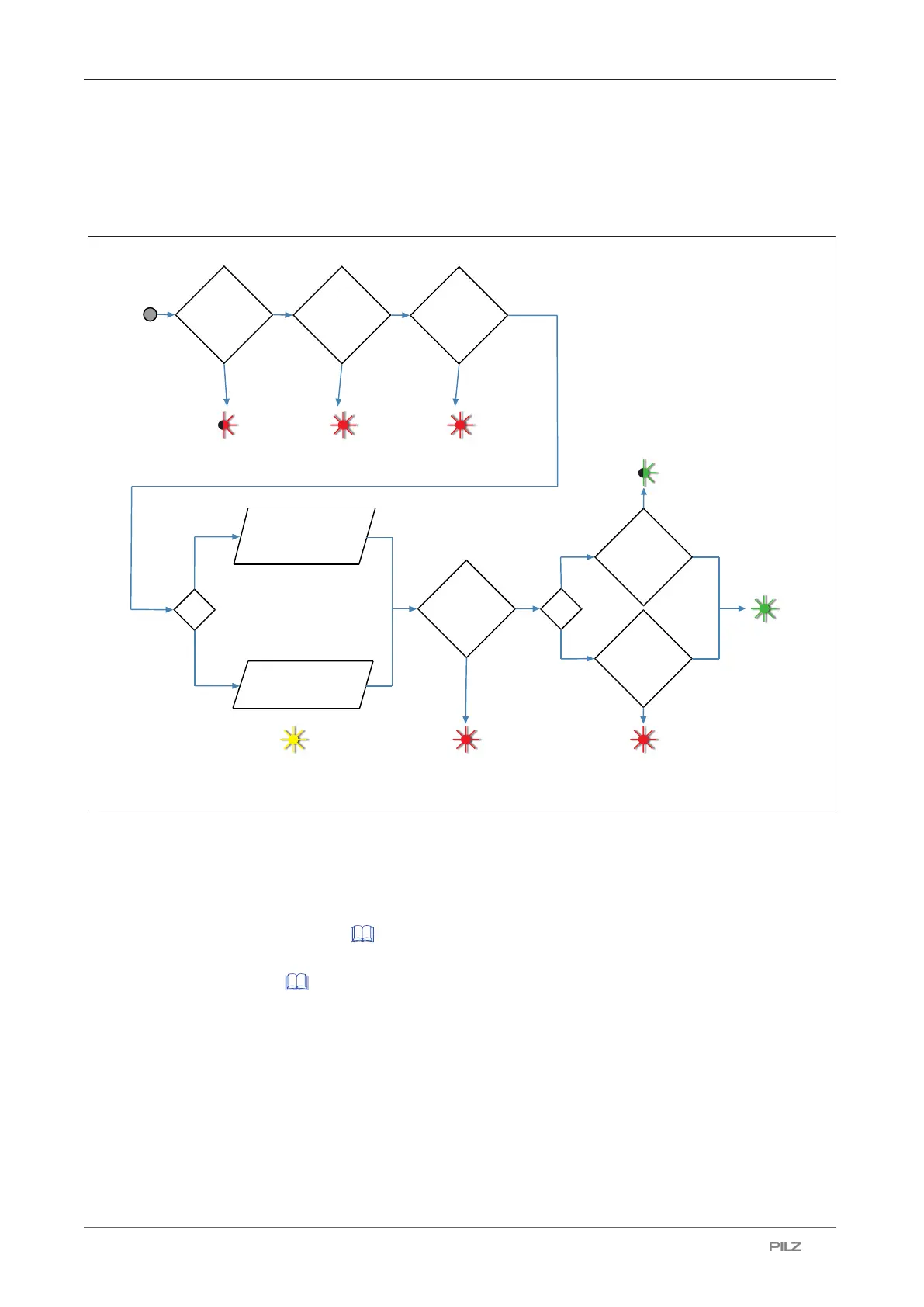
5.1 Authentication procedure
Transponder
key is inserted
Coding
matches?
Read permission from
the transponder key
corresponding to the
device group
Yes
No
Not authenticated
(LED: flashing red)
Transponder
in block list?
Not authenticated
(LED: red)
Yes
No
Apply permission from
REST API / OPC UA
"Transponder
data" mode
"External"
mode
Wait for authentication
(LED: yellow)
Permission
> 0
Yes
No
Not authenticated
(LED: red)
Authenticated
(LED: green)
Authentication block
activated by other
transponder keys
Not authenticated
(LED: red)
Evaluation: single
authentication
Not authenticated
(LED: red)
Yes
No
Block
activated via
24 V I/O
port?
Evaluation: 2-
person rule
2-person rule
Single
authentication
Not authenticated
(LED: flashing green)
First transponder key
Fig.: Authentication procedure
5.2 Authentication modes
The PITreader supports two authentication modes:
} Transponder data [ 15]
Pre-defined, group-based authentication in the transponder key
} External [ 16]
Authentication takes place externallye.g. via PLC, HMI
When delivered, the transponder data authentication mode is set. The authentication mode
can be changed in the web application.



 To Next Page