Operation
Operating Manual PITreader, PITreader Firmware V1.5.x
1004806-EN-08
| 47
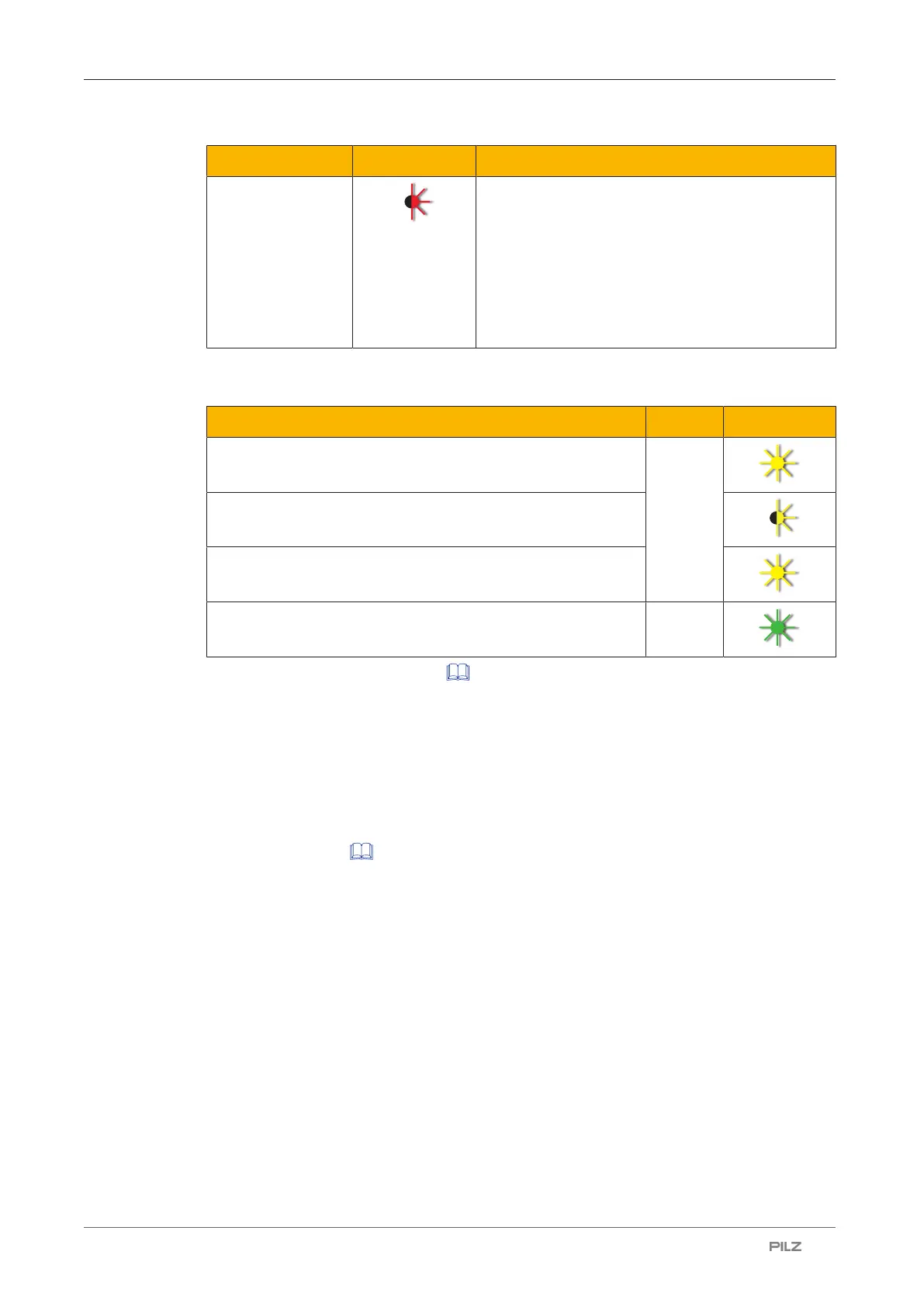
Colour State Meaning
Red Error (e.g. hardware error, configuration error, in-
valid or uncoded transponder key, …).
Possible remedies in the event of a configuration
error, when the device is no longer accessible un-
der the set IP address:
} Try to open the web application with the default
IP address or
} Reset the device to its factory default settings.
If the PITreader is reset to its default settings via a short circuit at TxD/RxD, the LED as-
sumes the following states:
Description Colour State
Short circuit is present Yellow
Short circuit is removed
Short circuit is recreated, the device is reset to its default set-
tings
The device has successfully been reset to its default settings Green
See also Reset to default settings [ 44].
10.2 Safely decommission PITreader
Before disposal, the PITreader must be safely decommissioned. To do this, all the data
must be deleted from the device.
Follow the instructions below:
} Reset the configuration to the default settings as described in the chapter entitled Reset
to default settings [ 44].



 To Next Page