11
Choosing a station
Note: ensure your radio has already connected to network.
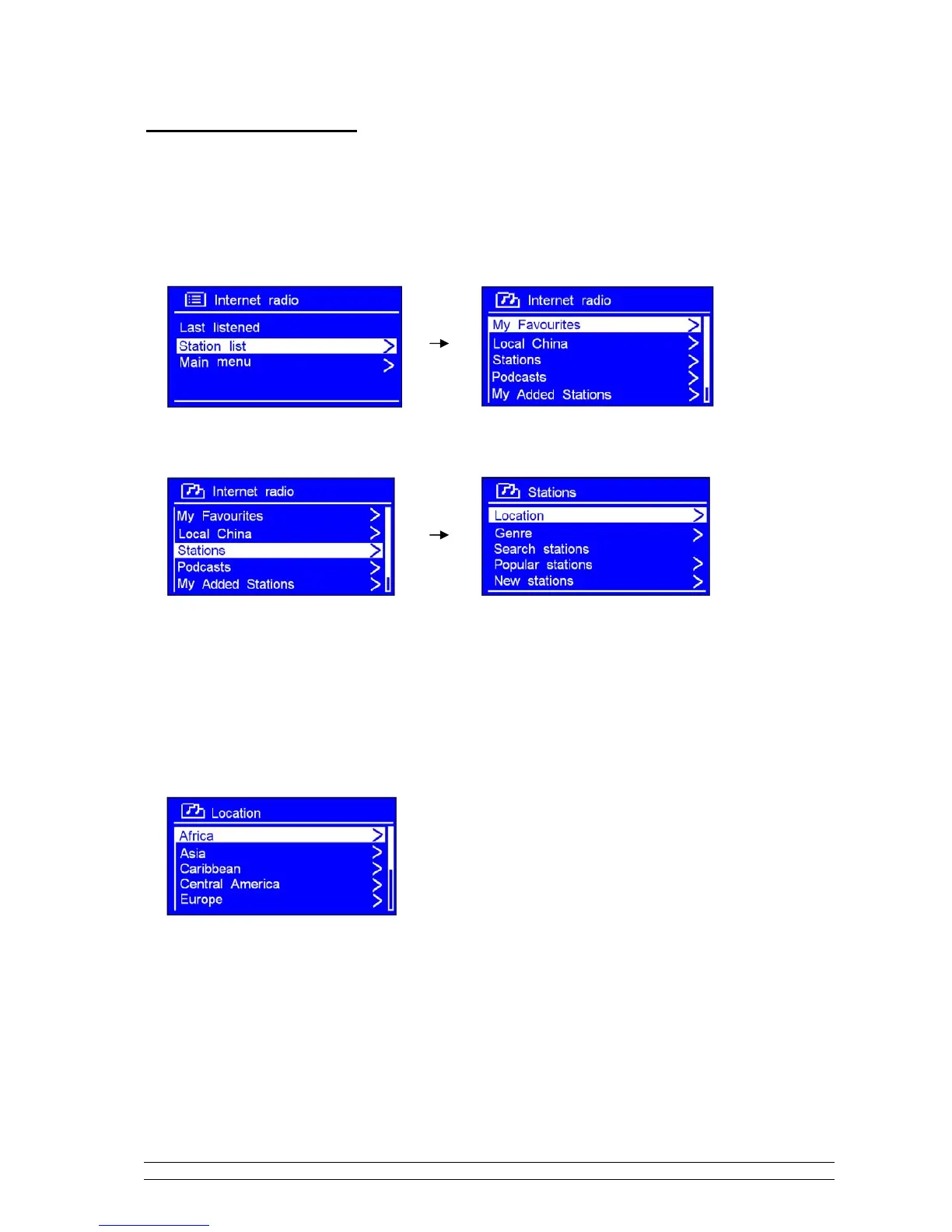
1. While cursor point to < Station list >, press the SCROLL knob to confirm.
2. Turn the SCROLL knob to < Stations >, and then press it to confirm.
3. There are five options are available for you to choose a station as above photo show.
‘LOCATION’ enables you to choose from the radio stations provided by any country which you choose from
a list.
a. While cursor point to < Location >, press the SCROLL knob to confirm.
b. Turn the SCROLL knob to the region you wanted, press it to confirm.
c. Using the same method to choose country, station in turn, radio will now loading.



 To Next Page