9
Access wireless network
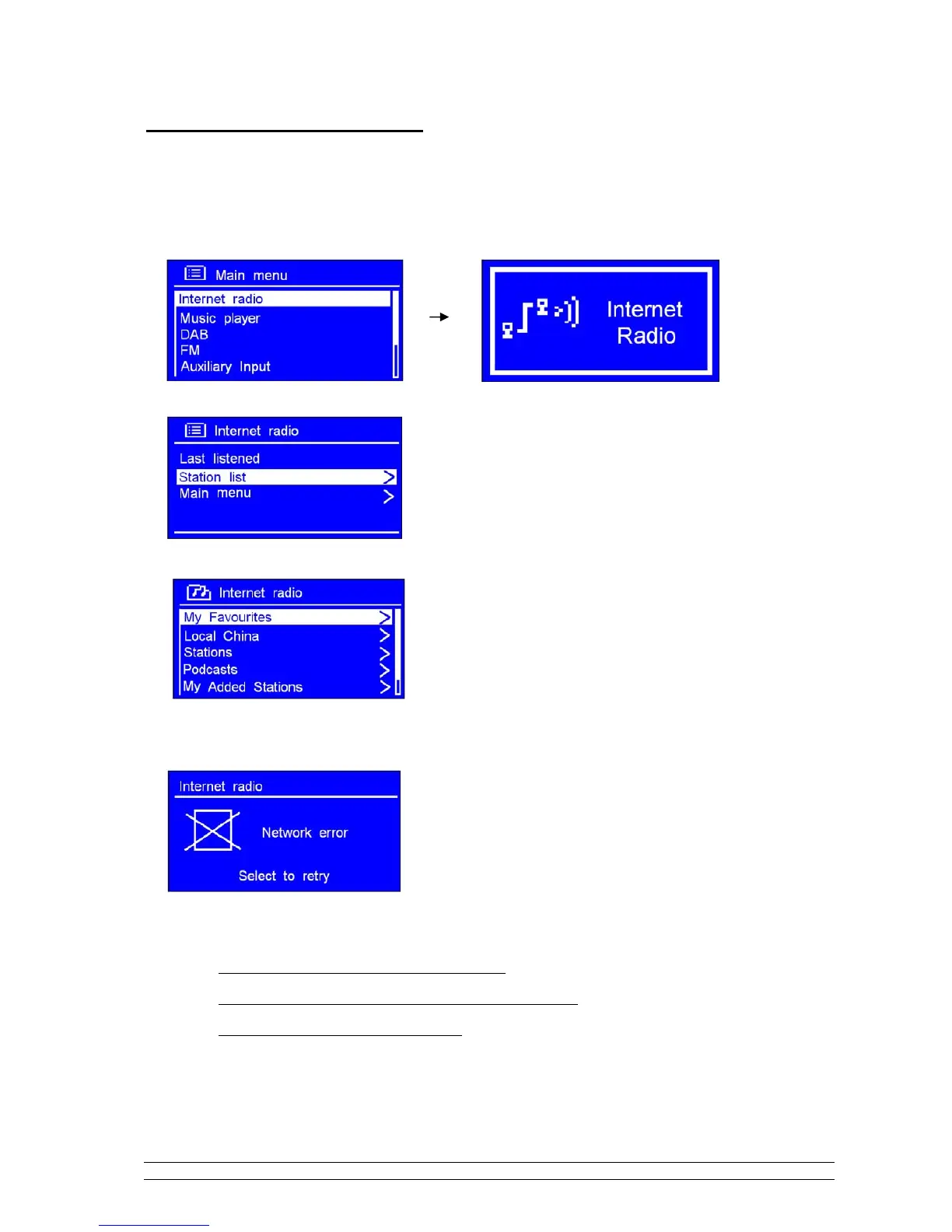
1. After successfully ‘Setup wizard’, press the SCROLL knob to enter ‘Internet radio’ mode.
Note: Or, you may also press MODE repeatedly until ‘Internet radio’ shows up, then stop pressing.
Later, it will say:
2. While cursor point to < Station list >, press the SCROLL knob to confirm.
After trying to connect to network, if it says:
Please follow:
a.
Check your router, see it working normally or not;
b.
Relocate your radio to a stronger signal position is necessary!
c.
Make sure your password is correct input.



 To Next Page