35
Network setup
Note: Familiar this order will allows you:
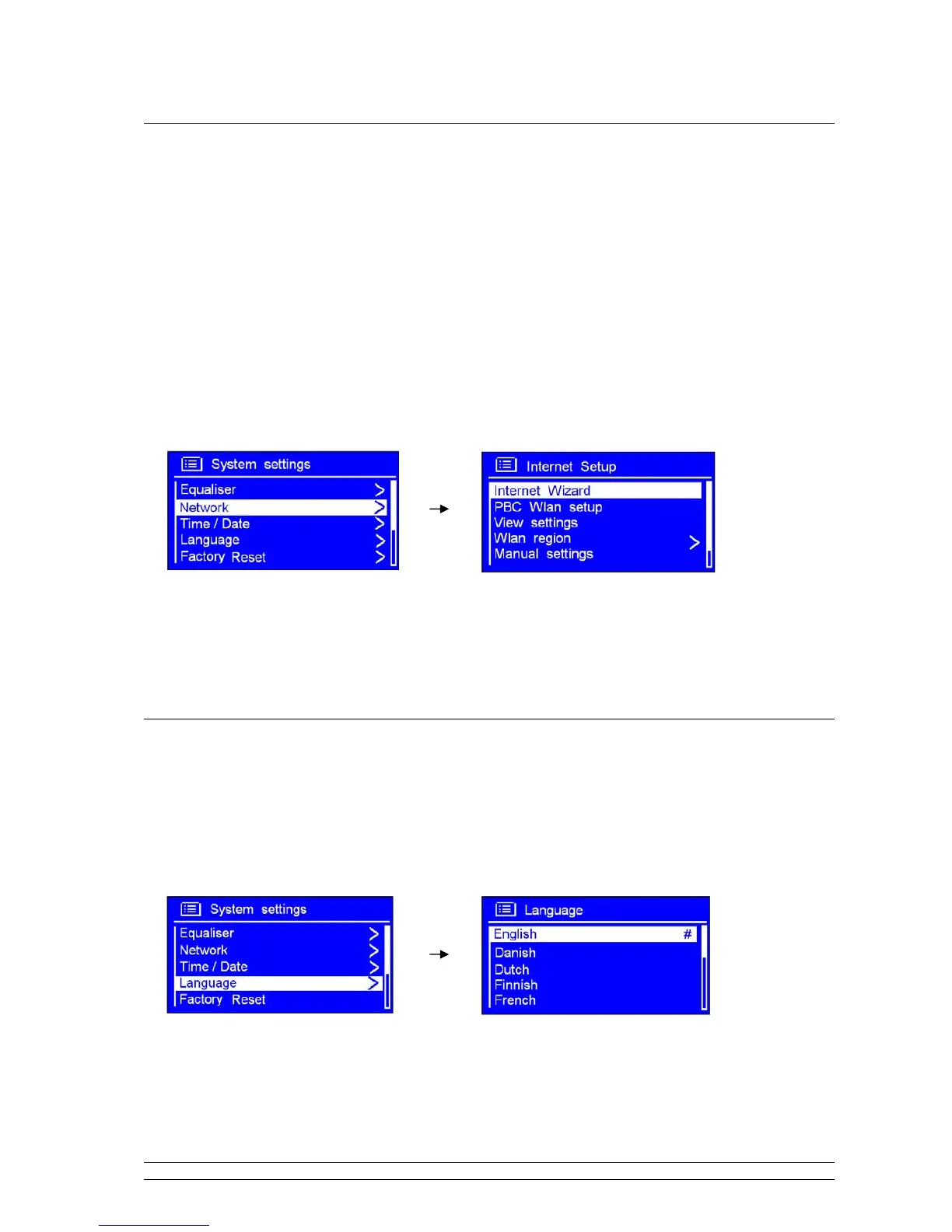
If you want it access to another Router, then you need --------- internet wizard
If you want get MAC address, Wlan region, IP address etc. then you need ---------- View settings.
If you take it to another region, then you need ---------- Wlan region
If you want convert its connecting way: wireless and wired, then you need ---------- Manual settings
1. It can be activated from < Main menu > < System settings > < Network >, press the
SCROLL knob to confirm.
2. Turn the SCROLL knob to your purpose one, press it to confirm.
Language
1. It can be activated from < Main menu > < System settings > < Language>, press the
SCROLL knob to confirm.
2. Turn the SCROLL knob to your purpose one, and then press it to confirm, it is done!



 To Next Page