23
FM Mode
A. GENERAL OPERATION
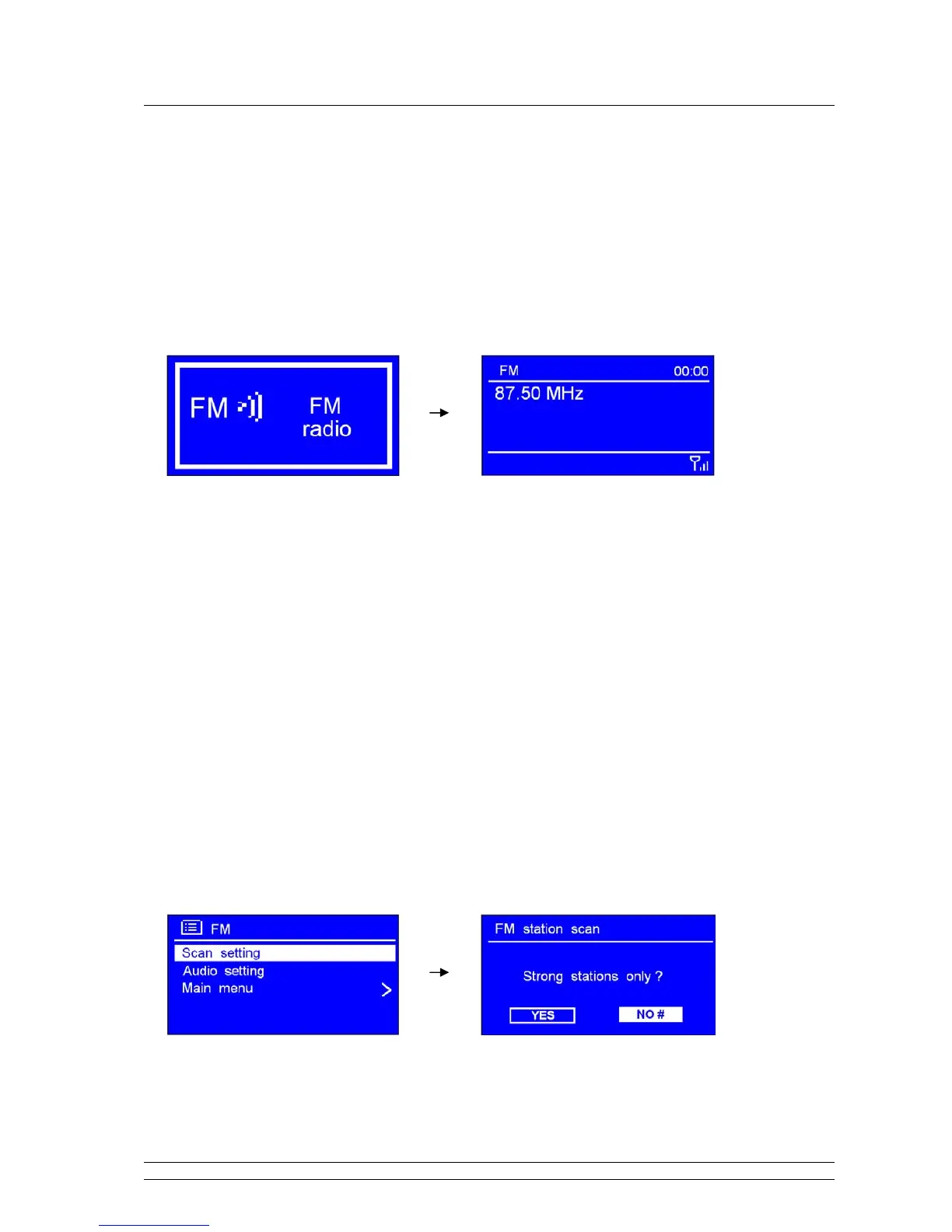
1. Press MODE repeatedly until < FM Radio > is showing up.
For initial use, it will start at the beginning of the FM frequency range (87.50MHz).
Otherwise, the last listened FM station will be selected.
Note: or enter < Main menu >, and then the SCROLL knob to < FM >, press it to confirm.
3. Turn the SCROLL knob to increase or decrease the frequency by 0.05MHz per step.
4. To auto-searching, simply press the SCROLL knob.
Note: a. To ‘auto-searching’ the next active station, repeat step 3.
b. The unit will display the frequency changing until it stops on the next station.
c. After it reached to the end of the frequency range, it will search again from the beginning of range.
B. SCAN SETTING
1. FM mode, at any step by pressing BACK or MENU to enter it’s setting mode
2. While cursor point to < Scan setting >, press the SCROLL knob to confirm.
3. Turn the SCROLL knob to select ‘YES’ or ‘NO’, and then press it to confirm.



 To Next Page