30
Setting Alarm
Note: Setting Alarm, make sure setting time at first.
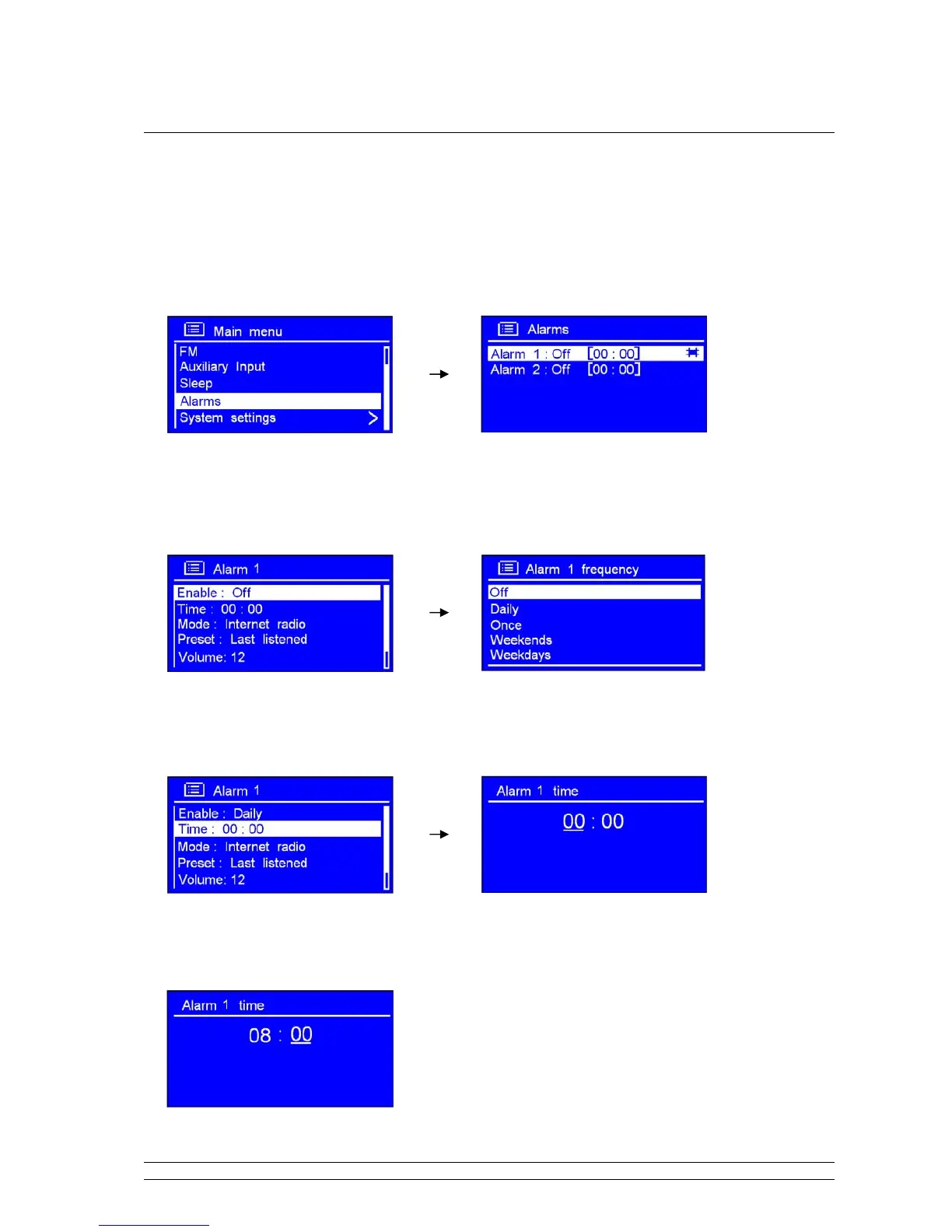
1. It can be activated from < Main menu > < Alarms >, press the SCROLL knob to confirm.
2. Turn the SCROLL knob to your purpose one, press it to confirm.
3. While cursor point to < Enable: Off >, press the SCROLL knob to confirm.
4. Turn the SCROLL knob to your ideal alarm frequency, press it to confirm.
5. Turn the SCROLL knob to < Time: 00:00 >, press it to confirm.
6. Turn the SCROLL knob to change hours, press it to confirm.
7. Using the same method setting minutes, and then press it to confirm.



 To Next Page