31
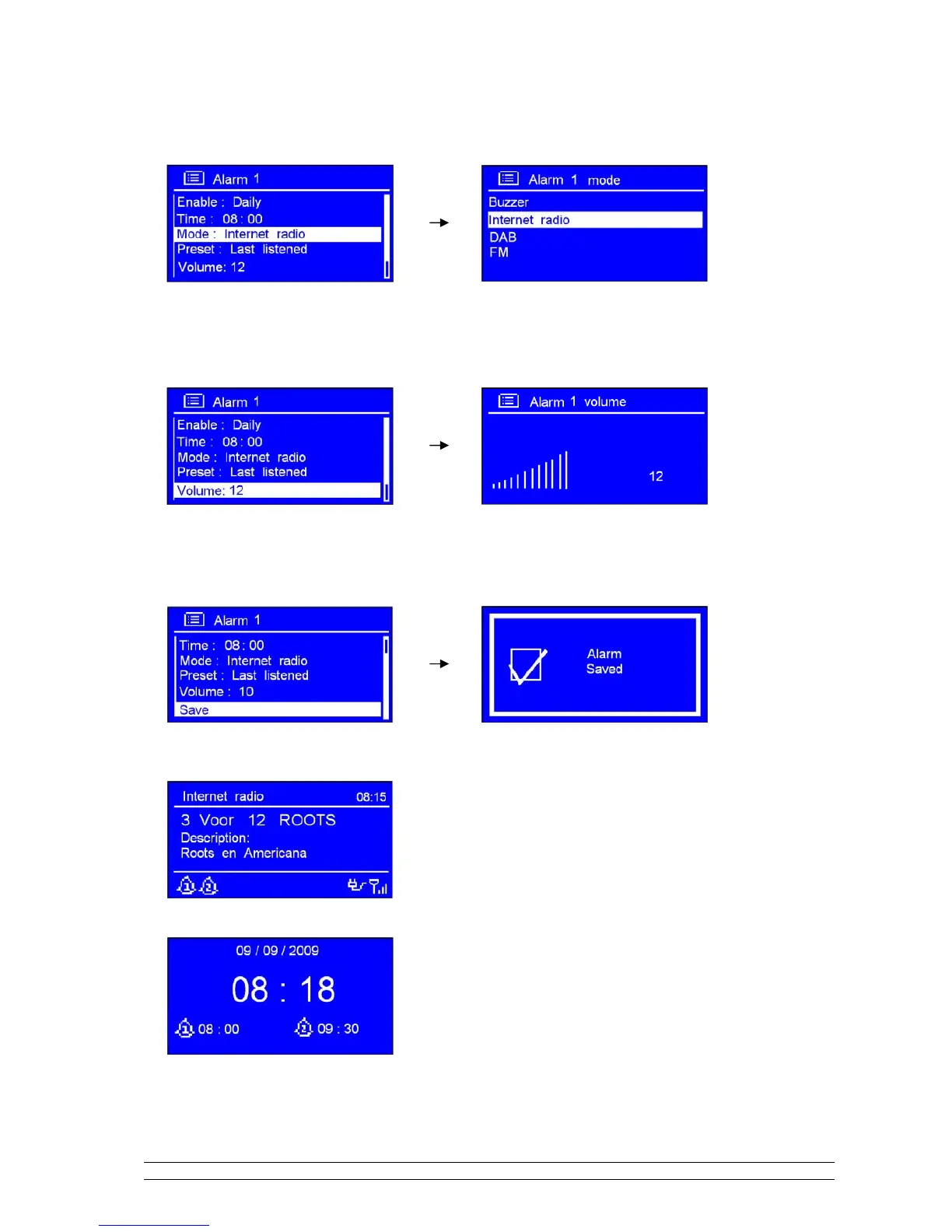
8. Turn the SCROLL knob to < Mode: Internet radio > press it to confirm, and then turn this knob to
your purpose alarm sound mode.
Note: Alternatively, you may also turn the SCROLL knob to < Preset: Last listened > to choice alarm sound.
9. Press the SCROLL knob to confirm, and then turn this knob to < Volume: 12 >, press it to confirm.
10. Turn the SCROLL knob to your like volume level, press it to confirm.
11. Finally, turn the SCROLL knob to < Save >, press it to confirm.
The display will show ‘Alarm Saved’ for 3 seconds, Alarm icon appeared.
To check alarms status, press STANDBY/ON to enter standby mode.



 To Next Page