32
Turn Alarm off
When alarm is coming, you can either press STANDBY/ON to turn it off, or
Play Snooze Function
Press the SCROLL knob to postpone it, repeatedly press this knob, the SNOONZE can be 5/10/15/30
minutes in turn.
Note: a. While in SNOOZE function, the relative alarm should be twinkling, and shows how long it will be
elapsed, during this time, you also can press STANDBY/ON to put the alarm off.
b. After reached SNOOZE time, it should be sound again.
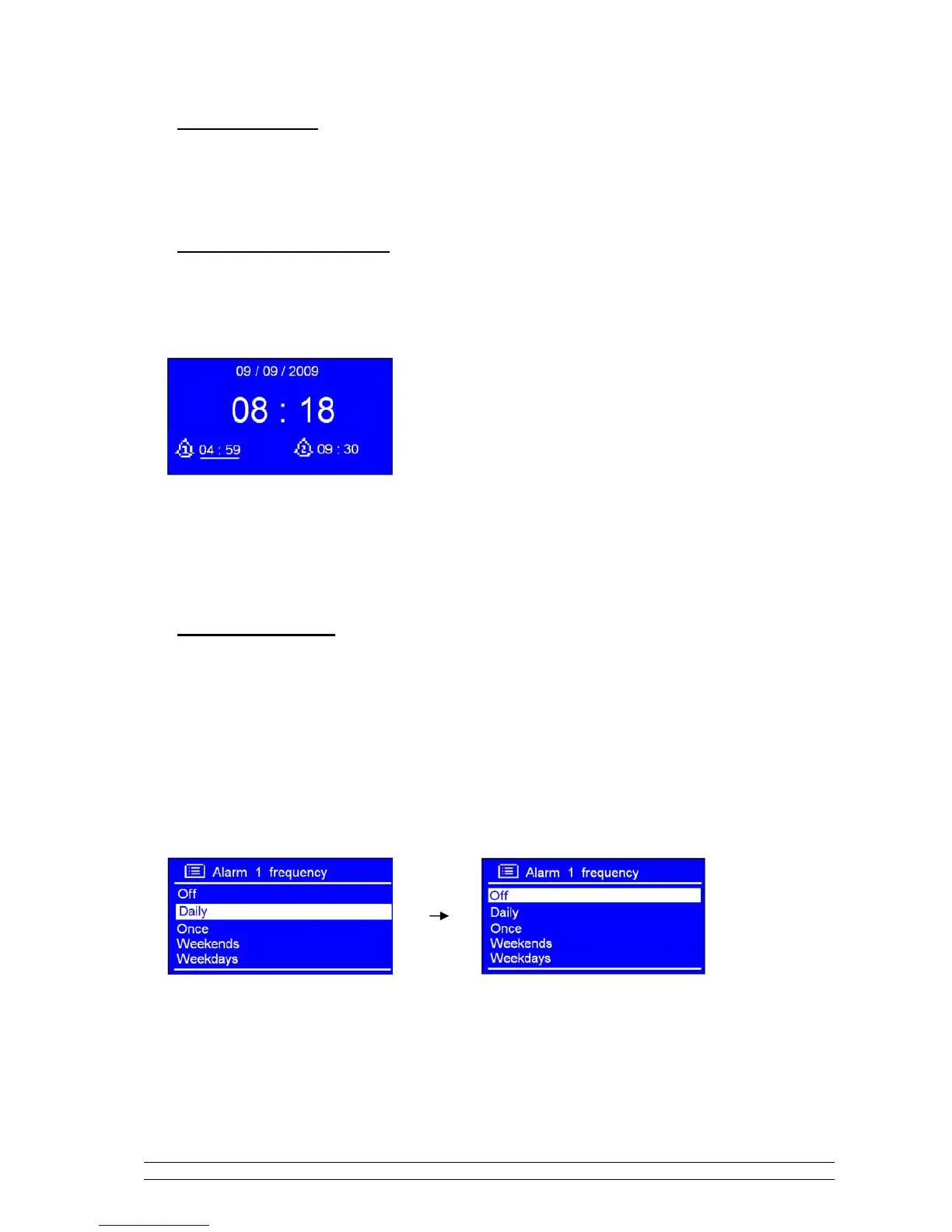
To cancel Alarm
There, you need follow steps:
a. Select your purpose Alarm, ALARM 1 or ALARM 2, then press the SCROLL knob to enter its setting
mode.
b. While cursor point to ‘Enable: Daily (or other frequency)’, press the SCROLL knob.
c. Turn the SCROLL knob to ‘Off ’, press it to confirm.
d. Turn the SCROLL knob to < Save >, and then press it to confirm your settings.
Alternatively, perform a ‘factory reset’.



 To Next Page