37
Software Updates
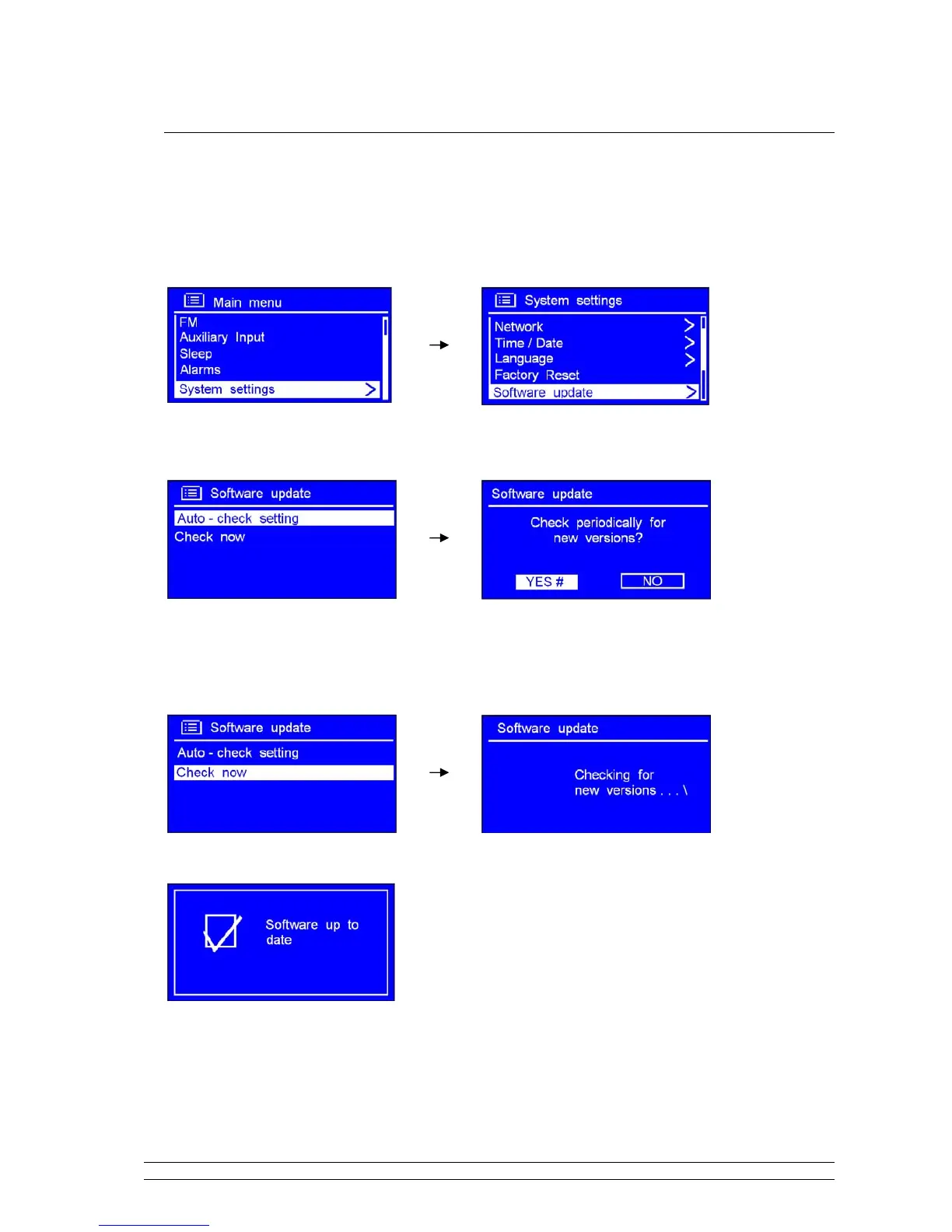
1. It can be activated from < Main menu > < System settings > < Software update >, press
the SCROLL knob to confirm.
2. While cursor point to < Auto- check setting >, press the SCROLL knob to confirm.
3. Turn the SCROLL knob to < YES >, press it to confirm, then radio shows as above step 2.
4. Turn the SCROLL knob to < Check now >, press it to confirm.
Following is:
It’s completed until now!
Note: software update can take several minutes do not switch Radio off until this procedure has been
completed. Otherwise, may cause permanently damaged.



 To Next Page