28
Setting Clock
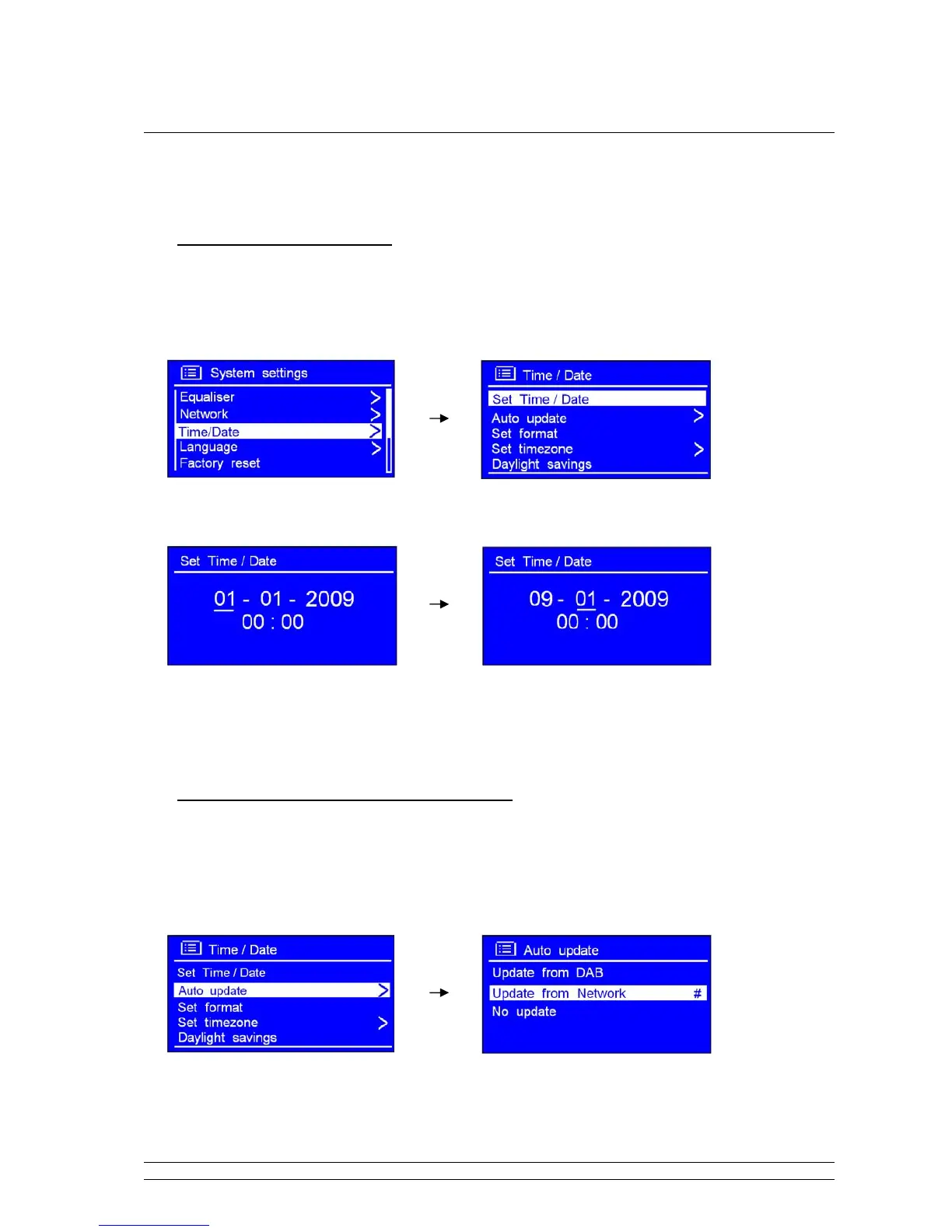
Manually setting the Time/Date
1. It can be activated from < Main menu > < System settings > < Time/Date >, press the
SCROLL knob to confirm.
2. While cursor point to < Set Time/Date >, press the SCROLL knob, then turn it to set the date.
3. Using the same method to set month, year, hour and minute in turn, and it is done!
You can also through ‘Auto update’ for setting it
Note: Choose <Auto update>, please ensure your radio is connecting to internet successfully.
1. Turn the SCROLL knob to < Auto update >, press it to confirm.
2. You can either choose < Update from DAB > or < Update from Network >, press the SCROLL
knob to confirm, it is done!



 To Next Page