34
System settings
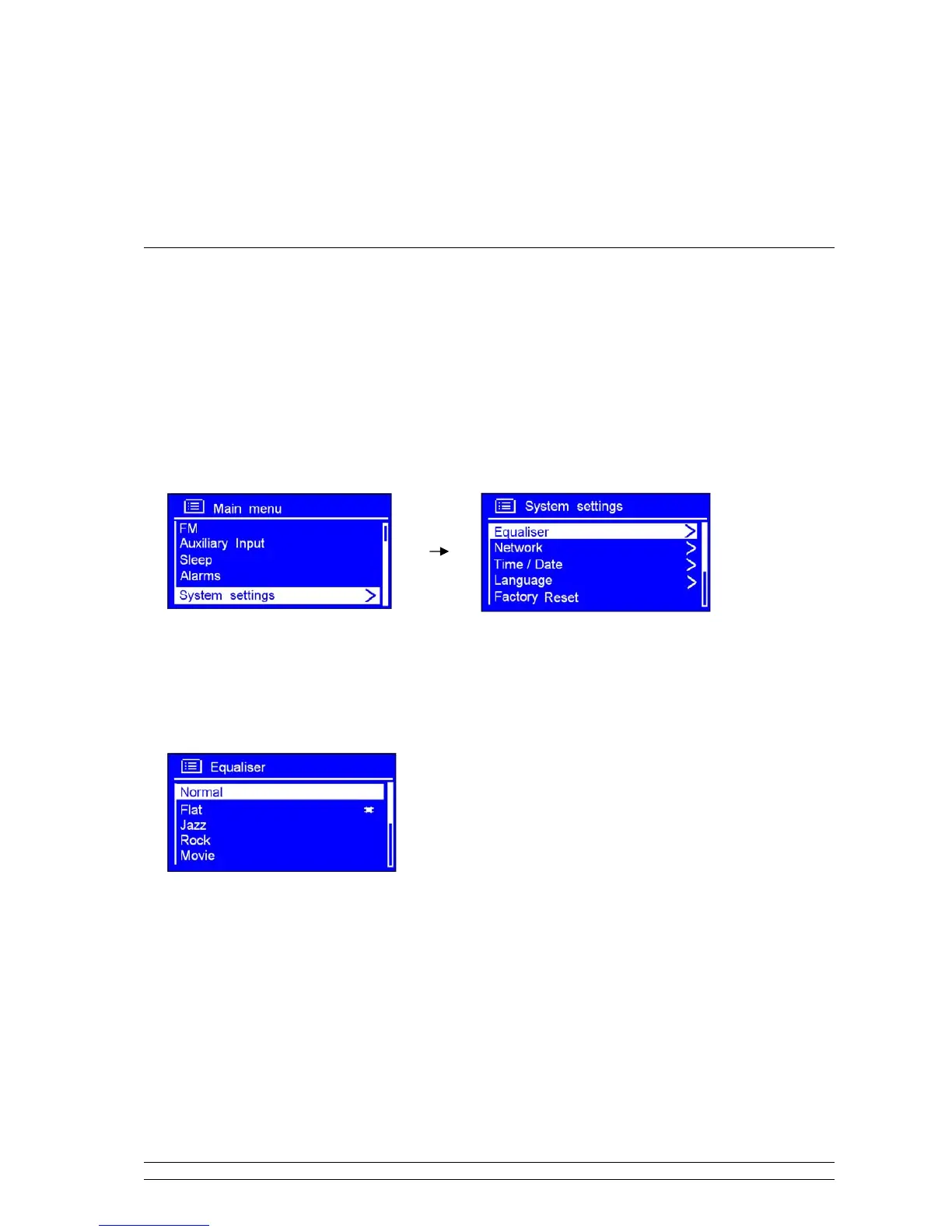
Equaliser
Note: when you want to adjust timbre, this order will help you to achieve it!
1. Press MENU, and then turn the SCROLL knob to ‘Main Menu’, press it to confirm.
2. Turn the SCROLL knob to < System settings >, press it to confirm.
3. Turn the SCROLL knob to < Equaliser >, press it to confirm.
4. Turn the SCROLL knob to your ideal one, press it to confirm, it is done!



 To Next Page