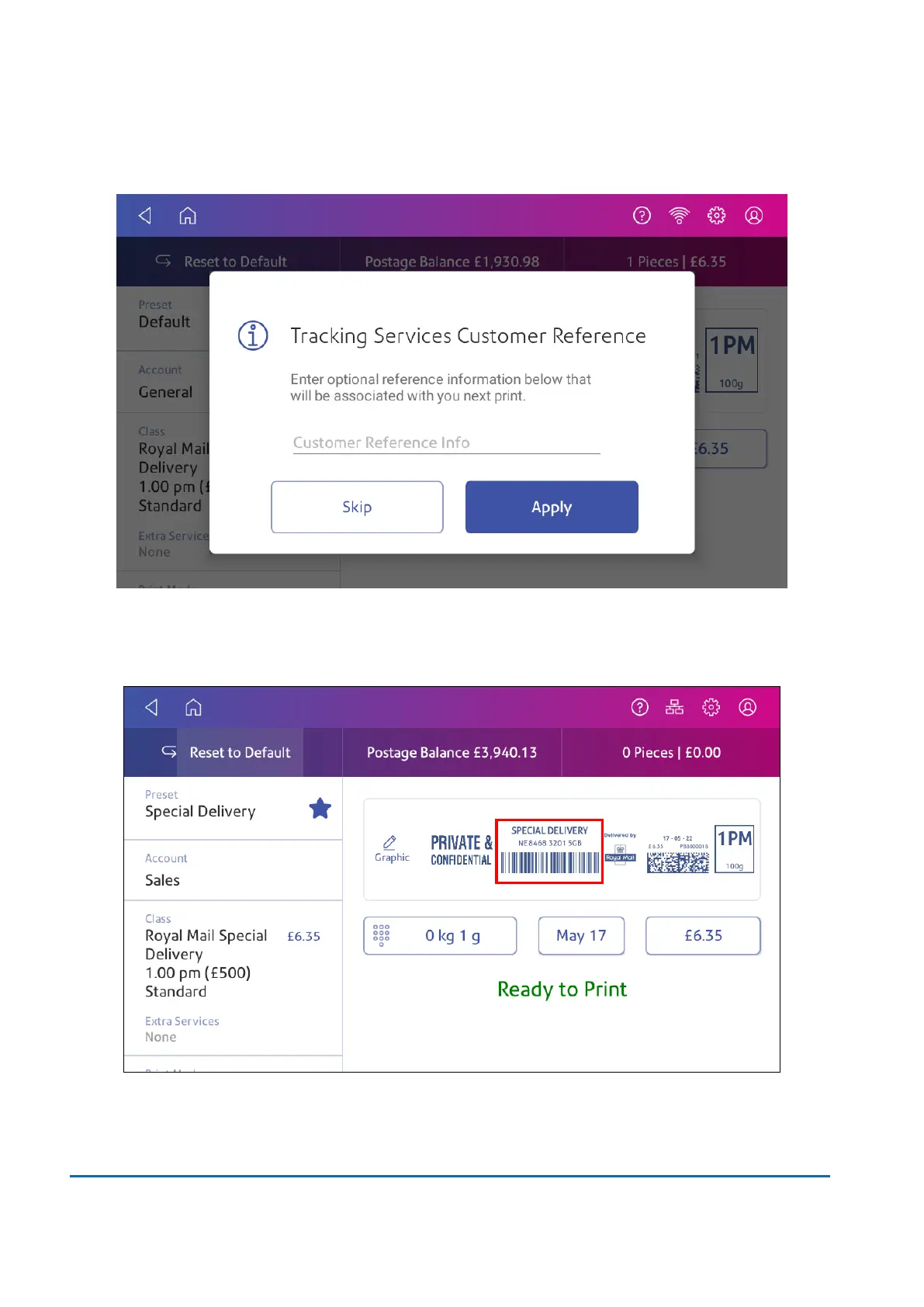
9. You can enter a reference of the mailpiece, if desired. For example, you can add a recipients
postcode as the reference which you can view within the Manage Accounts app and Inview.
10. Tap Apply or Skip to continue.
11. You return to the Envelope Printing app. A preview of the tracking number appears. You can
now frank your mail.
6 • Mailing and Shipping
Pitney Bowes User Guide March 2023 80











 To Next Page