2 • Printer Basics
2-6 SV61749 Rev. D
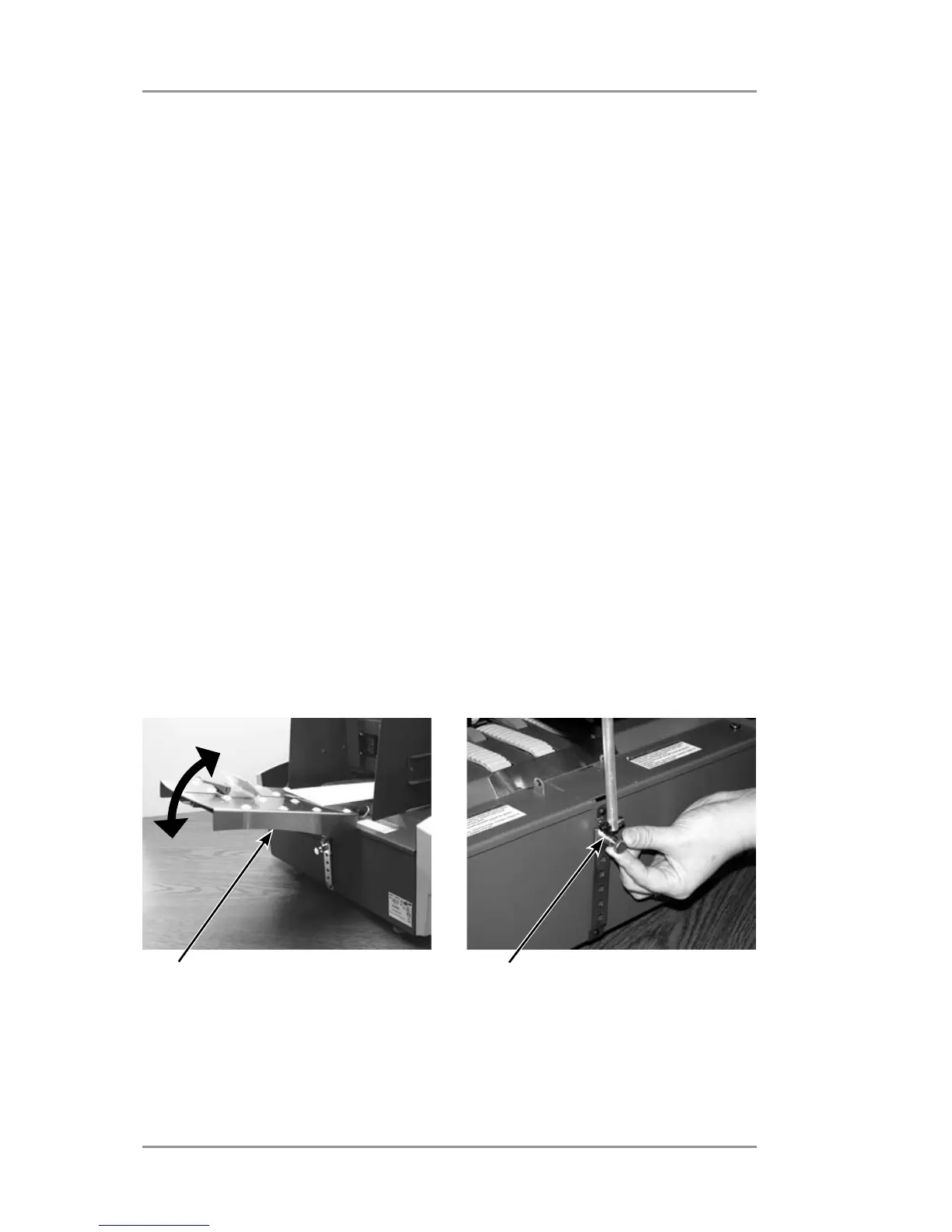
2. Setting the Angle of the Input Guide
The following suggestions for setting the feed angle are
approximations only. The correct angle will be determined by the
type of material you're running. It is recommended that you start
with the general settings indicated below and re-adjust the angle if
necessary to achieve optimal feeding.
• Heavy stiff material: adjust to a low angle (approx 30 degrees).
• Light flexible material: adjust to a high angle (approx. 45
degrees)
To make the adjustment
A. Support the input guide with one hand
B. Pull back on the input guide angle adjustment knob with the
other hand and slide the ramp up or down until you achieve the
desired feed angle.
C. Release the knob to secure the input guide.
Input angle guide adjustment
knob
Input angle guide adjusts higher
or lower to accommodate
different material types.



 To Next Page