18
Laboratory Oscillator 1
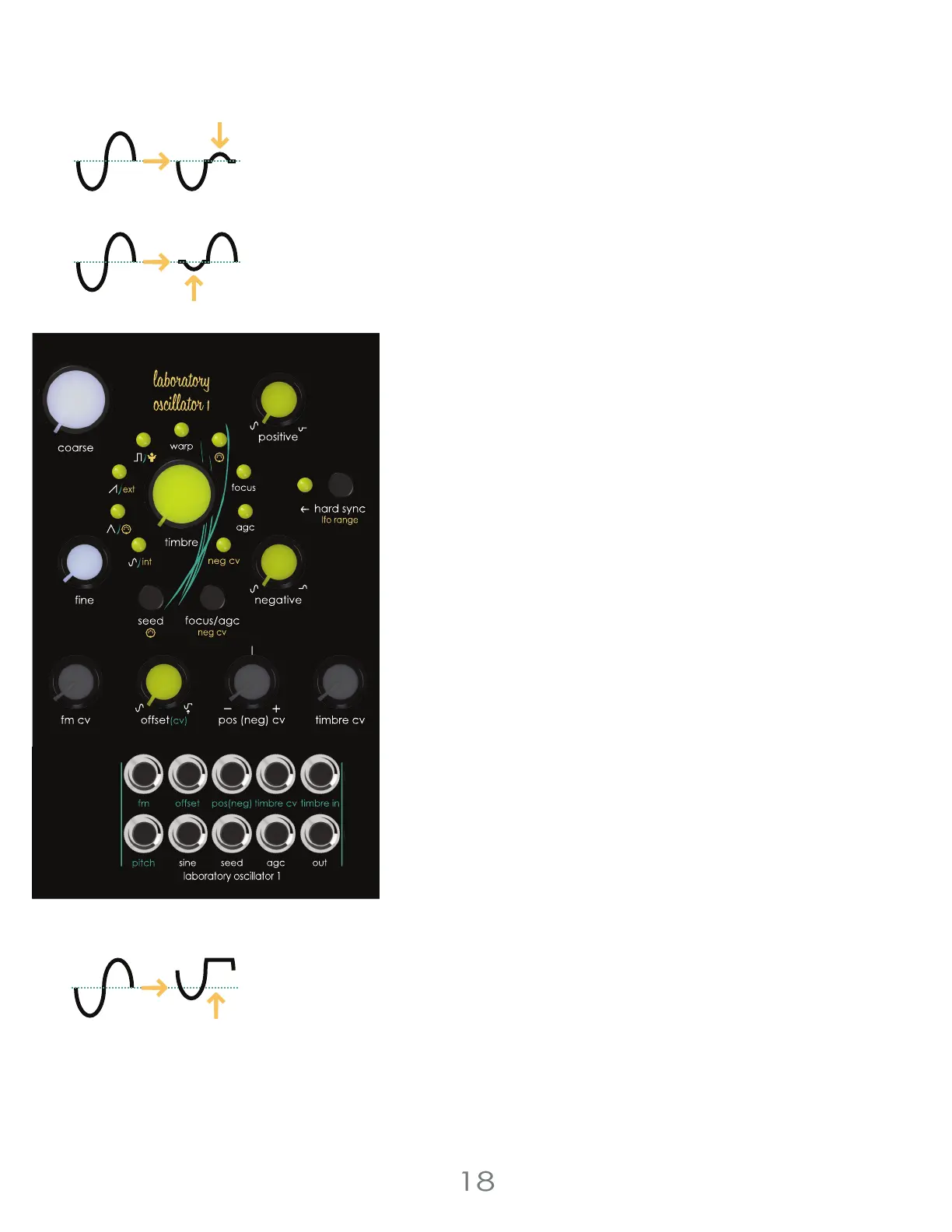
Positive and Negative Control
The [POSITIVE KNOB] adjusts the height of the top half of the waveform,
and the [NEGATIVE KNOB] adjusts the bottom half of the waveform.
Positive only or Positive and Negative values can be modulated using
the [POS (NEG) CV ATTENUVERTER]. Modulation of the Negative side can
be switched in and out using [EDIT BUTTON] + [FOCUS/AGC BUTTON].
Waveform Offset
Center Clipping offers additional settings; [OFFSET KNOB] adds a positive
offset to the waveform. This can be modulated using the [OFFSET KNOB]
as an attenuator for the [OFFSET JACK]. This jack is normaled to 5v to
allow for manual offset. Focus and AGC and be enabled or disabled
using the [FOCUS/AGC BUTTON]. Focus recenters the waveform within
the Center Clipping circuit. AGC stands for Automatic Gain Control and
attempts to rebuild a full sized waveform based on the remaining
waveform after adjusting the [POSITIVE KNOB], [NEGATIVE KNOB] and
[OFFSET KNOB].
Focus
Focus is an internal process that removes DC offset from the Center
Clipped waveform before it passes through the Automatic Gain Control
circuit. The effect this has on the output strongly depends on the
condition of the waveform passing through.
Select a Waveform
The [SEED BUTTON] selects the active waveform. Along with each
standard wave, cycling through the waveforms offers a Warped version
of each wave. Warp modifies the shape of the waveform without
changing the harmonic content. This allows high harmonic waveforms
like squares and saws to work with the wave folder.
Seed Waveform Options
Sine Wave [Sine LED]
Warped Sine Wave [Sine and Warp LED]
Triangle Wave [Triangle LED]
Warped Triangle Wave [Triangle and Warp LED]
Saw Wave [Saw LED]
Warped Saw Wave [Saw and Warp LED]
Square Wave [Square LED]
Warped Square Wave [Square and Warp LED]
Randomly Selected Waveform [All LEDs ON]
3 Voltage Lab 2 Voice Modules
Negative
Clipping
Waveform
Offset
Positive
Clipping



 To Next Page