43
Playing Expressively with Pressure
The Pressure Outputs
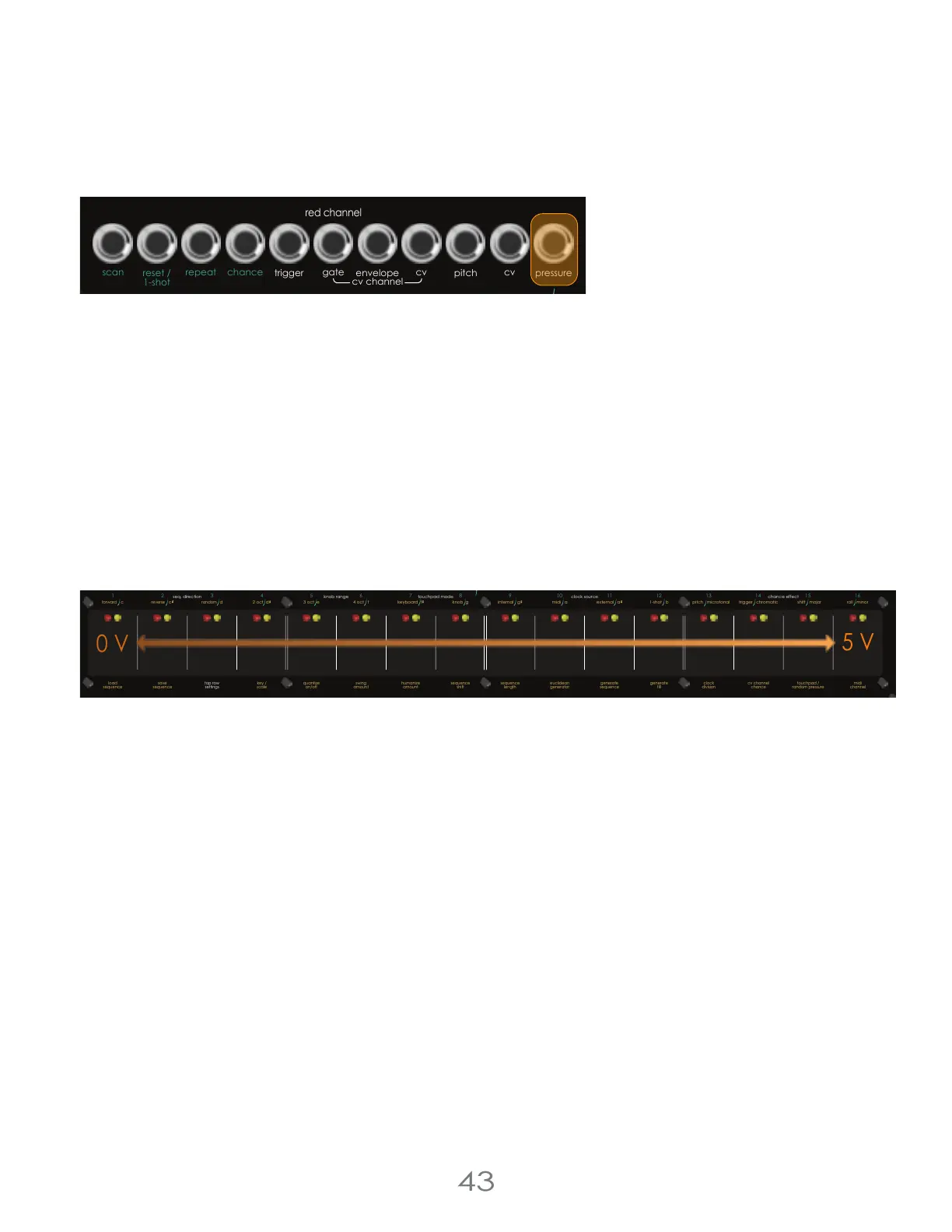
There are two [PRESSURE OUTPUTS] on the Touch Control, one per Channel. These pressure outputs are a 0-5 Volt CV
modulation source that can be used to add expression to complex patches.
Their behavior is dependent on the settings of the sequencer channel. They can be: a live reading of touch pressure
when playing the keybed, a stored per step value when using sequencer mode, or they can be controlled by a
complex slewed modulation generation engine when in random pressure mode.
Patch pressure to your dynamics engine cutoff to modulate timbral depth and volume. Or Patch Pressure to your
oscillators’ timbre inputs to sculpt harmonic complexity. Or any other CV Input! Pressure is a great way to add
complexity and depth to a patch, and make it shine.
Pressure While Sequencing in Knob Mode
While sequencer mode is active, Pressure is set and saved per step; each step is given a different static pressure value.
In knob mode, this value is set when turning on a step. If the musician holds down a [TOUCH PAD] and turns the
[VALUE KNOB], a pressure will be assigned to the the step; that pressure will range from 0-5 Volts. To see the pressure
being assigned, look at the [TOUCH PAD LEDS]; they will display the assigned pressure level.
Pressure While Sequencing in Keyboard Mode
While Sequencer Mode and Keyboard Mode are both on, the sequencer will save the pressure you play with while
recording your sequence. The behavior and responsiveness of this recording have a lot to do with how you calibrated
your pads. If you want a more expressive, sensitive interface, turn down your [TOUCH PAD] sensitivity.
Pressure While the Sequencer is Off
While Sequencer Mode is off, the pressure outputs will be dynamic, expressive, pressure sensitive outputs. The more of
your finger is touching the [TOUCH PAD], the higher the voltage from the Pressure output. If you want a more expressive,
sensitive interface, turn down your [TOUCH PAD] sensitivity.
I’ve been loving patching up complex expressive pads with pressure adding depth or tension or rhythm.
4 Voltage Lab 2 Touch Controller
pressure
pitch
cv
cv channel
gate
trigger
reset /
1-shot
repeat chance
scan
envelope
clock
red channel
cv
5 V
pressure
pitch
cv
cv channel
gate
trigger
reset /
1-shot
reset /
1-shot
repeat repeatchance
scan
pressure
pitch
cv
trigger
chance
scan
envelope
clock clock
resetout
thru
in
13
3 oct e
4 oct f
knob gkeyboard f
internal g midi a 1-shot bexternal a
5
8
7
6
1
42
3
chance (cv)
chance (cv)
16
15
14
9
12
11
10
red channelclockmidi
yellow channel
pittsburgh
modular
c d
(edit)
mute step condition
mute
step roll
cv channel
oct +
oct -
first step
seq. direction
touchpad mode
knob range
clock source
pitch microtonal trigger chromatic roll minorshift major
chance effect
c
2 oct d
gate
envelope
sequencer
step jump
(tempo)
step chance
step length
cv cv
euclidean
generator
sequence
length
touchpad /
random pressure
generate
fill
generate
sequence
clock
division
midi
channel
sequence
shift
cv channel
chance
quantize
on/off
top row
settings
key /
scale
load
sequence
save
sequence
swing
amount
humanize
amount
forward
reverse
random
0 V



 To Next Page