40
Top Row Settings
Sequence Direction
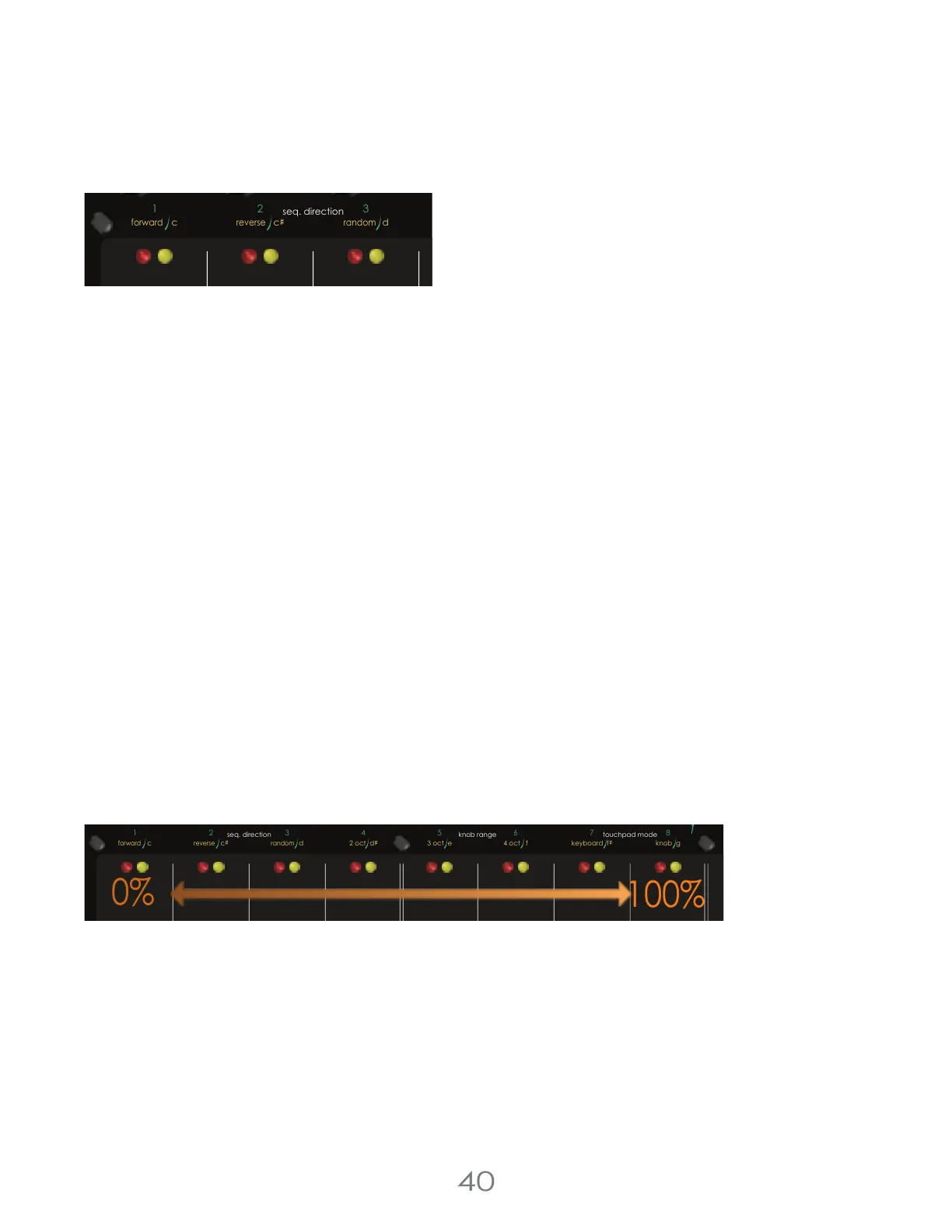
While in the top row settings menu, press [TOUCH PAD 1-3] to select the Sequence Direction for the active channel: Red,
Yellow, or both.
Sequence direction determines the direction the sequencer runs, forward, reverse, or random.
While in Forward sequence direction, the sequence will proceed left to right.
While in Reverse sequence direction, the sequence will proceed right to left.
While in Random sequence direction, the sequence will select steps based on an underlying randomness engine.
Random sequence direction has more to it than you might think.
DIRECTIONS
[TOUCH PAD 1] = Forward
[TOUCH PAD 2] = Reverse
[TOUCH PAD 3] = Random
Random Sequence Direction
When entering Random Sequence Direction, you might have noticed that the LEDs for [TOUCH PADS 1-8] lit up. This is
because the random sequence direction is secretly one of a host of random generation tools available in the Touch
Controller.
Random Sequence Direction is a Turing machine-style evolutionary randomness engine that keeps track of the order of
all the steps in your sequence and morphs that order over time based on the morph chance. When you select Random
Sequence Order, the LEDs display the percent chance that your sequence will morph when moving to the next step. If
you’re at 100%, then your sequence order is completely random.
If you touch the Data Knob after turning on Random Sequence Order, you can change this morphing chance. And you
can set it all the way to zero if you want to lock in your sequence.
If you press [TOUCH PAD 3] again while this morph chance is displayed, you can reorder all of your steps left to right.
Some musicians might like to set the morph chance somewhere low, and run the sequence for a while, waiting to hear
something they like. Then they can jump in and set the morph chance to zero and lock in their evolutionarily generated
sequence.
Other musicians might enjoy to just ignore this altogether. If that’s you don’t worry! If you don’t change the morph
chance, Random Sequence Order will do what you think it does; play your steps in a completely random order.
4 Voltage Lab 2 Touch Controller
1
2
3
chance (cv)
chance (cv)
c d
seq. direction
c
(tempo)
forward
reverse
random
100%
pressure
pitch
cv
cv channel
gate
trigger
reset /
1-shot
repeat chance
scan
envelope
clock clock
resetout
thru
in
3 oct e
4 oct f
knob gkeyboard f
internal g
5
8
7
6
1
42
3
chance (cv)
chance (cv)
red channelclockmidi
c d
step condition
oct +
seq. direction
touchpad mode
knob range
c
2 oct d
(tempo)
cv
forward
reverse
random
0%



 To Next Page