39
Accessing the Top Row Settings
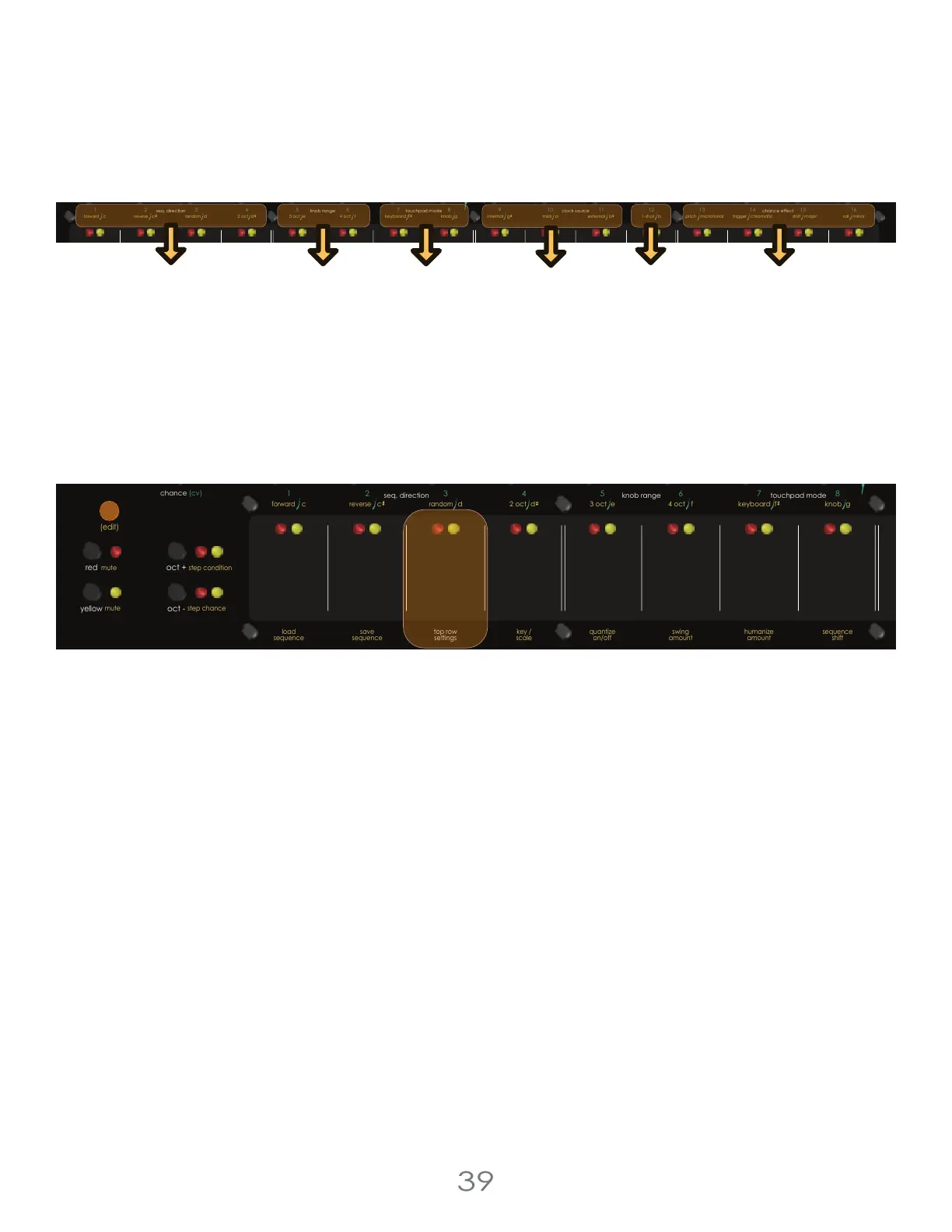
Written above the Touch Pads are a collection of “Top Row Settings”.
To access the Top Row Settings menu, press [EDIT BUTTON] + [TOUCHPAD 3] to enter Top Row Settings Mode. While con-
tinuing to hold the [EDIT BUTTON], pressing a corresponding touch pad will change the associated top row setting. Multiple
top row settings can be changed at once, and the mode will remain active as long as the [EDIT BUTTON] is held down.
Aside from the clock source, the top row settings are separate between the Yellow and Red Channels. Pay attention to
which channel you’re controlling when editing these settings.
The settings you can edit from the top row are written in white. They are : seq. direction, knob range, touchpad mode, clock
source, and chance effects.
The WHITE text above the [TOUCH PADS] indicates the setting, and the YELLOW text below that indicates each possible
option.
Multiple top row settings can be changed at once, and the mode will remain active as long as the [EDIT BUTTON] is held
down.
4 Voltage Lab 2 Touch Controller
pressure
pitch
cv
cv channel
gate
trigger
reset /
1-shot
reset /
1-shot
repeat repeatchance
scan
pressure
pitch
cv
trigger
chance
scan
envelope
clock clock
resetout
thru
in
13
3 oct e
4 oct f
knob gkeyboard f
internal g midi a 1-shot bexternal a
5
8
7
6
1
42
3
chance (cv)
chance (cv)
16
15
14
9
12
11
10
red channelclockmidi
yellow channel
pittsburgh
modular
c d
cv channel
seq. direction
touchpad mode
knob range
clock source
pitch microtonal trigger chromatic roll minorshift major
chance effect
c
2 oct d
gate
envelope
(tempo)
step length
cv cv
forward
reverse
random
Sequence
Direction
Knob
Range
Touchpad
Mode
Clock
Source
1-Shot
Chance
Effects
pressure
pitch
cv
cv channel
gate
trigger
reset /
1-shot
repeat chance
scan scan
envelope
clock clock
resetout
thru
in
3 oct e
4 oct f
knob gkeyboard f
internal g
5
8
7
6
1
42
3
chance (cv)
chance (cv)
9
red channelclockmidi
c d
step shift
(edit)
mute step condition
red
mute
yellow
run/stop
step roll
clock
oct +
oct -
first step
seq. direction
touchpad mode
knob range
c
2 oct d
sequencer
step jump
(tempo)
step chance
step length
cv
sequence
length
sequence
shift
quantize
on/off
top row
settings
key /
scale
load
sequence
save
sequence
swing
amount
humanize
amount
forward
reverse
random



 To Next Page