36
Getting Started
There are a few calibrations to be aware of when starting to use your touch controller.
Touch Pad Calibration
The response of capacitive touch surfaces is very sensitive to external conditions like humidity and
temperature. To account for this, and to enable tuning of the pressure range that best fits your play style,
we have included a calibration mode.
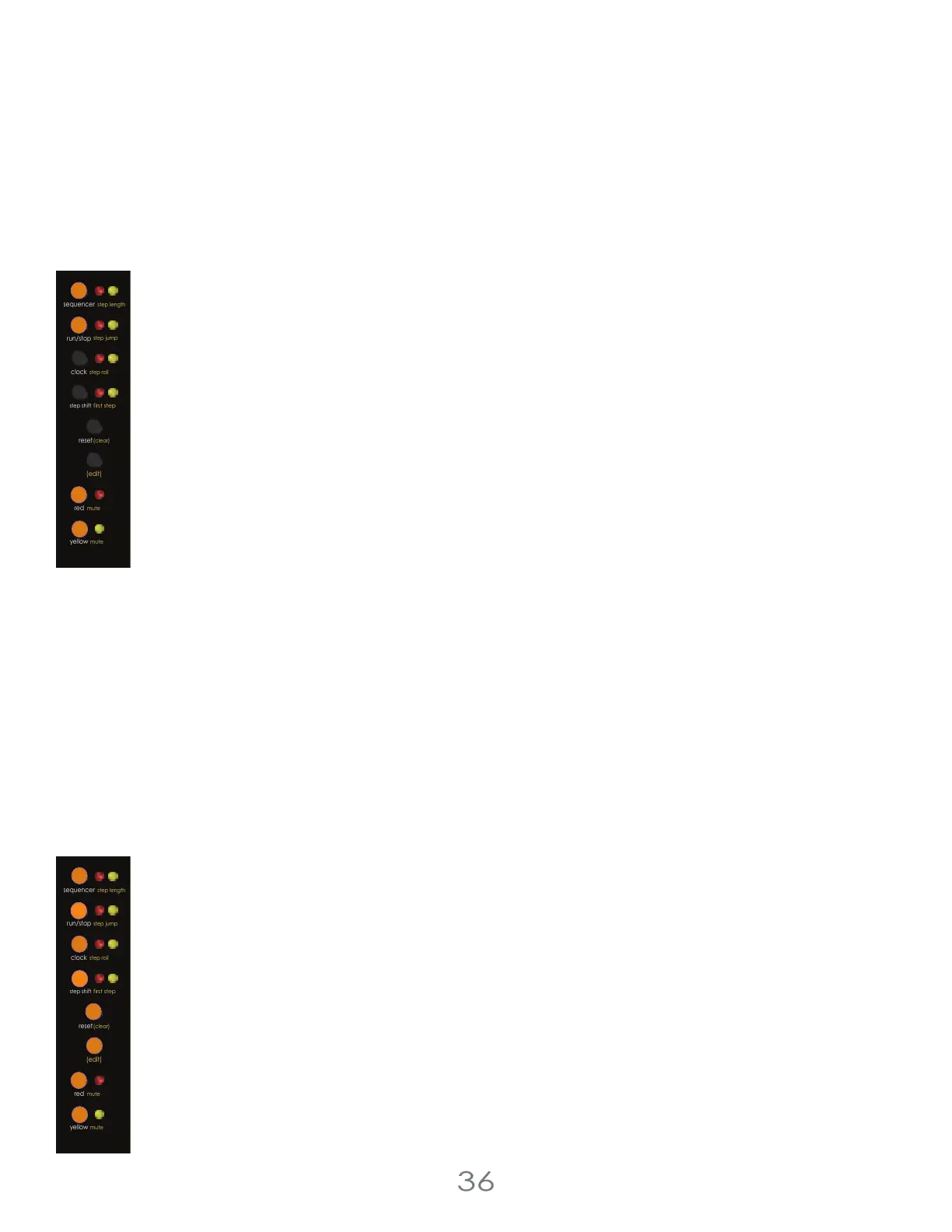
Press and hold [SEQUENCER BUTTON] + [RUN/STOP BUTTON] + [RED BUTTON] + [YELLOW BUTTON] to enter
calibration mode, making sure to not touch the pads while doing this. The LEDs will blink twice to show
calibration mode is active. Use the [VALUE KNOB] to set the sensitivity. Turning the [VALUE KNOB] full left is
most sensitive. Turning the [VALUE KNOB] full right is least sensitive. The Touch Pad LEDs will show the active
triggered steps. While pressing 3 or 4 pads at once and sliding up and down the keyboard to test, adjust
the [VALUE KNOB] until the Touch Pad LEDs only show the steps you are touching, and you are happy with
the responsiveness you’re getting.
Knob Calibration
To account for the inherent 20% tolerance of potentiometers, the Touch Controller self-calibrates the ranges of its knobs over
time to make sure they all have predictable and consistent behavior.
On first startup, and after a factory reset, it is recommended to turn all the knobs to their bottom, then play every step. Next,
turn all the knobs to the top of their range and play every step. This will enable the computer to save all the calibrations.
If you don’t, no worries! The CPU will learn all the calibration settings quickly in normal use.
Factory Resetting the Touch Controller
To perform a full factory reset of the touch controller, hold all 8 of the buttons along the left-most edge of
the controller down for 5 seconds. The interface will flash at you, and when it does power cycle the unit to
finish the reset.
After a factory reset, it is recommended to re-calibrate the knobs and touch pads on your touch controller.
4 Voltage Lab 2 Touch Controller
step shift
(edit)
mute
red
mute
yellow
run/stop
step roll
clock
first step
sequencer
step jump
reset
(clear)
step length
step shift
(edit)
mute
red
mute
yellow
run/stop
step roll
clock
first step
sequencer
step jump
reset
(clear)
step length



 To Next Page