59
Generating Sequences
Generate Sequence
The Generate Sequence tool is a rhythm generation tool that can be used in Knob Mode with Sequencer On.
It can be used to generate sequences of varying levels of complexity and with different sets of rhythmic opinions.
To generate a sequence, hold the [EDIT BUTTON], and press [TOUCH PAD 11]. Next, select a Generation Complexity
using the [VALUE KNOB] or the [TOUCH PADS]. If the sequence is stopped, a sequence will generate as soon as you
leave the screen. If the sequence is playing, the new sequence will be generated whenever the sequence next resets.
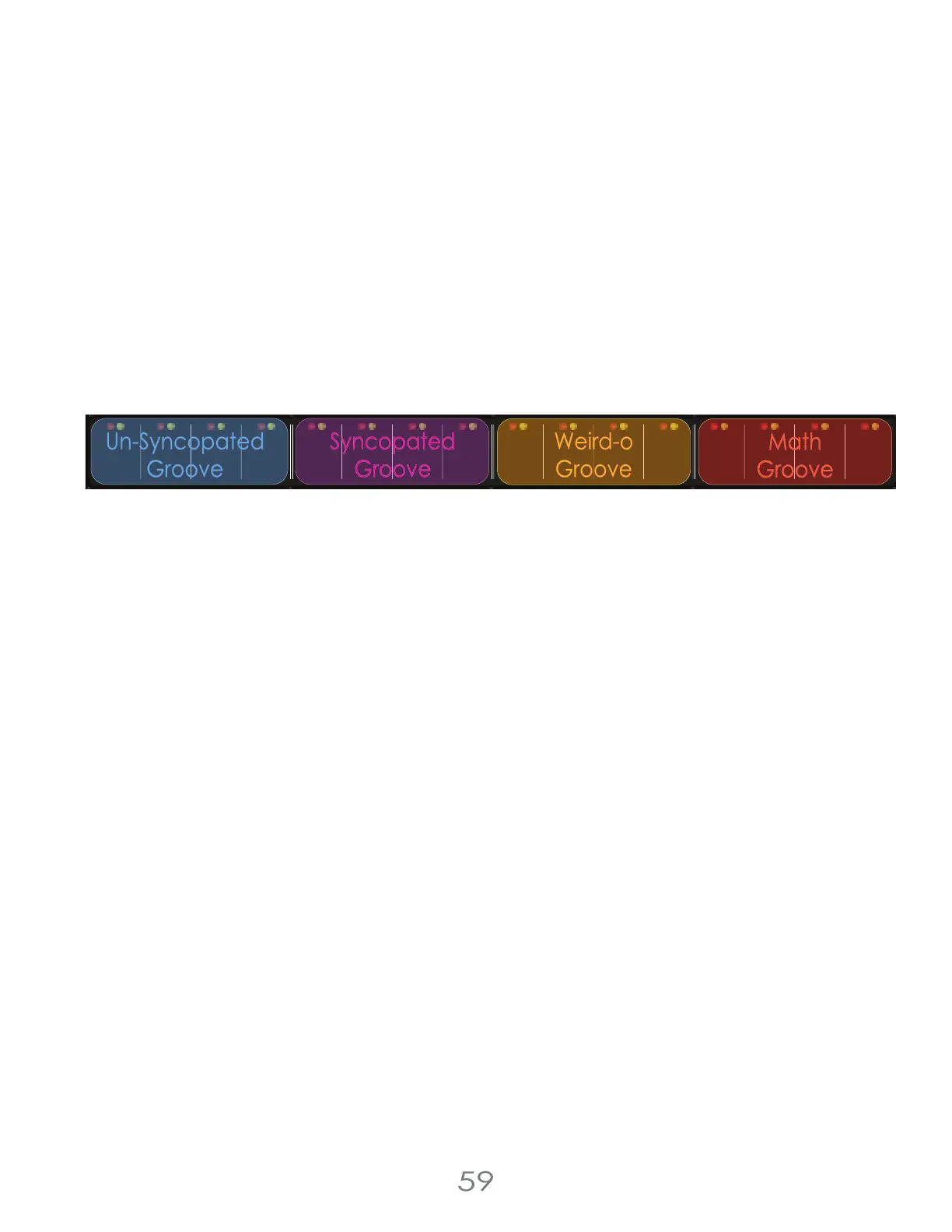
For Rhythm generation, there are four Grooves that select what kind of groove you want your rhythm to have.
You can generate: Un-Syncopated Grooves, Syncopated Grooves, Weirdo Grooves, and Math Grooves.
At the lowest complexity inside a Groove, you’ll generate simple sequences that have the selected Groove. At the
upper end of a Groove, you’ll generate much more complex sequences with the same Groove.
Generate Sequence will generate: a Rhythm, Step Pressures, Step Rolls, Step Shifts, and Step Conditions
Euclidean Generator
The Euclidean Generator can be used to generate Euclidean Rhythms. To generate a Euclidean Rhythm, hold the
[EDIT BUTTON] and press [TOUCH PAD 10] to enter the Euclidean Generator Screen. Then use the [VALUE KNOB] or
[TOUCH PADS] to select one of the Euclidean Rhythm options. While selecting a Euclidean Rhythm, the rhythm you’re
generating will be shown to the screen to help you make an informed choice.
If the sequence is stopped, a Euclidean Sequence will generate as soon as you leave the screen. If the sequence is
playing, the new Euclidean Sequence will be generated whenever the sequencer next resets.
Generate Fill
The Generate Fill function makes use of the Chance Effects to apply randomization to a sequence for one play through.
When using the Generate Fill function, select a Fill Complexity, and the Chance Effects will use that Fill Complexity
instead of the [CHANCE KNOB] to control the Chance Level of the chance effects until the sequence resets.
To generate a fill, hold the [EDIT BUTTON] and press [TOUCH PAD 12] to enter the Generate Fill Screen. Then use the
[VALUE KNOB] or [TOUCH PADS] to select a Fill Complexity.
The next time the sequencer resets, the Fill Complexity will be used to control your Chance Effects.
I’ve enjoyed using the Generate Fill function live to create transitions in my music, giving one loop some weirdness to set
up a big transition that I can reinforce elsewhere in my set up!
Note that the Generate Fill function will have no effect if none of your Chance Effects are on.
4 Voltage Lab 2 Touch Controller
pressure
pitch
cv
cv channel
gate
trigger
reset /
1-shot
reset /
1-shot
repeat repeatchance
scan
pressure
pitch
cv
trigger
chance
scan
envelope
clock clock
resetout
thru
in
13
3 oct e
4 oct f
knob gkeyboard f
internal g midi a 1-shot bexternal a
5
8
7
6
1
42
3
chance (cv)
chance (cv)
16
15
14
9
12
11
10
red channelclockmidi
yellow channel
pittsburgh
modular
c d
(edit)
mute step condition
mute
step roll
cv channel
oct +
oct -
rst step
seq. direction
touchpad mode
knob range
clock source
pitch microtonal trigger chromatic roll minorshift major
chance effect
c
2 oct d
gate
envelope
sequencer
step jump
reset
(clear)
(tempo)
step chance
step length
cv cv
euclidean touchpad /generategenerate clock midi
cv channel
quantizetop row key /load swing humanize
forward
reverse
random
Un-Syncopated
Groove
Syncopated
Groove
Weird-o
Groove
Math
Groove



 To Next Page