48
Understanding the CV Channel
CV Channel Overview
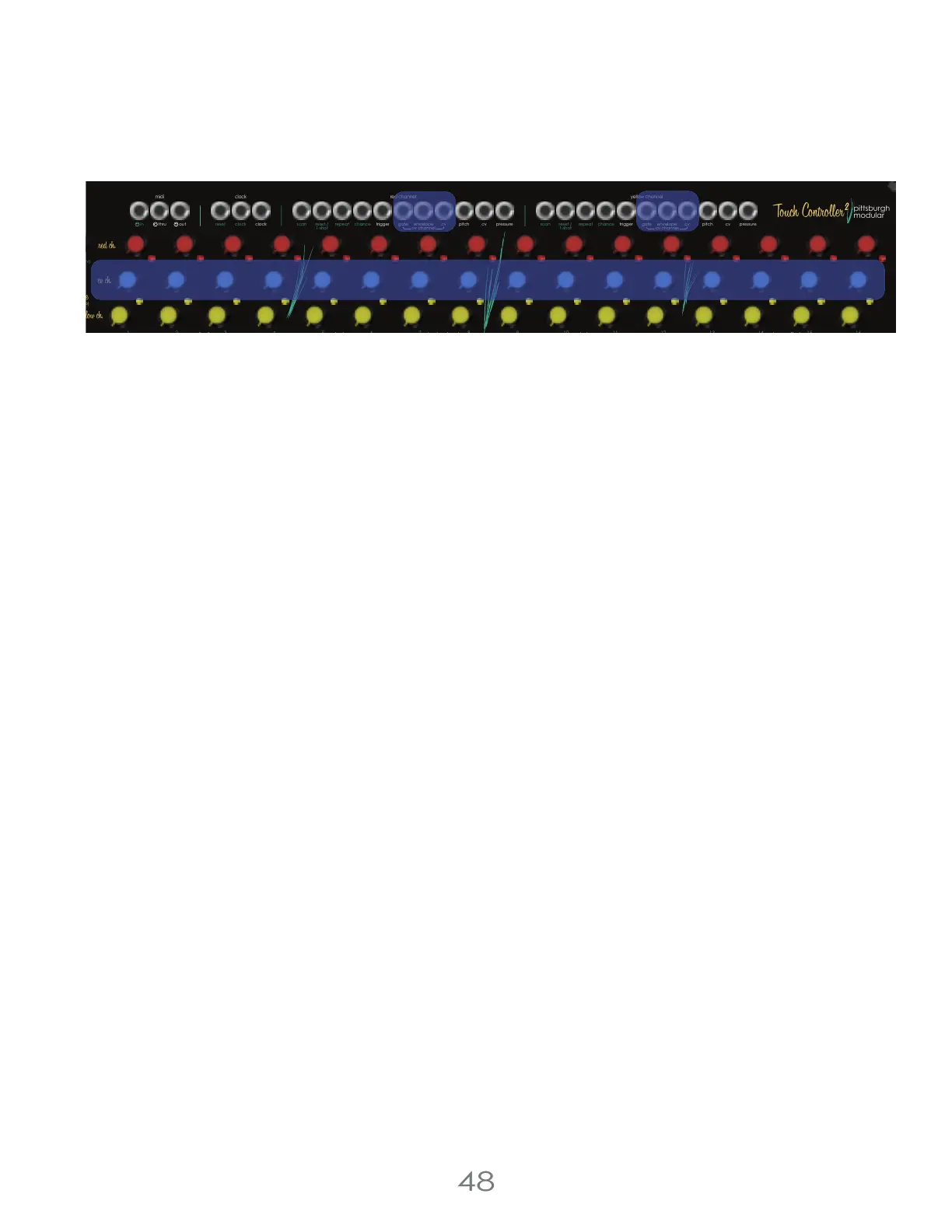
The CV Channel is a tool for generating control voltages that can be easily and quickly set per step. The CV Channel
can generate: gates of variable length ([CV CHANNEL GATE OUTPUT]), decay envelopes with variable decay time
([CV CHANNEL ENVELOPE OUTPUT]), and unquantized control voltages ([CV CHANNEL CV OUTPUT]).
The CV Channel has separate outputs per sequencer channel, and uses the [CV CHANNEL KNOBS] to control the step
settings of those outputs.
Sharing Knobs
The Yellow and Red Sequencer Channels share the [CV CHANNEL KNOBS], which means there can only be one CV
Channel Value per step number; step 1 of the Red Channel and step 1 of the Yellow Channel will have the Same CV
Channel value. However, since the Red Channel and Yellow Channel can be on different steps, they can be looking at
different [CV CHANNEL KNOBS] at any given moment; the Yellow and Red [CV CHANNEL OUTPUTS] behave
independently, but share knobs.
Gate Outputs
The [CV CHANNEL GATE OUTPUTS] generate a 5 volt gate signal, that is high for a variable amount of time. In Sequencer
Mode, the length of the gate will be set by the [CV CHANNEL KNOB] (from 10 ms to the clock step length) and the gate
will trigger whenever a step triggers. With the Sequencer Off, the gate will trigger whenever a [TOUCH PAD] is pressed,
and will stay high as long as any of the touch pads remain active.
Envelope Outputs
The [CV CHANNEL ENVELOPE OUTPUTS] generate a 5 volt percussive decay envelope, with decay time controlled by
the [CV CHANNEL KNOB] of the step triggered, whether the sequencer is on or off.
CV Outputs
The [CV CHANNEL CV OUTPUTS] are a 0-5 volt static value set by the [CV CHANNEL KNOB] of the step triggered,
whether the sequencer is on or off.
CV Channel Chance
CV Channel Chance applies randomization to the [CV Channel Knobs] when they are read by the channel. To set the
CV Channel Chance, hold the [EDIT BUTTON] and press [TOUCH PAD 14] to enter the CV Channel Chance Menu then
use the [VALUE KNOB] to set the CV Channel Chance for the active channel.
4 Voltage Lab 2 Touch Controller
pressure
pitch
cv
cv channel
gate
trigger
reset /
1-shot
reset /
1-shot
repeat repeatchance
scan
pressure
pitch
cv
trigger
chance
scan
envelope
clock clock
resetout
thru
in
13
5
8
7
6
1
42
3
chance (cv)
chance (cv)
16
15
14
9
12
11
10
red channelclockmidi
yellow channel
pittsburgh
modular
step shift
run/stop
step roll
clock
cv channel
first step
seq. direction
touchpad mode
knob range
clock source
chance effect
gate
envelope
sequencer
step jump
reset
(clear)
(tempo)
step length
cv cv



 To Next Page