41
Top Row Settings
Knob Range
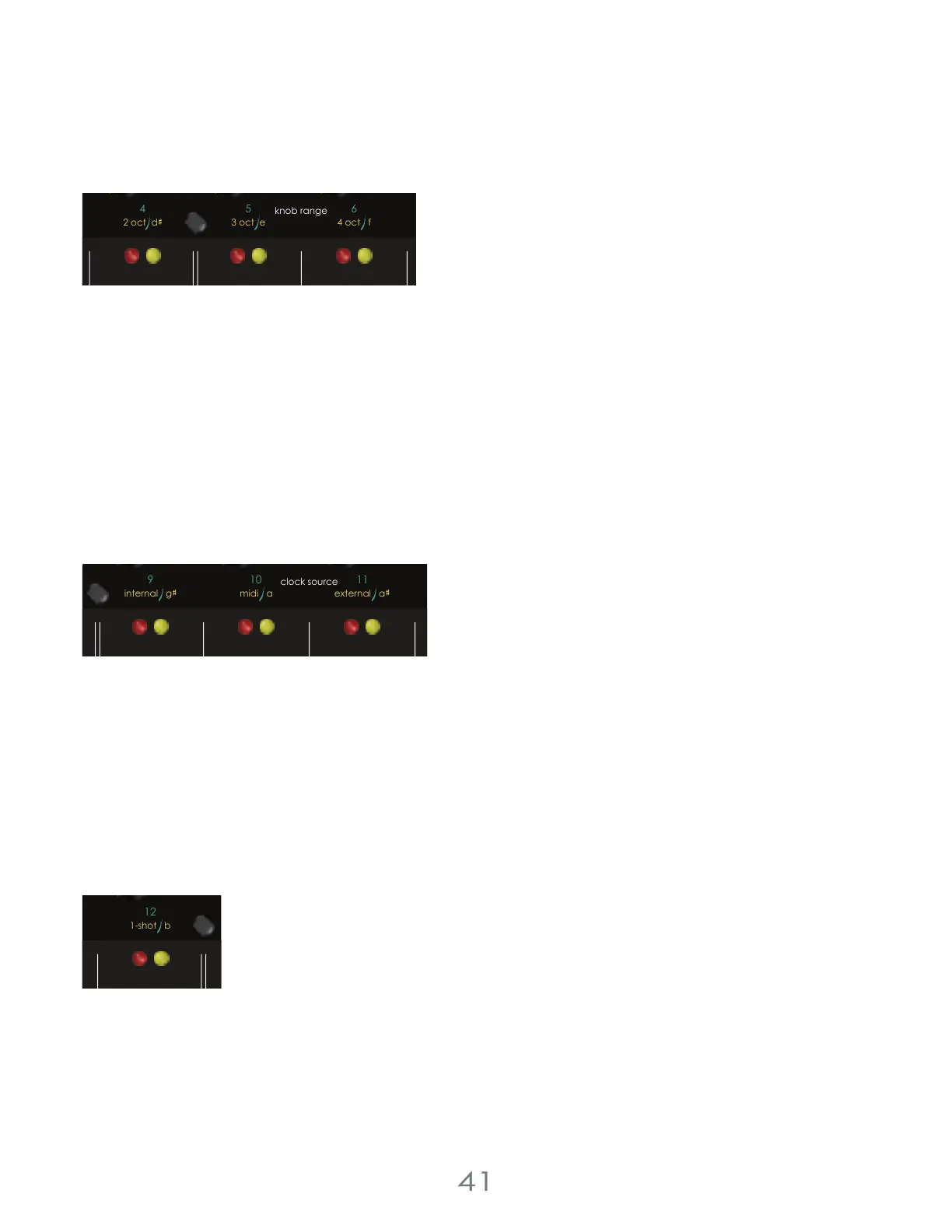
While in the top row settings menu, press [TOUCH PAD 4-6] to select the Knob Range for the active channel: Red, yellow,
or both.
Knob range determines the number of available octaves that can be sequenced using the RED and YELLOW
[PITCH KNOBS]
KNOB RANGES
[TOUCH PAD 4] = 2 octaves
[TOUCH PAD 5] = 3 octaves
[TOUCH PAD 6] = 4 octaves
Clock Source
Press [TOUCH PAD 9-11] to select the Clock Source for the active channel: Red, yellow, or both.
Clock source sets the clock used to trigger the sequencer.
CLOCK SOURCE
[TOUCH PAD 9] = Internal Clock
[TOUCH PAD 10] = External MIDI Clock
[TOUCH PAD 11] = External Gate Clock
1-Shot
Press [TOUCH PAD 12] to enable or disable the 1-Shot for the active channel: Red, yellow, or both.
With the 1-Shot top row setting active, a channel will cycle through it’s sequence once when a gate is sent to the red or
yellow channel’s [RESET / 1-SHOT JACK].
1-SHOT
[TOUCH PAD 12] = 1-Shot On/Off
4 Voltage Lab 2 Touch Controller
3 oct e
4 oct f
5
64
3
d
seq. direction
knob range
2 oct d
random
pressure
pitch
cv
reset /
1-shot
repeat
trigger
chance
scan
knob g
internal g midi a external a
8
9
11
10
yellow channel
touchpad mode
clock source
gate
trigger
chance
1-shot bexternal a
12
11
yellow channel
cv channel
clock source
pitch microtonal
gate
envelope
cv



 To Next Page