Internet Telephony PBX System
IPX-330/IPX-2100
122
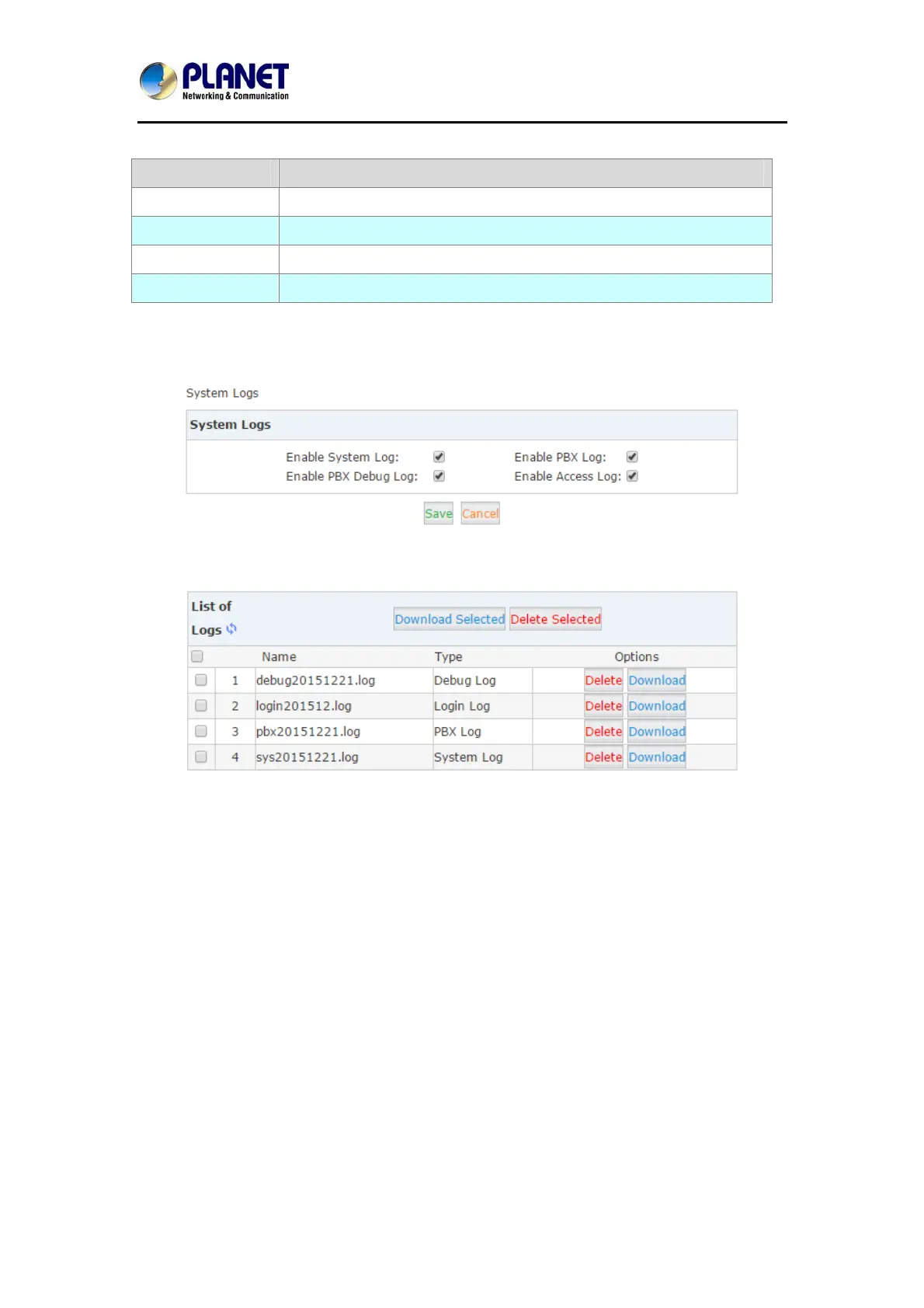
In the IP PBX system, there are 4 kinds of log files.
Item Explanation
System Log System Logs store all the system events.
PBX Log PBX Logs store all the Asterisk events.
PBX Debug Log Asterisk debug logs.
Access Log Web and SSH access logs.
To enable these logs for the IPPBX system, please Navigate to web menu Report->System
Logs. And enable the logs by tick the corresponding checkboxes.
After checking the checkboxes please click “Save”. The log files will be generated.
Each day there will be a new log file generated for each of the log types. Enable them only if
you are familiar with these logs for troubleshooting.



 To Next Page