Internet Telephony PBX System
IPX-330/IPX-2100
127
system voice will indicate leaving a message.
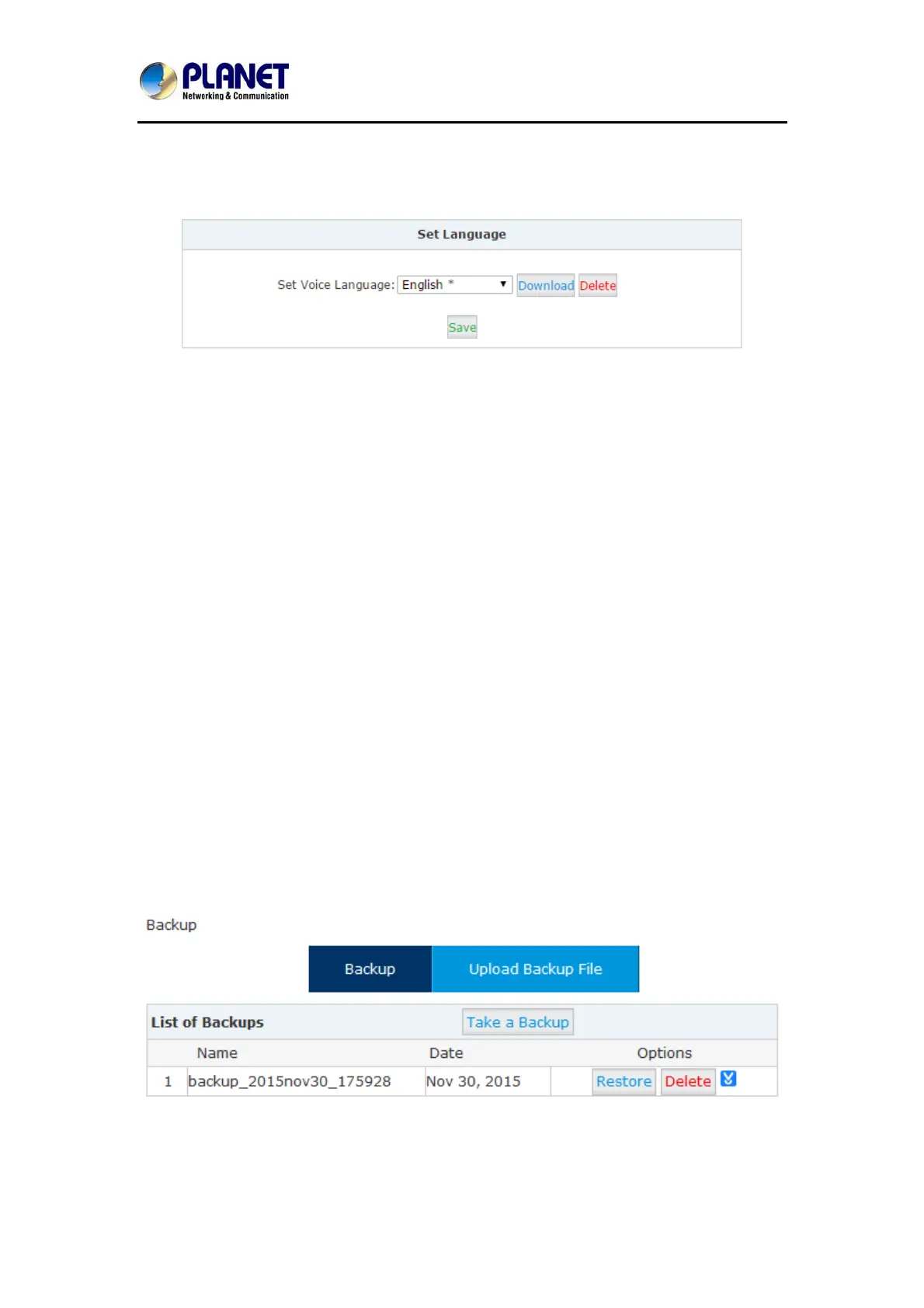
In the “Set Language” section you can decide in which language the system indicates the
callers.
For now, IP PBX system supports 22 different languages as the system voice prompts. They
are English, English (Australia), Chinese, French, French (Canada), Spanish, Spanish
(Mexico), Portuguese, Portuguese (Brazil), Italian, Persian, Arabic, Turkish, Thai, Russian,
Polish, Dutch, Korea, Hungary, Vietnamese, Hebrew, Greek and Germany.
The items with * means these languages are already existing in the system; others can be
downloaded here by clicking “Download” button.
7.4 Backup
7.4.1 Take a Backup
Taking a backup on IP PBX system is the same as you create a recovery point on your
Windows system. By restoring the backup you can recover the IP PBX system configurations
to the time point when it’s still functioning well.
Normally the first backup should be taken when you finished configuring the IPPBX to work for
the very first time. And maybe later you’ll apply new changes to the configurations you can
take new backups as well.
Navigate to web menu System->Backup. Click “Take a Backup” button to create a backup file
which will contain all current system configurations.
Once done, you get the backup file listed on this page. And the file is stored in the file system.
Any time, by clicking “Restore” button you can restore the configurations. By clicking “Delete”



 To Next Page