Internet Telephony PBX System
IPX-330/IPX-2100
43
Item Explanation
for timeout, after all IVR loops played completely without
pressing any key the incoming call will be handled by “t”
parameter.
3.4.3 IVR Prompts
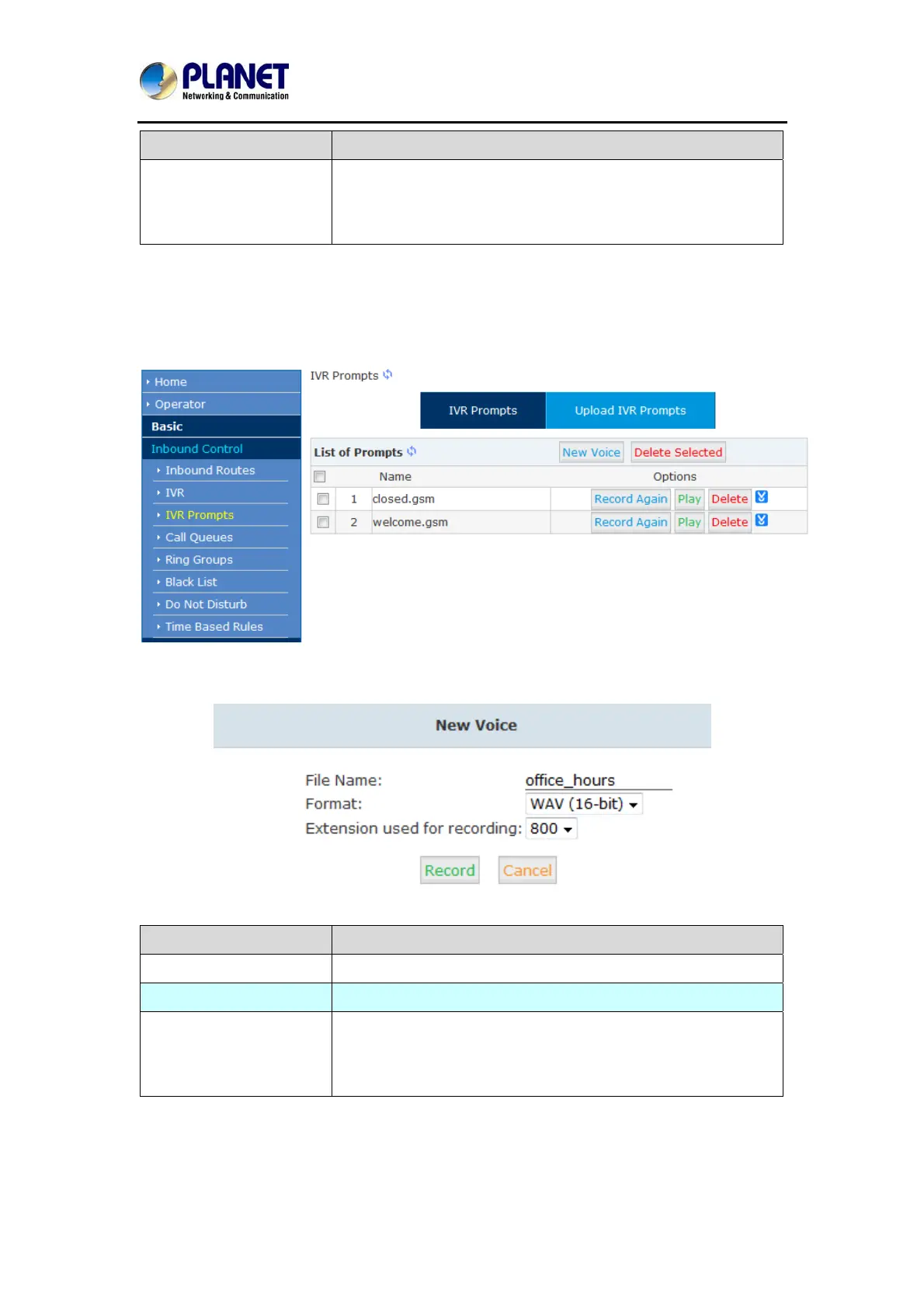
To configure IVR menu on IP PBX system you’ll first need to record the IVR prompts. The IVR
prompts will indicate the callers how to place their calls
Click【IVR Prompts】----【New Voice】to create new IVR prompt:
Item Explanation
File Name Define a name for this voice file.
Format Select the voice format, GSM/WAV (16bit) supported only.
Extension used for
recording:
Select the extension which is used for recording the IVR
prompt. Click【Record】, this extension will ring, and then you
can pick up the phone and record.



 To Next Page