Internet Telephony PBX System
IPX-330/IPX-2100
42
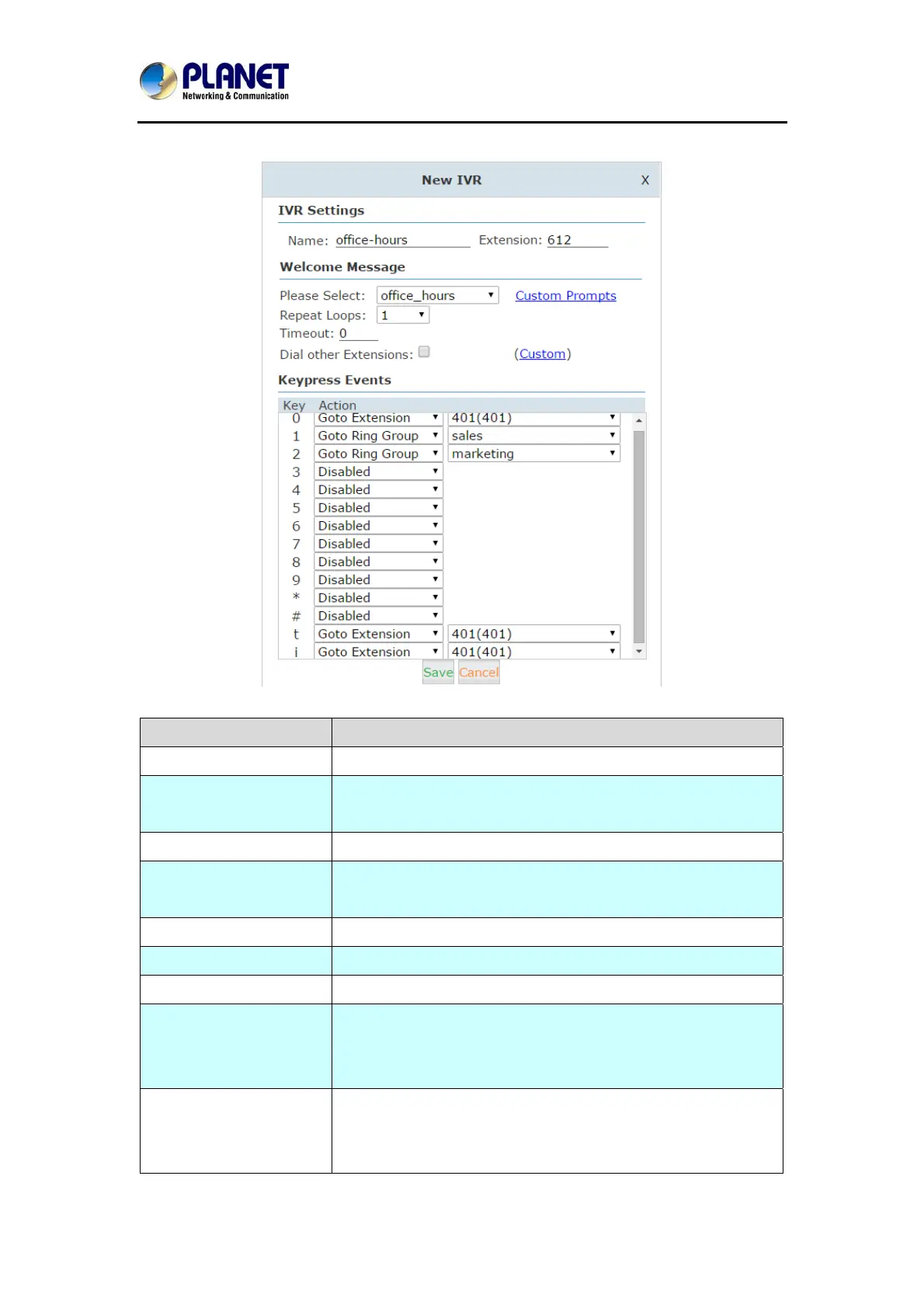
Click【New IVR】to create a new IVR:
Item Explanation
Name Set a name for the IVR
Extension Extension number for the IVR, by calling this number can
access the IVR menu.
Please Select Select a voice prompts for this IVR menu.
Custom Prompts Click this button to navigate to Inbound Control->IVR Prompts
page for new voice prompts.
Repeat Loops Define how many times to play the IVR menu to the caller.
Timeout Timeout for key pressing of each IVR loop.
Dial Other Extensions If enabled, the caller can dial extension number directly on IVR.
Custom By clicking “Custom” you can set dial plan for this IVR menu.
The callers on IVR would be able to dial some other
destinations the dial plan allows.(Not recommended)
Key Press Events Define which destination to go by pressing a key on the phone
keypad. If the undefined keys were pressed then it will be
handled by the “i” parameter, “i” means invalid. And “t” stands



 To Next Page