Internet Telephony PBX System
IPX-330/IPX-2100
133
For external line configuration, you must use public IP address.
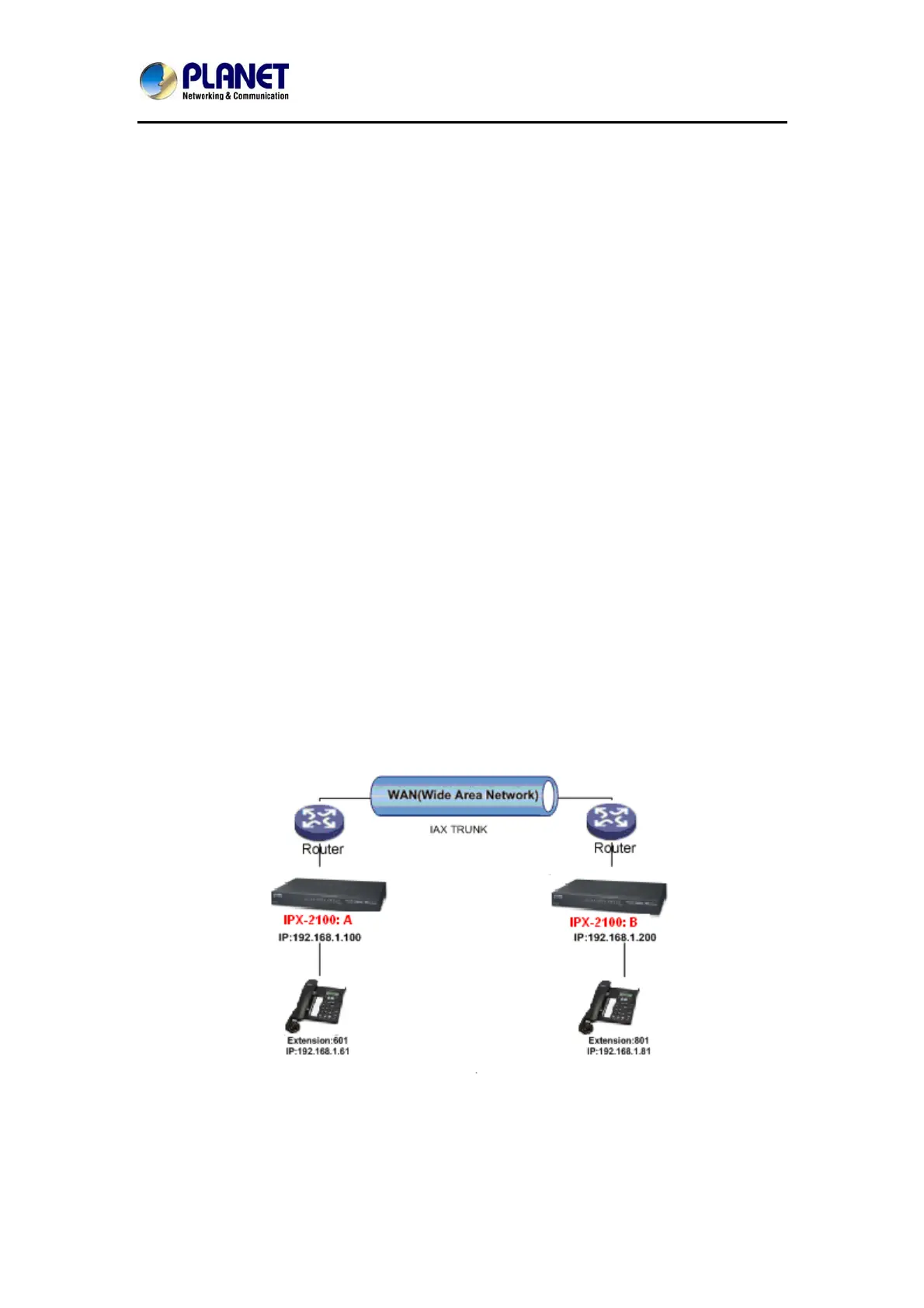
Take the following instructions as an example:
Register IPX-2100-B IP to a trunk of IPX-2100-A with authentication.
Configuration Rule:
1. IP Phone registers on IPX-2100-A as extension 601.
1. Another IP Phone registers on IPX-2100-B as extension 801.
2. IPX-2100-A IP: 192.168.1.100.
3. IPX-2100-B IP: 192.168.1.200.
4. Extension format of IPX-2100-A: 6XX.
5. Extension format of IPX-2100-B: 8XX
6. Create an extension 888 with password 123456 on IPX-2100-B.
7. All extensions on IPX-2100-A can call extensions on IPX-2100-B with format 8XX.
8. All extensions on IPX-2100-B can call extensions on IPX-2100-A with format 6XX.
For detailed steps, please take chapter 8.2 as reference.
Two sets of IPX-2100 behind router
Sometimes the IPX-2100 doesn’t have a public IP address, and you have to configure port
mapping for your router.
Step1: Configure the mapping rule of IPX-2100-A on the router.
The IPX-2100-B is connected behind the router, and registers on IPX-2100-A through internet.
You need to configure the port mapping of IAX2 port (4569) on the router. Then, all data



 To Next Page