Internet Telephony PBX System
IPX-330/IPX-2100
27
Item Explanation
Start/Extension End
Dial Plan Select a same dial plan for these new extensions.
Password Can be different random passwords consisting of numbers, letters
and special characters(suggested) by check “Random” checkbox. Or
you can specify a same password for all new extensions.
Other Extension Ranges
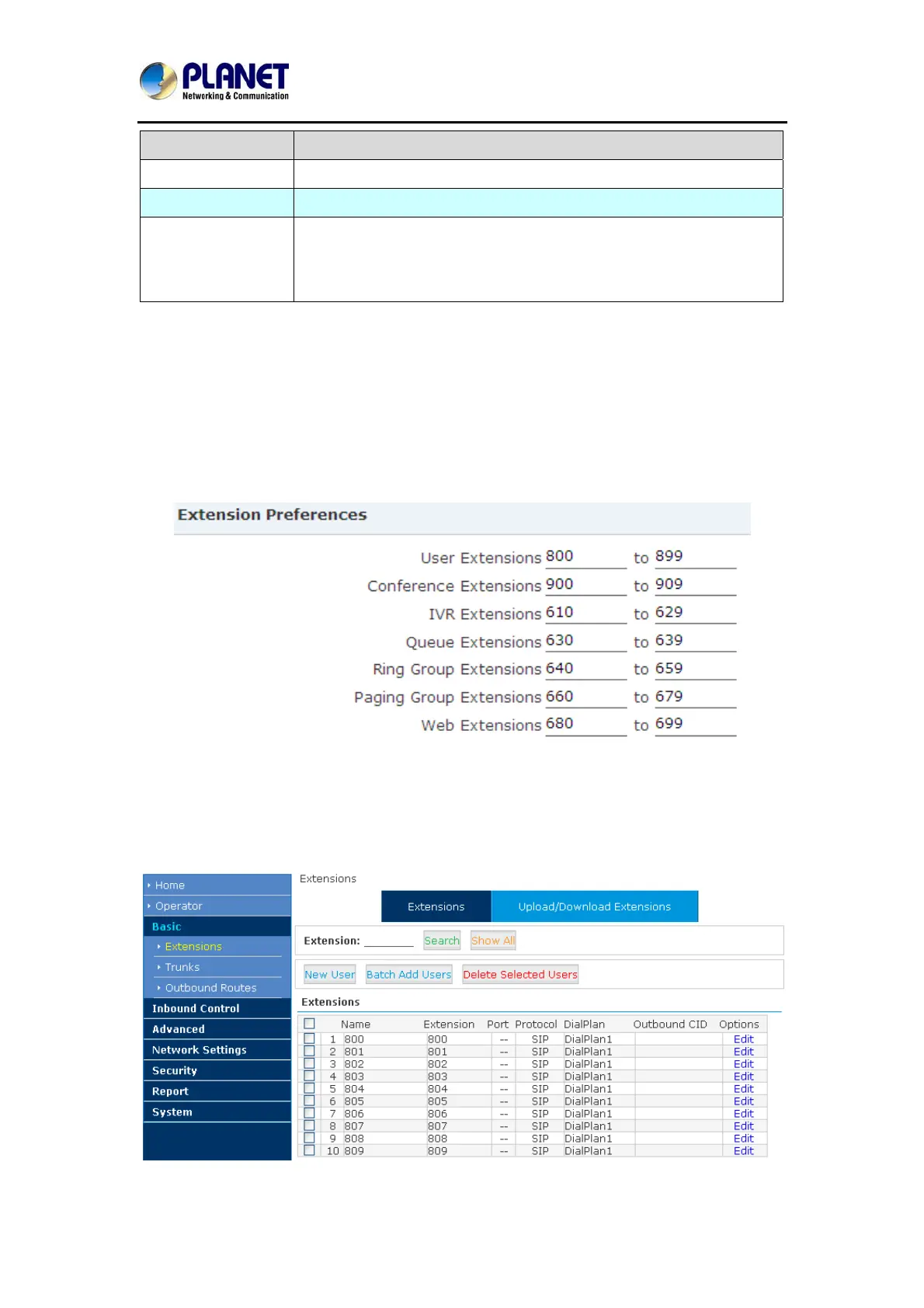
In Planet IP PBX system, we limited the user extension range within 800 and 899. If you want
more extensions or you want the extensions in other ranges you need to change the extension
range before you can add new extensions.
Please navigate to web menu Advanced->Options->General.
In the “Extension Preferences” section you can change the user extension range.
Configure Extensions
Planet IP PBX supports SIP/IAX2 and analog extension; configure extension on this page:
【Basic】----【Extensions】
By default, 10 existing extension numbers have already been given. They are from 800 to 809.



 To Next Page