Internet Telephony PBX System
IPX-330/IPX-2100
63
Item Explanation
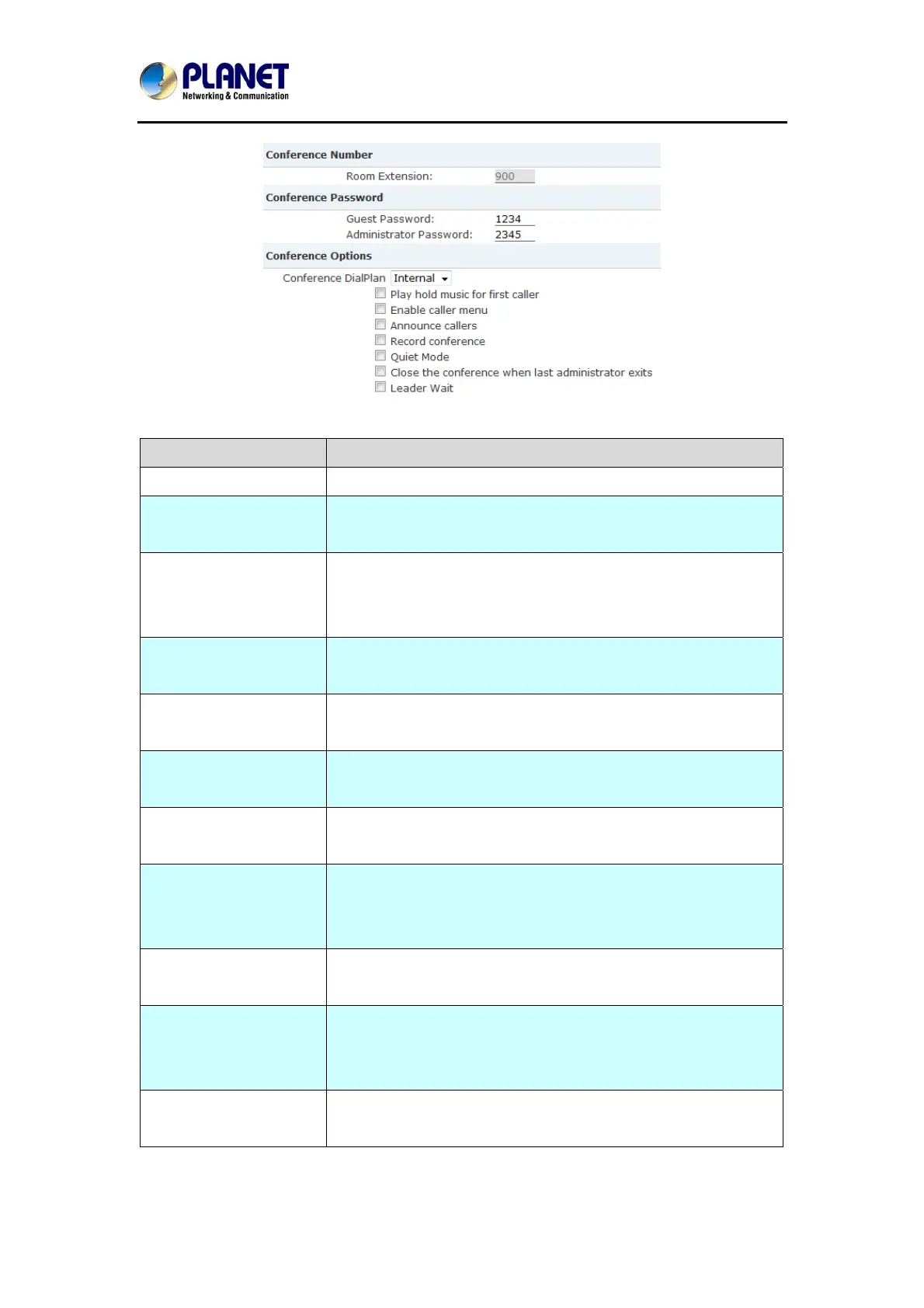
Room Extension By calling this extension number to enter the conference room
Guest Password If the callers use this password to enter the conference then
they are ordinary participants
Administrator Password If the callers use this password to enter the conference then
they are administrators, they have advanced conference menu
for example inviting people to participate the conference.
Conference DialPlan Conference admin can use this dial plan to invite other
participants.
Play hold music for first
caller
Play the hold music for the first participant in the conference
until another participant enters in this conference.
Enable caller menu Check this option to allow the conference admin to access the
conference menu by pressing “*” on the phone.
Announce Callers Announce all the participants in the room that new participant is
coming in.
Record Conference Record this conference.(Recording format is wav.) The recorded
conference can be searched from Report->Record
List->Conference page.
Quiet Mode If check this option, system will not give any announcement
when the participants enter or leave the conference
Close the conference
when last administrator
exits
If checked this option, the conference will be terminated when
the last administrator exits
Leader Wait Wait until the conference leader(administrator) enters the
conference before starting the conference



 To Next Page