NetworkVideoRecorderwithHDMI
NVR‐820/NVR‐1620
E-Map monitoring is a function that alerts users whenever there is an event triggered (e.g.
motion detected) from a camera with a geographical perspective. With this function, users can
quickly identify which camera has detected an unusual event and where this event is
happening. This function works by incorporating the event detection function as well as the
recording function, which, as a result, helps users take all the necessary actions when an
unusual event occurs.
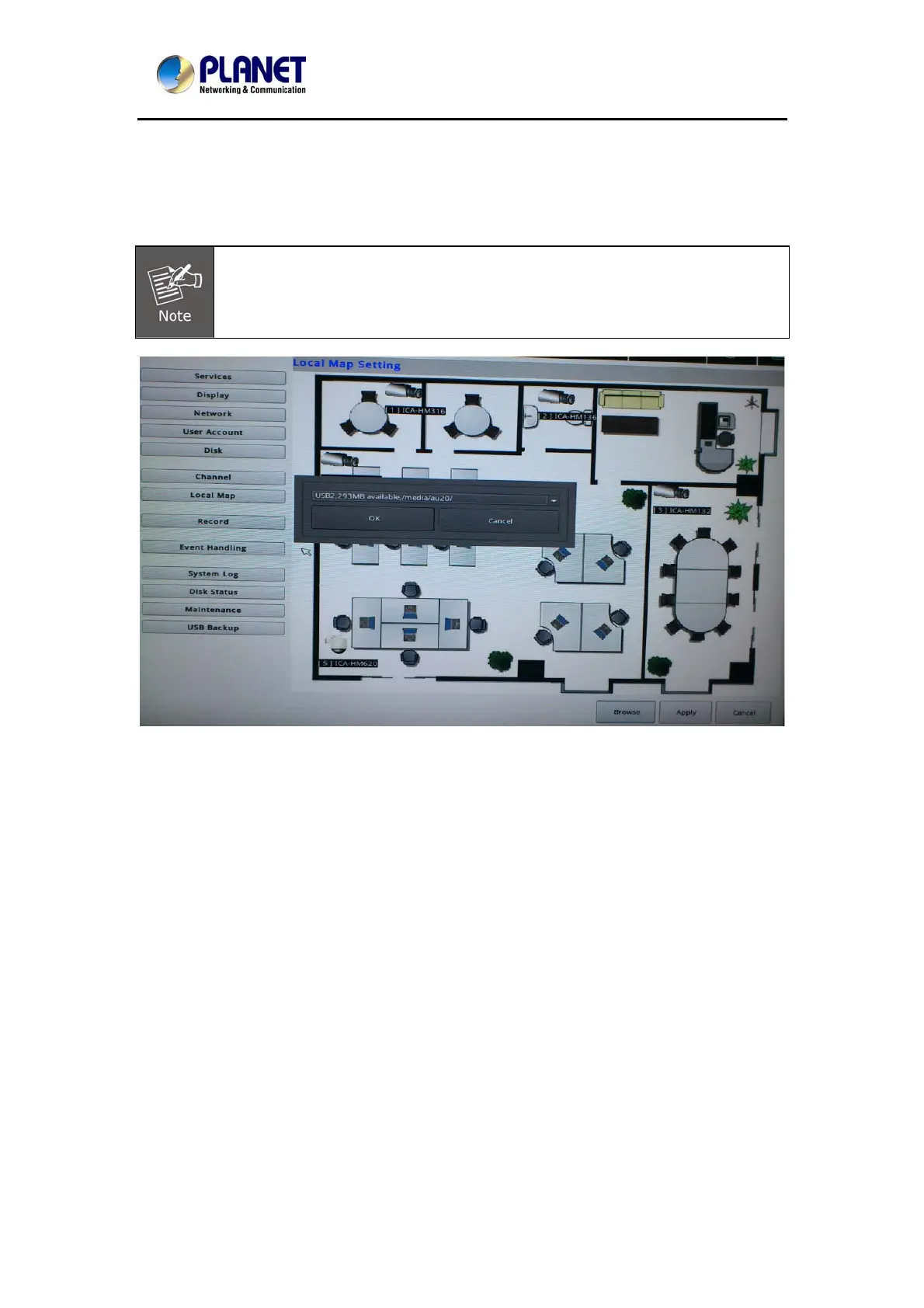
E-Map setting page in the local UI only allows you to configure the position of each
camera (by using drag and drop). For detailed settings such as changing the
E-Map image, please do so in the web configuration UI.
To change the map image, place your own image on a USB disk and plug it into one of the
USB ports on the NVR. Click the "Browse" button and select the USB disk when prompted.
101



 To Next Page