NetworkVideoRecorderwithHDMI
NVR‐820/NVR‐1620
4.6.2 Adding a Camera Manually
Simply follow the instruction described above but instead of using the “Search” function, enter
the camera’s IP address and credential in the “Camera Information” manually.
4.7 Live Viewing through iPhone Safari Browser
You can use iPhone and perform single channel live view to the NVR by using its Safari browser.
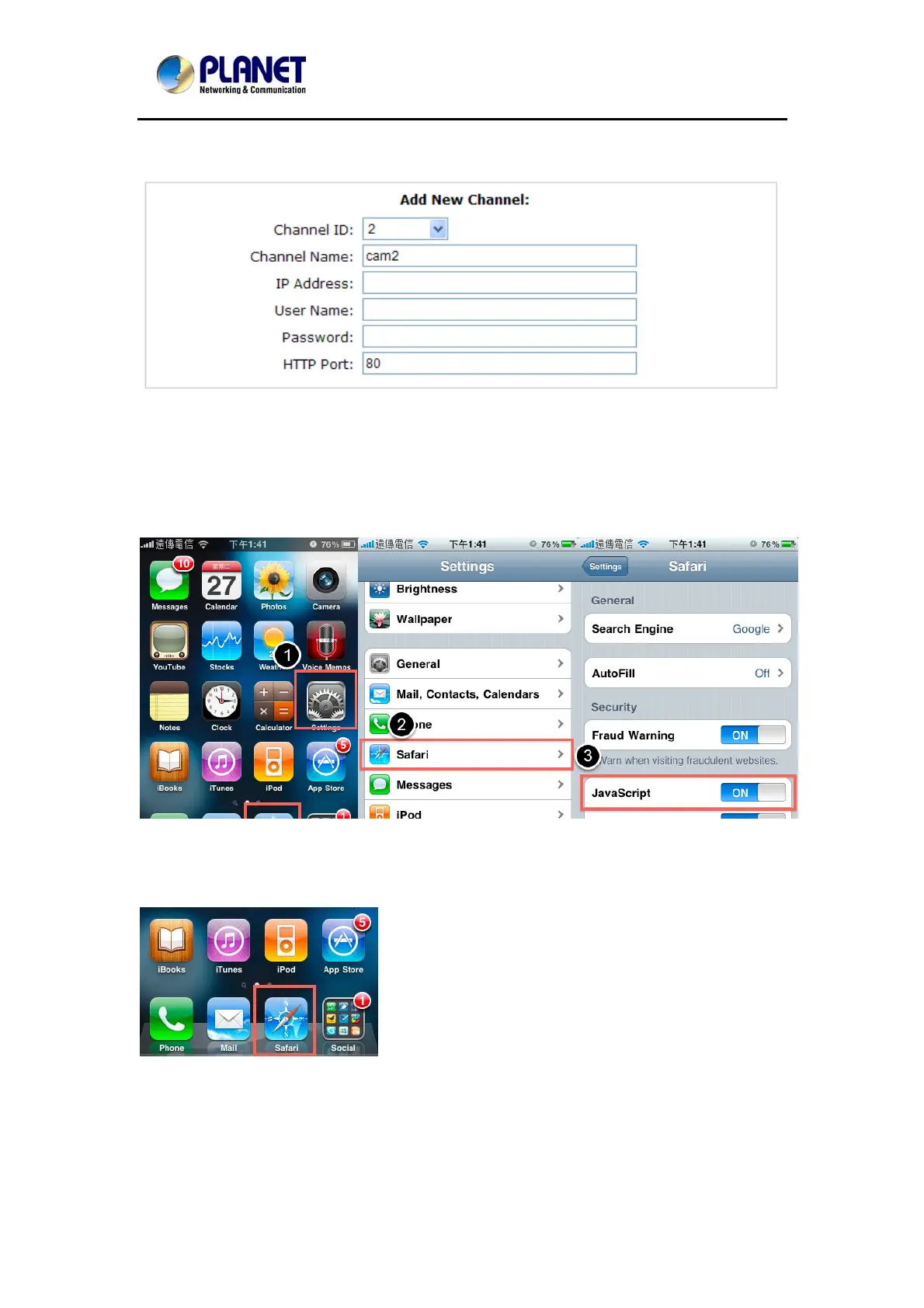
To be able to view the live video through the Safari browser, make sure “JavaScript” is on under
“Settings” >> “Safari” >> “JavaScript”
Once JavaScript is enabled, click the “Home” button on the iPhone to go back to the home
screen and open the Safari browser
29



 To Next Page