NetworkVideoRecorderwithHDMI
NVR‐820/NVR‐1620
11.3.2 Through the Web Interface
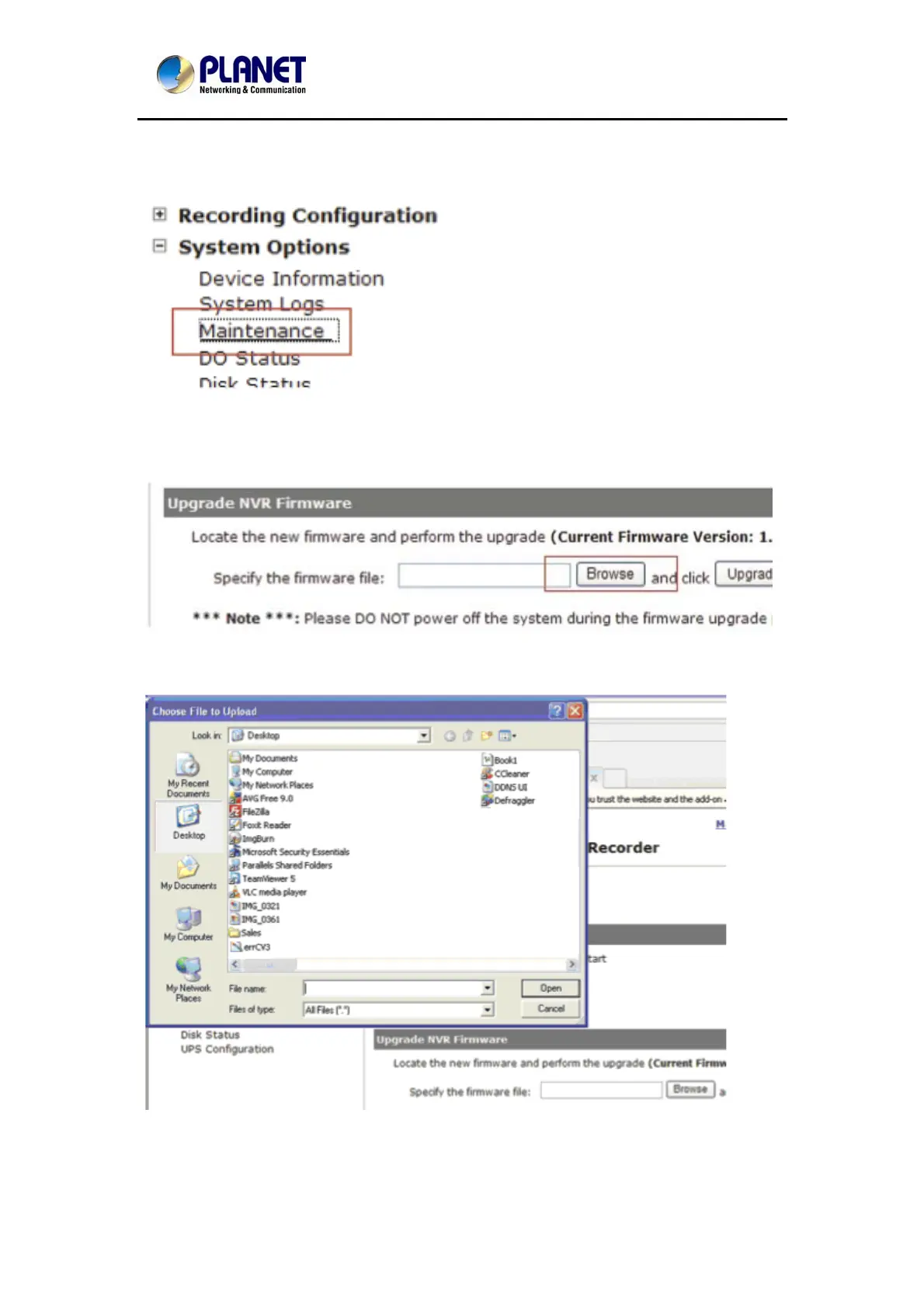
Login into NVR’s web management UI, and go to "NVR Setup" >> "System
Options"->"Maintenance"
In the "Upgrade NVR's Firmware" section, click "Browse" and select new firmware file
A new dialog should display and let you choose the location of the firmware file.
80



 To Next Page