NetworkVideoRecorderwithHDMI
NVR‐820/NVR‐1620
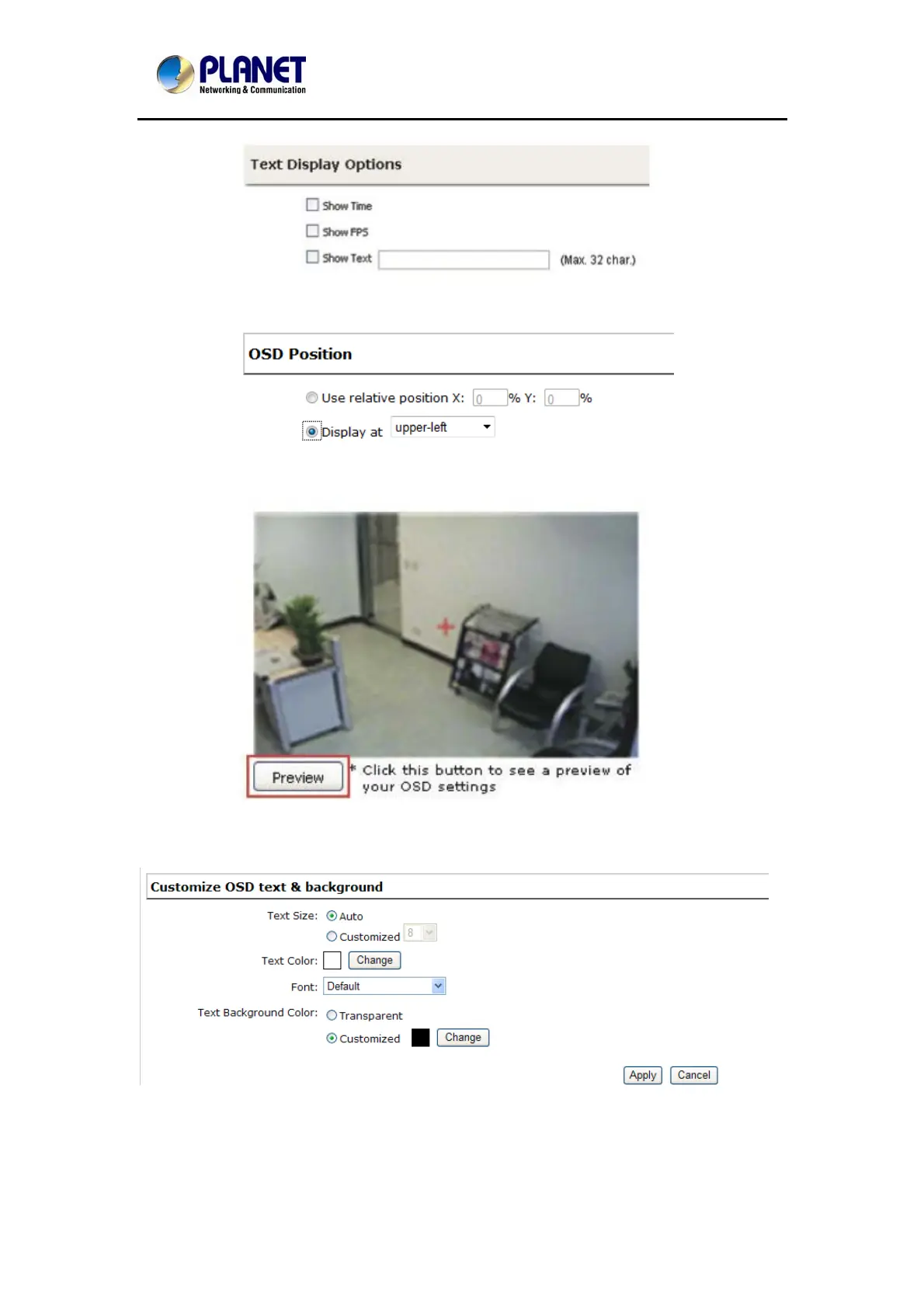
Choose one or more display options if you would also like the recorder to automatically embed
the system time or the frame rate for you. Or simply choose to display a custom message of
your own.
Next, define where the text will be displayed by either entering an X/Y value based on
percentage or use the system pre-defined position from the drop-down menu.
Click on the “Preview” button to see the preview of your setting and click “Apply” to save the
configuration.
The texts can be further adjusted with changes to a different size, color or font so they can be
more visible on the video.
60



 To Next Page