NetworkVideoRecorderwithHDMI
NVR‐820/NVR‐1620
99
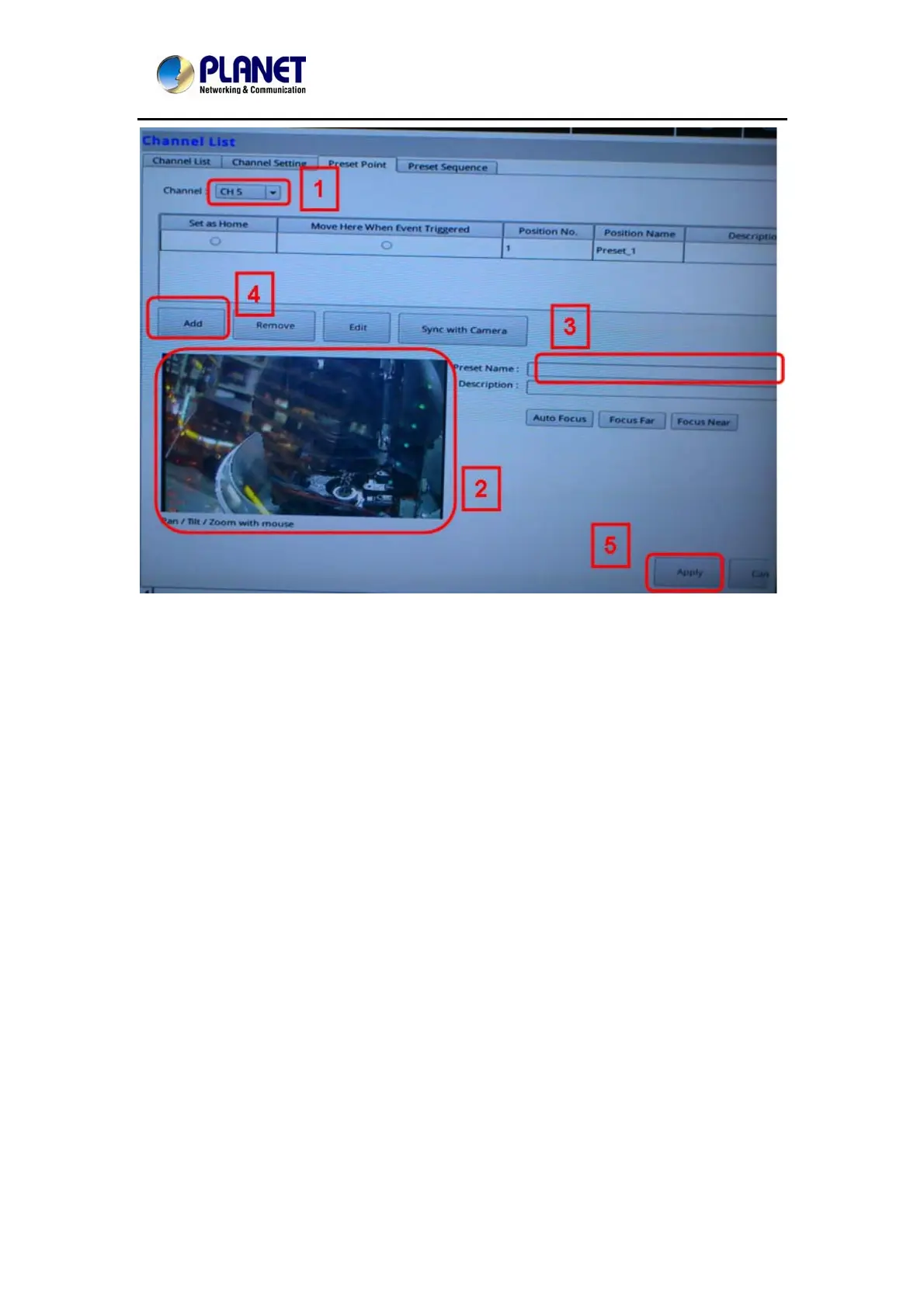
You can create up to 8 preset points for each channel if it's a PTZ-capable camera. To add a
preset point:
1. Select a channel from the "Channel" list and its video will be displayed at the lower-left hand
corner.
2. Click on the video to change its pointing direction.
3. Assign a name to this preset position.
4. Click "Add" to add it.
5. Click "Apply" to save the settings.
Once you have multiple preset points defined for a camera, it is convenient for monitoring to
set up the sequencing viewing among those preset points and let the recorder automatically
switch between them for you.



 To Next Page