User Manual of WAP-200N/WBS-200N
-35-
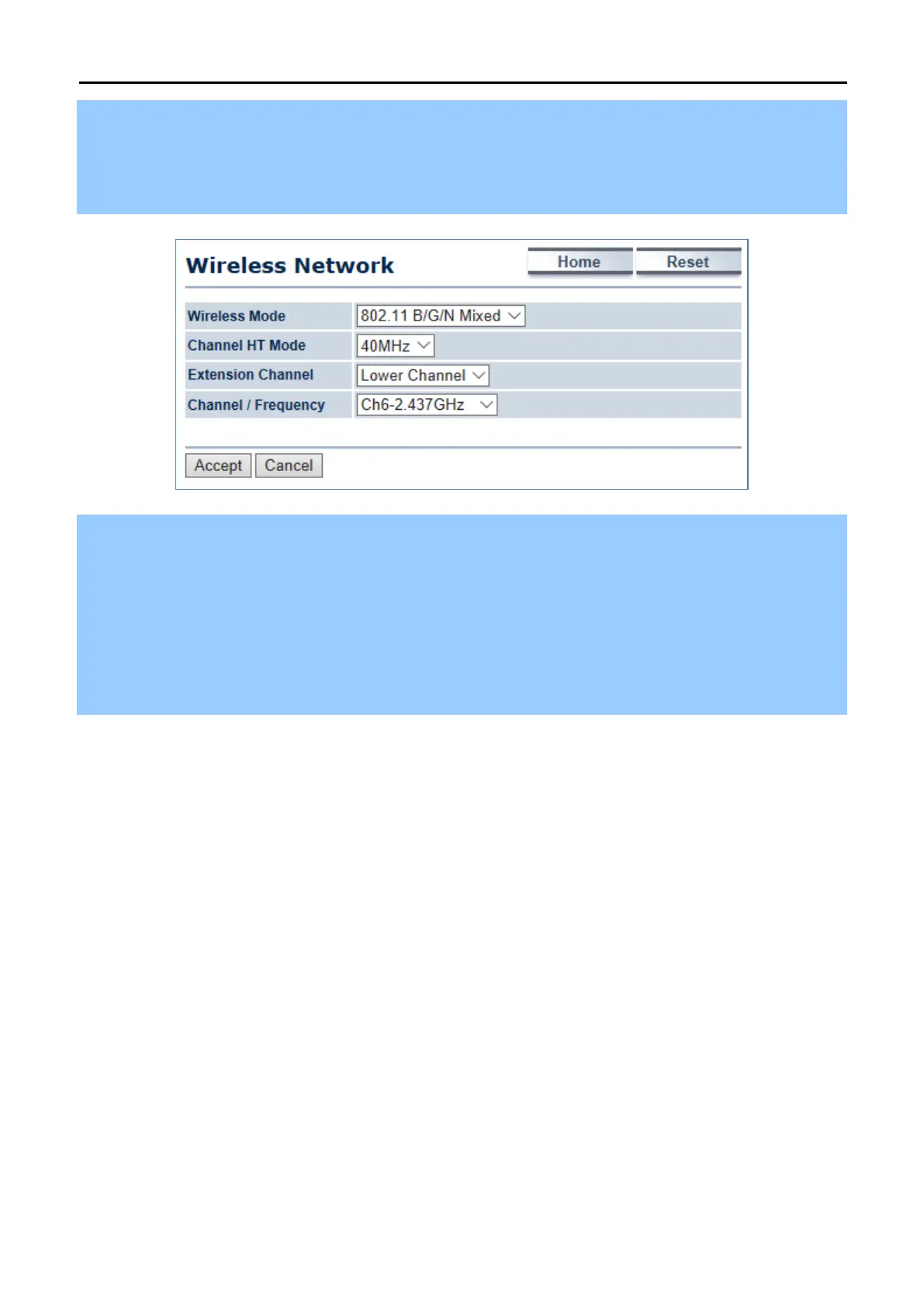
Step 3. Go to the “Wireless Wireless Network” page to configure the wireless parameters of the WDS link.
In this example, we set the channel to 6 and channel width to 40MHz.
(1) Channel HT Mode: set to 40MHz for wider bandwidth to optimize performance
(2) Channel/Frequency: set to a fixed channel. For the WDS link, the fixed channel must be used.
Step 4. Go to the “Wireless WDS Link Settings” page to enter the wireless MAC of the remote node and add
encryption to protect the WDS link. Click Accept to save the changes.
(1) In PtMP of the master node: enter the wireless MAC of each remote slave node up to 4 entries.
(2) In PtMP, the distance from each slave node must be configured to the actual distance from each slave node
to the master node. As to the master node, it should be configured to the value of the farthest node. In PtMP
application, the distance from each node to master node should not have too much deviation to ensure the
connection stability.



 To Next Page