User Manual of WAP-252N/WAP-552N
-13-
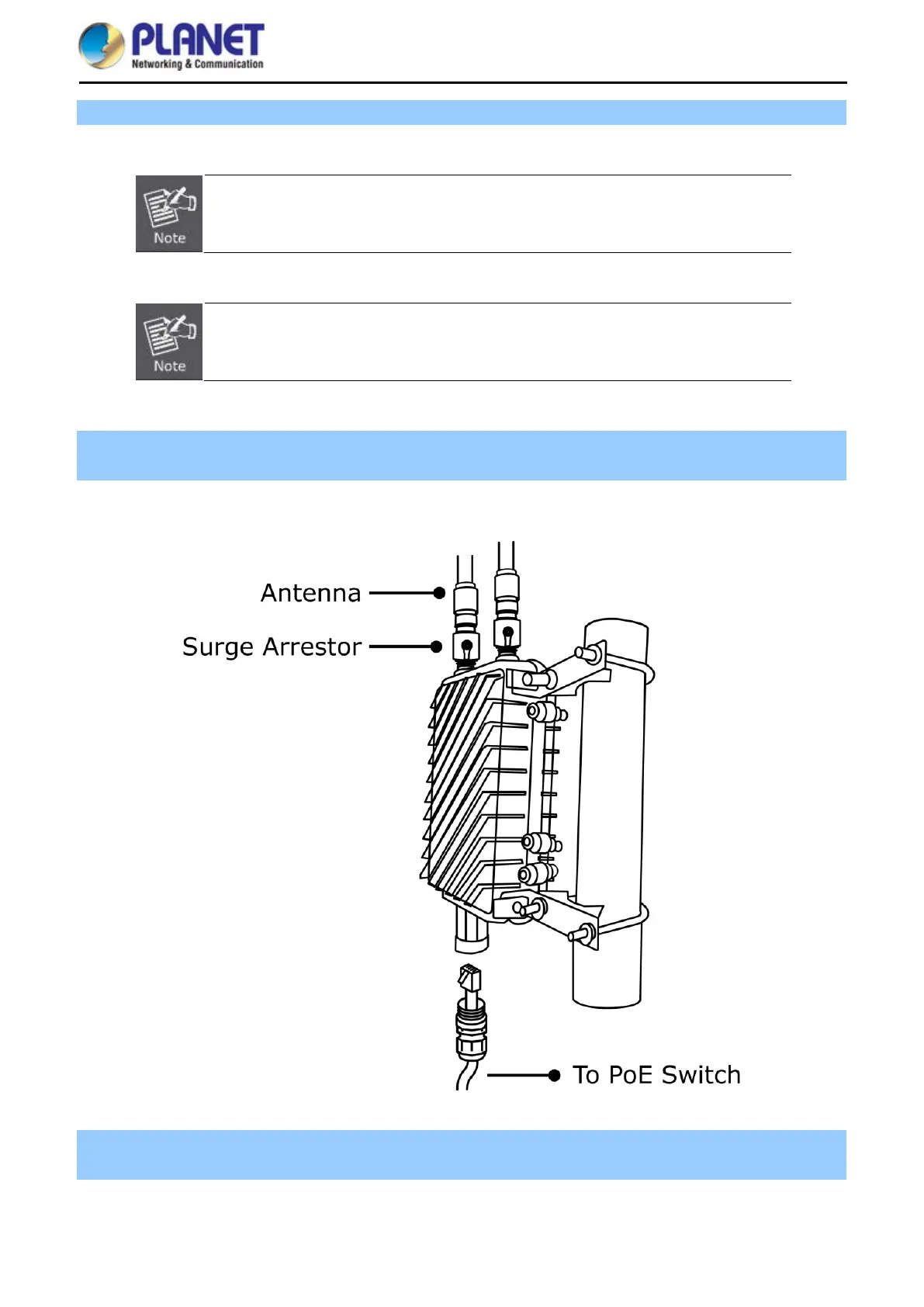
Step 3. Attach the surge arrestors to each antenna connector.
The Antenna and Surge Arrestor are required for each antenna connector, and must
be purchased separately.
Please remember to finish grounding by consulting the local electrical experts.
Step 4. Attach the antenna equipped with N-type (M) connector to each surge arrestor. Otherwise, connect the
antenna through the N-male (male pin) to N-male (male pin) cable.
Step 5. Plug the RJ45 Ethernet cable into the PoE port of the AP through the waterproof kit, and plug the other
side of the RJ45 cable into the PoE port of the PoE switch to finish the installation.














 To Next Page