User Manual of WAP-252N/WAP-552N
-39-
5.7.2 Wireless
5.7.2.1. Basic Settings
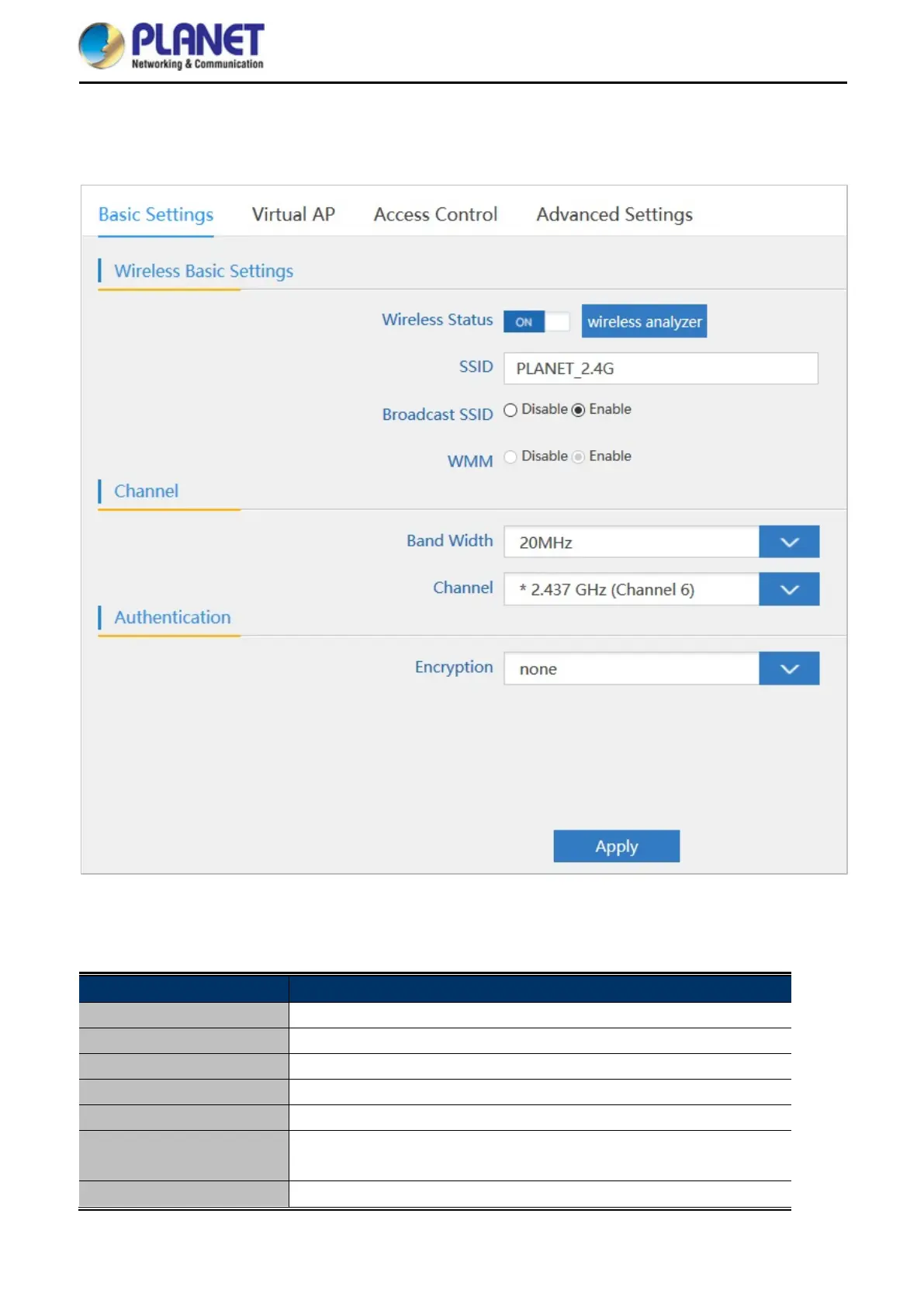
Figure 5-23 Basic Settings
The page includes the following fields:
Object Description
Wireless Status It shows the wireless status is Enable or Disable
SSID It shows the SSID of the AP. Default is PLANET_2.4G or PLANET_5G
Broadcast SSID Select Enable or Disable the SSID
WMM
It supports Wi-Fi multimedia and default is enabled
Bandwidth It displays operating channel width which is 20MHz or 40MHz
Channel It shows the channel of the AP. Default 2.4GHz is Channel 6 and
5GHz is Channel 36.
Encryption
It shows the wireless encryption














 To Next Page