User Manual of WAP-252N/WAP-552N
-56-
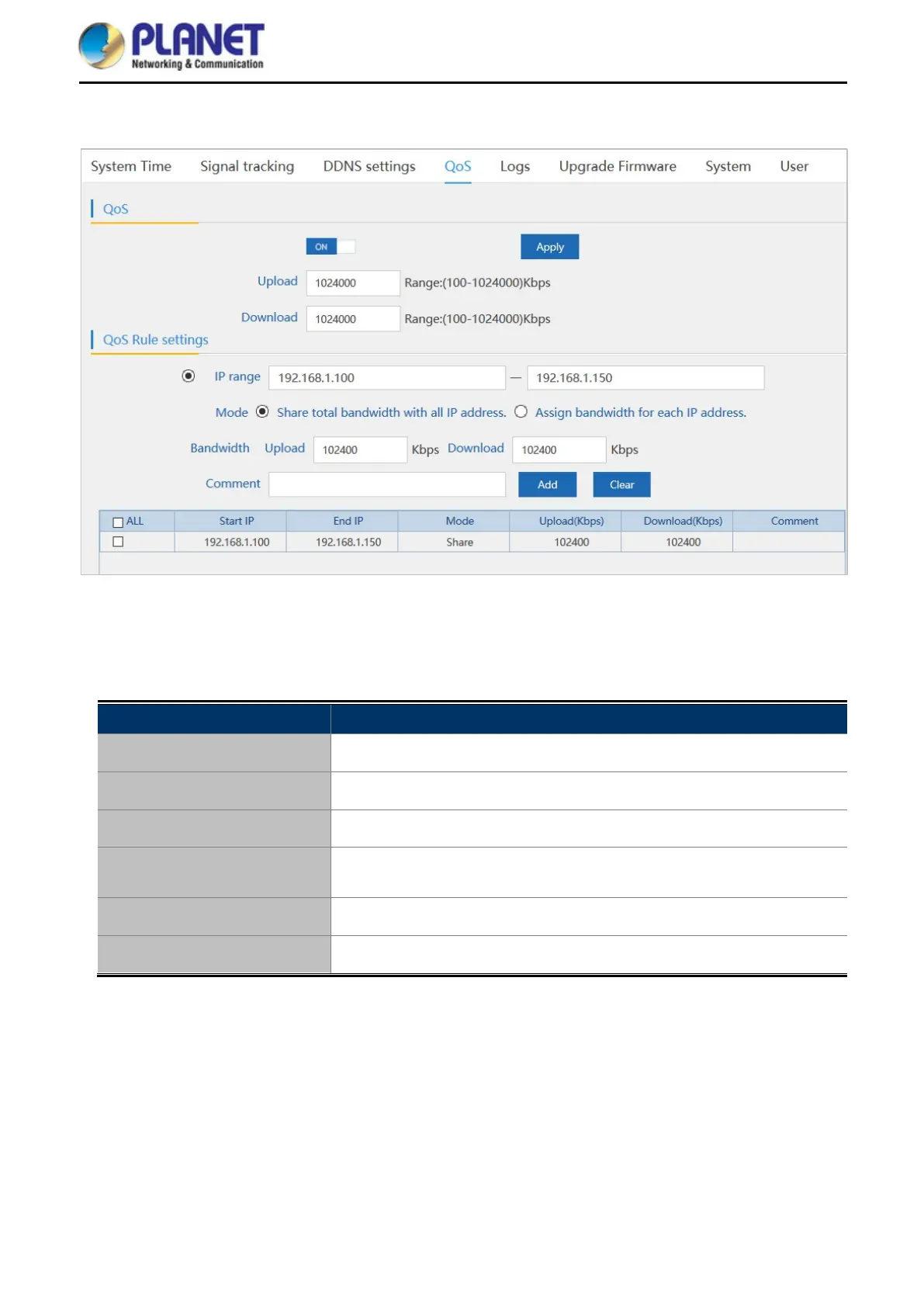
5.7.5.4. QoS
Figure 5-44 QoS
The page includes the following fields:
Object Description
Upload
Enter the Internet upload speed.
Download
Enter the Internet download speed.
IP Range
Enter the IP range of bandwidth control.
Mode
Select Share total bandwidth with all IP address or Assign
bandwidth for each IP address.
Bandwidth
Enter the limitation of bandwidth.
Comment
Enter the comment of the QoS configuration.














 To Next Page