User Manual of WAP-252N/WAP-552N
-72-
Appendix A: Planet Smart Discovery Utility
To easily list the WAP-252N/WAP-552N in your Ethernet environment, the Planet Smart Discovery Utility is an
ideal solution.
The following installation instructions guide you to running the Planet Smart Discovery Utility.
Step 1: Deposit the Planet Smart Discovery Utility in administrator PC.
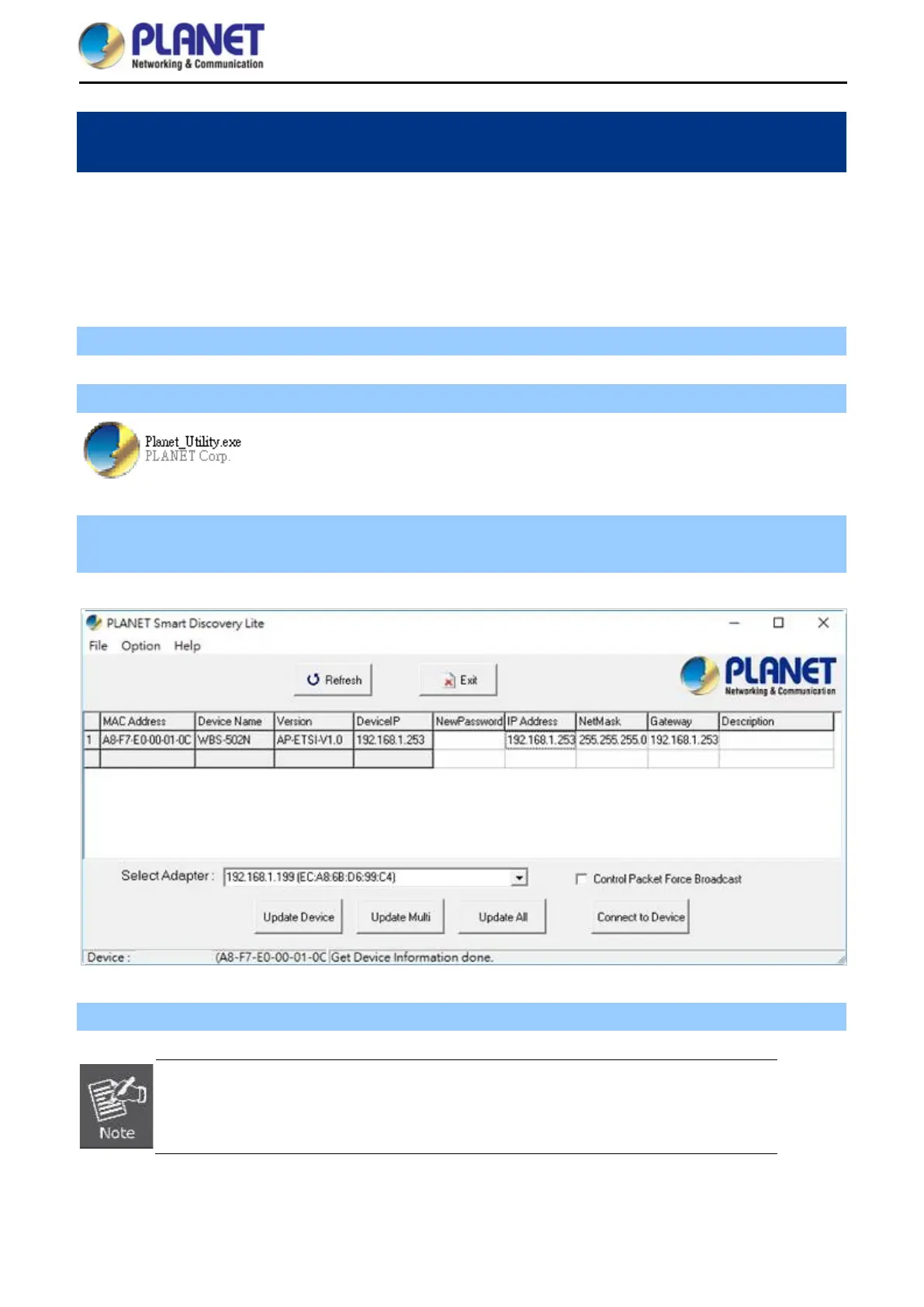
Step 2: Run this utility and the following screen appears.
Step 3: Press “Refresh” for the current connected devices in the discovery list as shown in the following
screen:
Step 3: Press “Connect to Device” and then the Web login screen appears.
The fields in white background can be modified directly and then you can apply the new
setting by clicking “Update Device”.














 To Next Page